

Wednesday, September 9, 2026
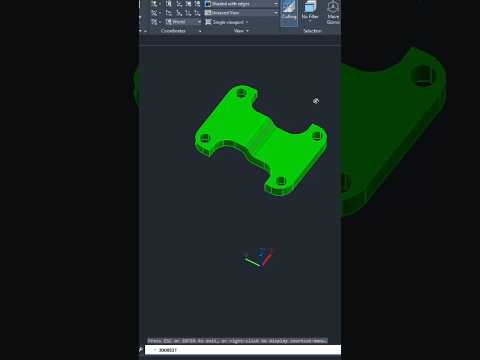
Creating complex models in modern design often requires combining basic shapes into intricate geometry. If you are working on modern 3D CAD projects in AutoCAD, knowing how to efficiently extract overlapping volumes is essential. Enter the INTERSECT command—a fundamental Boolean operation that dramatically streamlines your digital modeling workflow.
Understanding the AutoCAD INTERSECT Command
The INTERSECT command allows you to combine two or more existing 3D solids, surfaces, or 2D regions, generating a single new object from their shared volume or area. Instead of spending time manually trimming or reshaping geometry, INTERSECT automatically deletes all non-overlapping portions and preserves only the common intersection.
How to Use the INTERSECT Command Step-by-Step
Using this tool in AutoCAD is straightforward and intuitive:
- Prepare Your Geometry: Ensure that two or more 3D solids or 2D regions overlap each other in your drawing area.
- Activate the Command: Type
INTERSECT(or its shortcutIN) in the command line and press Enter. - Select Objects: Click on all the overlapping objects you wish to intersect.
- Complete the Action: Press Enter to execute the command.
In an instant, AutoCAD discards everything outside the overlapping zone, leaving behind only the newly formed solid or surface.
Pro-Tip: Ensure your objects actually intersect in three-dimensional space. If objects only appear to overlap visually in a 2D viewport but are separated along the Z-axis, the command will not generate a result.
Why INTERSECT is Essential for 3D CAD Modeling
Integrating Boolean commands into your 3D CAD workflow saves considerable design time. Whether you are drafting mechanical parts, architectural features, or complex industrial components, the INTERSECT tool guarantees absolute mathematical precision without tedious manual editing.
By mastering INTERSECT alongside complementary commands like UNION and SUBTRACT, any 3D CAD user can quickly transform basic geometric primitives into sophisticated, production-ready 3D models. Try it in your next AutoCAD session to speed up your modeling process!


