Cad 3D Category

Showing posts with label Digital Manufacturing. Show all posts

Mastering Engineering CAD: The Ultimate Guide from Digital Blueprint to Physical Reality

Saturday, October 10, 2026
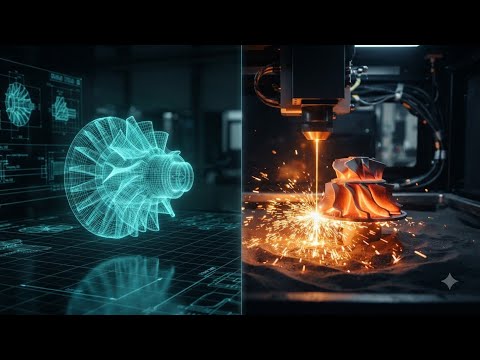
In today's fast-paced industrial landscape, the journey from a spark of an idea to a tangible product is a feat of modern technological synergy. This seamless transition is powered by the evolution of digital manufacturing tools that have redefined how we conceive and create. At the heart of this revolution lies Engineering CAD, the sophisticated software that allows designers to build, test, and refine blueprints in a virtual environment before a single atom of material is moved.

The Digital Blueprint: Where Innovation Begins

The process begins with Computer-Aided Design. Gone are the days of manual drafting tables; modern Engineering CAD provides a high-fidelity, multi-dimensional workspace where every measurement is precise and every mechanical constraint is calculated. This digital blueprint serves as more than just a visual guide—it is a comprehensive data set that defines the geometry, material properties, and functional limits of a component. By utilizing these advanced tools, engineers can simulate real-world stresses and thermal dynamics, ensuring the final product is optimized for peak performance.

Bridging the Gap: The Role of CAM

Once the digital model is perfected, the next critical step is Computer-Aided Manufacturing (CAM). CAM acts as the essential bridge between the virtual world and the factory floor. It takes the complex data from your Engineering CAD file and translates it into G-code—the specialized language that tells CNC machines or 3D printers exactly how to move, cut, or extrude. This automated workflow minimizes human error and significantly accelerates the production cycle, enabling rapid prototyping and the creation of complex geometries that were once deemed impossible.

Physical Reality: The Power of 3D Printing

The final stage of the journey is the physical realization of the object. While subtractive manufacturing remains vital, additive manufacturing (3D printing) has revolutionized the industry by allowing for unprecedented design freedom. Whether you are creating a custom medical implant or a lightweight aerospace bracket, the transition from software to hardware is now faster than ever. By mastering the integrated workflow of CAD, CAM, and 3D printing, creators can push the boundaries of innovation, turning visionary digital concepts into high-quality physical realities.


Continue Reading | ความคิดเห็น

3D Scanning Explained: Bridging the Gap Between Physical Parts and 3D CAD

Tuesday, September 8, 2026

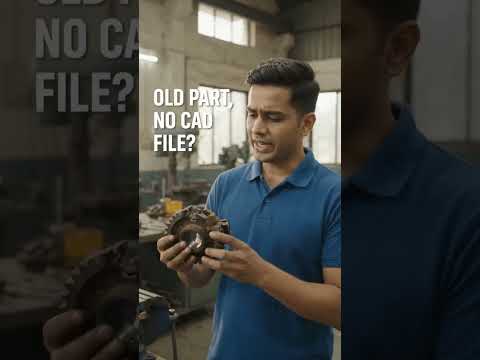
In today's fast-paced engineering landscape, capturing the exact geometry of a physical object is essential for redesign, quality control, and reverse engineering. Whether you need to reproduce a legacy mechanical component without original blueprints or analyze a complex prototype, 3D scanning provides the ultimate solution. This technology seamlessly bridges the gap between the physical world and digital design, transforming tangible parts into workable 3D CAD data.

How 3D Scanning Digitizes Physical Parts

3D scanning works by capturing the surface measurements of a physical object using lasers, structured light, or photogrammetry. As the scanner projects light or laser lines onto the component, advanced sensors calculate millions of spatial data points in seconds.

This process generates a dense "point cloud," which is then connected to form a polygon mesh—a high-fidelity digital representation of the physical object's exterior geometry. From intricate automotive components to custom medical devices, 3D scanners capture complex organic curves and fine details that traditional measuring tools like calipers simply cannot match.

Transforming Raw Scans into Parametric Models

While a raw 3D scan provides an accurate visual surface mesh, it isn't immediately ready for parametric manufacturing or mechanical modification. To unlock its full potential, engineers transfer the mesh data into professional 3D CAD software for reverse engineering.

In this stage, the scanned mesh serves as a precise digital blueprint. Designers use specialized modeling tools within their 3D CAD environment to extract geometric features, align mechanical axes, and rebuild clean, editable solid geometry. This allows engineering teams to modify dimensions, add mounting features, or optimize the design for modern production methods such as 3D printing and CNC machining.

Why Digital Integration Matters for Manufacturing

Connecting physical hardware with digital workflows offers powerful competitive advantages: - Accelerated Product Development: Drastically reduce the time required to measure, model, and iterate existing components. - Legacy Part Preservation: Effortlessly archive and re-manufacture obsolete parts that lack original technical drawings. - Enhanced Quality Inspection: Overlay scanned physical parts against their original digital blueprints to instantly detect manufacturing deviations and tolerances.

By converting physical components into versatile digital assets, modern scanning technology combined with CAD software empowers engineers to innovate faster, improve accuracy, and streamline the entire product lifecycle.

Continue Reading | ความคิดเห็น

Mastering 3D CAD: The Ultimate Guide to Modern CNC Manufacturing and Drawing

Saturday, August 22, 2026

In today's fast-paced industrial landscape, digital engineering has completely revolutionized how parts are designed, tested, and produced. At the very heart of this technological shift lies modern computer-aided design. Transitioning from traditional paper drafts to advanced 3D CAD software has empowered engineers, machinists, and hobbyists alike to create intricate, highly accurate models ready for automated production.

Why 3D CAD is Essential for CNC Manufacturing

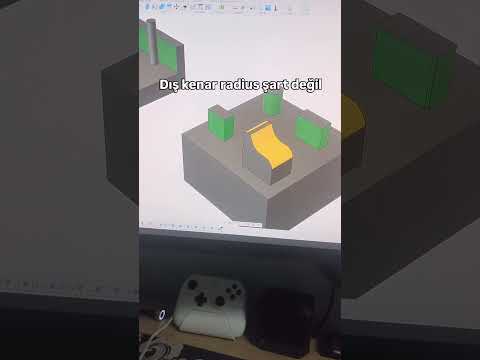
Computer Numerical Control (CNC) machining relies heavily on precise geometric data to guide cutting tools along complex paths. Utilizing 3D CAD tools allows designers to construct a digital representation of a physical object long before a single piece of raw material is cut.

By visualizing parts in a fully dimensional digital environment, creators can easily detect design flaws, calculate material properties, and run real-time stress simulations. This process dramatically cuts down on prototype waste, lowers overall production costs, and accelerates the product development lifecycle. Furthermore, three-dimensional models seamlessly integrate with Computer-Aided Manufacturing (CAM) software, creating a smooth pipeline from initial concept to physical production.

Best Practices for Preparing CAD Drawings for Machining

To ensure your digital drawings translate perfectly onto the workshop floor, follow these essential design rules:

  • Design for Machinability: Keep tool paths in mind. Avoid internal sharp corners where standard round end mills cannot cut, and opt for generous fillets or relief undercuts instead.
  • Optimize Tolerances: Define clear manufacturing tolerances. While high precision is crucial for moving parts, unnecessarily tight limits across the entire design will significantly increase machining time and expense.
  • Export the Right File Formats: Standardize your export formats. Universal standard files like STEP or IGES retain precise surface and solid geometry, making them ideal for CAM software translation.

Conclusion

Whether you are an experienced manufacturing professional or a passionate creator, leveraging 3D CAD technology is the fastest way to turn complex ideas into tangible products. By combining smart digital modeling with efficient CNC workflows, you can produce precision components with unprecedented speed and accuracy. Start refining your CAD models today and elevate your manufacturing process to the next level!

3D CAD
Continue Reading | ความคิดเห็น

Popular Posts Today

 
Support : 3Dcadbrowser | Grabcad | 3Dcontentcentral | D | E | F | G
Copyright © 2028. Engineering 3DCad Appication - All Rights Reserved