
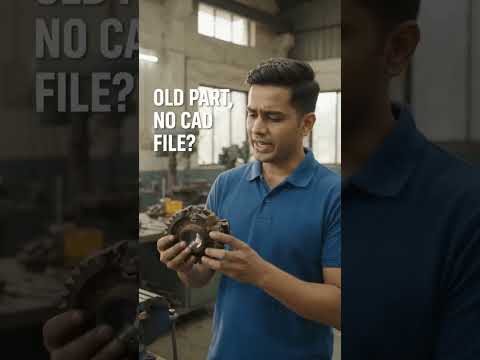
In today's fast-paced engineering landscape, capturing the exact geometry of a physical object is essential for redesign, quality control, and reverse engineering. Whether you need to reproduce a legacy mechanical component without original blueprints or analyze a complex prototype, 3D scanning provides the ultimate solution. This technology seamlessly bridges the gap between the physical world and digital design, transforming tangible parts into workable 3D CAD data.
How 3D Scanning Digitizes Physical Parts
3D scanning works by capturing the surface measurements of a physical object using lasers, structured light, or photogrammetry. As the scanner projects light or laser lines onto the component, advanced sensors calculate millions of spatial data points in seconds.
This process generates a dense "point cloud," which is then connected to form a polygon mesh—a high-fidelity digital representation of the physical object's exterior geometry. From intricate automotive components to custom medical devices, 3D scanners capture complex organic curves and fine details that traditional measuring tools like calipers simply cannot match.
Transforming Raw Scans into Parametric Models
While a raw 3D scan provides an accurate visual surface mesh, it isn't immediately ready for parametric manufacturing or mechanical modification. To unlock its full potential, engineers transfer the mesh data into professional 3D CAD software for reverse engineering.
In this stage, the scanned mesh serves as a precise digital blueprint. Designers use specialized modeling tools within their 3D CAD environment to extract geometric features, align mechanical axes, and rebuild clean, editable solid geometry. This allows engineering teams to modify dimensions, add mounting features, or optimize the design for modern production methods such as 3D printing and CNC machining.
Why Digital Integration Matters for Manufacturing
Connecting physical hardware with digital workflows offers powerful competitive advantages: - Accelerated Product Development: Drastically reduce the time required to measure, model, and iterate existing components. - Legacy Part Preservation: Effortlessly archive and re-manufacture obsolete parts that lack original technical drawings. - Enhanced Quality Inspection: Overlay scanned physical parts against their original digital blueprints to instantly detect manufacturing deviations and tolerances.
By converting physical components into versatile digital assets, modern scanning technology combined with CAD software empowers engineers to innovate faster, improve accuracy, and streamline the entire product lifecycle.
