
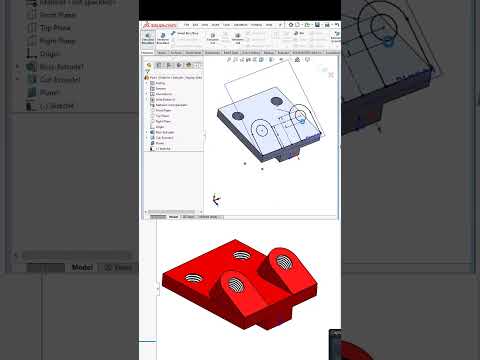
Sketching is the fundamental building block of any 3D model. Whether you are designing a simple bracket or a complex mechanical assembly, the efficiency and stability of your final product depend heavily on how you approach the initial 2D layout. For professionals and hobbyists alike, mastering the nuances of your CAD software is the secret to moving from basic designs to high-level engineering.
Rethinking Your Sketching Strategy
Many users fall into the habit of using the same basic tools for every project. However, advanced sketching is about more than just drawing lines and circles; it is about intent and flexibility. Instead of manually dimensioning every single entity, advanced users leverage geometric relations to define how shapes interact. By "thinking a different way," you can create sketches that are easier to modify later, preventing your model from "breaking" when a single dimension changes.
Efficiency Through Advanced Techniques
When working with professional-grade CAD software, speed is often just as important as accuracy. One of the best ways to improve your workflow is to utilize shortcut keys and mouse gestures for common sketch entities. Furthermore, exploring non-traditional methods—such as using construction geometry to drive complex patterns or employing the "Path Length" dimension—can solve design challenges that standard sketching simply cannot handle.
Another "pro tip" involves minimizing the number of entities in a single sketch. By breaking complex parts into several simpler features, you maintain better control over the design intent. This modular approach is a hallmark of an expert user who knows how to harness the full potential of their digital tools.
Why Mastering These Skills Matters
The transition from a beginner to an advanced user requires a shift in mindset. It’s about understanding the underlying logic of the program. By mastering these advanced tips and tricks, you aren't just drawing; you are programmatically defining a physical object.
As you continue to refine your skills within your CAD software, you will find that your design process becomes more intuitive and significantly faster. This not only makes you a more valuable engineer or designer but also allows you to focus more on the creative aspects of innovation rather than the technical hurdles of the interface. Keep experimenting with different sketching methods, and you will soon see a massive improvement in your 3D modeling precision.
