
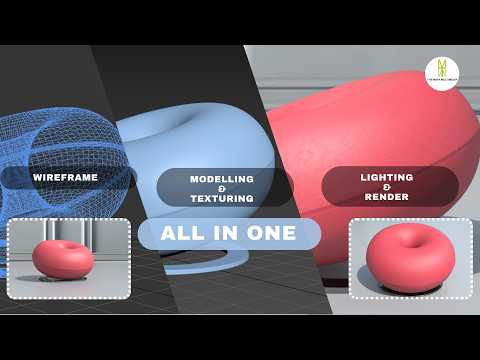
Creating realistic 3D furniture is an essential skill for architectural visualization artists and interior designers alike. Whether you are building an arch-viz portfolio or creating high-end assets for virtual environments, mastering sofa design is a crucial milestone. In this tutorial walkthrough, we break down the complete end-to-end workflow for modeling, texturing, and lighting a stylish modern sofa using 3ds Max and V-Ray.
Step 1: Precision 3D Modeling
The foundation of any stunning 3D asset lies in clean topology and accurate proportions. Starting from simple primitive objects, we utilize advanced polygon modeling techniques in 3ds Max to block out the sofa frame, armrests, and seating cushions. To achieve photorealism, paying attention to tiny details is key—softening hard edges with chamfers, sculpting subtle organic wrinkles on the cushions, and ensuring proper real-world scale.
Step 2: Realistic Texturing with V-Ray
Once the base mesh is complete, the next step is applying believable shaders. Using V-Ray materials, you can recreate the authentic look and tactile feel of luxury fabrics, leather, or wooden legs. Proper UV unwrapping is critical here to prevent pattern stretching across curved surfaces. Utilizing diffuse, bump, and roughness maps together gives the fabric micro-details that react naturally to surroundings.
Step 3: Studio Lighting Setup
Lighting transforms a flat model into a dramatic, photorealistic image. By setting up a classic studio lighting environment with soft V-Ray lights, you can highlight the contours, fabric weaves, and subtle shadow falloffs of the furniture piece. Adjusting light temperatures and camera exposure helps capture the welcoming ambiance of a realistic living space.
Conclusion
Mastering these essential steps allows you to produce high-quality, professional furniture renders. With dedicated practice in 3ds Max, you can elevate your 3D modeling skill set and deliver incredible visuals for client projects or personal portfolios. Check out the full video tutorial to follow along with the step-by-step process!
