
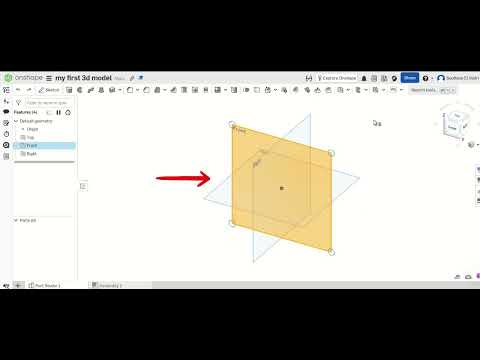
Are you ready to transform your creative concepts into tangible objects? Whether you are a hobbyist, an aspiring engineer, or a product designer, the world of digital design has never been more accessible. In this guide, we dive deep into Onshape, a revolutionary platform that is changing how we approach 3D CAD by moving the entire design process into the cloud.
Why Choose Cloud-Based Design?
Traditional design software often requires expensive hardware and complex installations. Onshape breaks these barriers by operating entirely within your web browser. This means you can access your projects from any device, anywhere in the world, without worrying about software versions or local storage. For those just starting their journey in 3D CAD, this accessibility removes the technical friction often associated with professional-grade engineering software.
Mastering the Basics of Onshape
In this second part of our beginner's series, we move beyond the interface and start building. Onshape’s power lies in its parametric modeling capabilities. This allows you to create designs based on constraints and dimensions, ensuring that every part fits perfectly within a larger assembly.
The workflow typically follows a logical progression: 1. Sketching: Creating the 2D foundation of your part. 2. Constraints: Defining relationships between lines and points to ensure stability. 3. Features: Using tools like "Extrude," "Revolve," or "Fillet" to turn those 2D sketches into 3D objects.
By mastering these fundamental steps, you gain the confidence to tackle more complex geometries and multi-part assemblies.
From Concept to Reality
The true magic of 3D CAD lies in its ability to bridge the gap between imagination and manufacturing. Once your model is complete in Onshape, it can be easily exported for 3D printing, CNC machining, or laser cutting. Because the software is cloud-based, collaboration is built into its DNA; you can share your documents with a single click, allowing for real-time feedback and teamwork.
As you continue to practice, you will find that 3D modeling is not just about drawing—it’s about problem-solving. Every sketch and feature is a step toward bringing your unique ideas to life. Stick with the process, keep experimenting with the tools, and you’ll be amazed at what you can create.
