
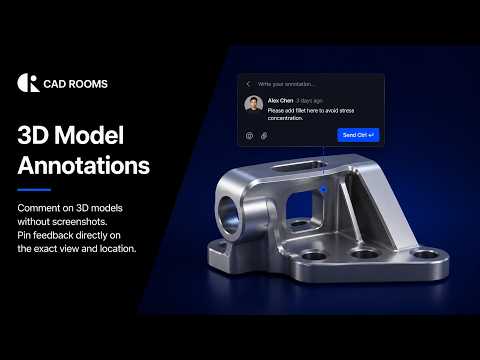
If you work in engineering, manufacturing, or product design, you know the struggle of reviewing complex digital models. The traditional feedback loop is notoriously clunky: capture a static screenshot, draw red arrows, write a lengthy email explanation, and hope the designer understands exactly which component you are referencing.
This outdated process wastes valuable time and frequently leads to miscommunication. Fortunately, there is a far better way to collaborate on 3D CAD projects without relying on 2D screenshots ever again.
The Flaws of Screenshot-Based Feedback
Taking screenshots to mark up design changes creates a massive disconnect. A static image strips away the interactive nature of a three-dimensional model. When reviewing intricate 3D CAD assemblies, a single image rarely captures the full context of a part, its clearance, or its relationship to surrounding components.
Furthermore, managing dozens of image files across disparate email chains or chat threads makes tracking revision history a nightmare. Important feedback inevitably gets buried, leading to costly errors down the line.
Pin Feedback Directly with CAD ROOMS
Imagine being able to drop a pin right onto a specific face, edge, or component of a live model and leave your comments directly where the issue exists. That is precisely what CAD ROOMS enables you to do.
By moving away from static captures and adopting direct 3D annotation, teams can revolutionize their design walkthroughs:
- Contextual Clarity: Feedback is attached directly to the precise geometric feature in question, eliminating any ambiguity.
- Interactive Exploration: Reviewers can rotate, zoom, and section the model while reading feedback to fully understand the suggested modification.
- Centralized Communication: All notes, questions, and approvals stay embedded within the project environment, serving as a single source of truth for the entire team.
Elevate Your Design Collaboration
Upgrading your review pipeline dramatically transforms team productivity. Whether you are conducting an internal design review or presenting proposals to external stakeholders, commenting directly within the project environment shortens revision cycles and keeps projects moving forward.
It is time to ditch the endless screenshot folders and modernize your feedback loop. By leveraging tools built for interactive annotation, managing your 3D CAD review process becomes seamless, clear, and efficient.
