
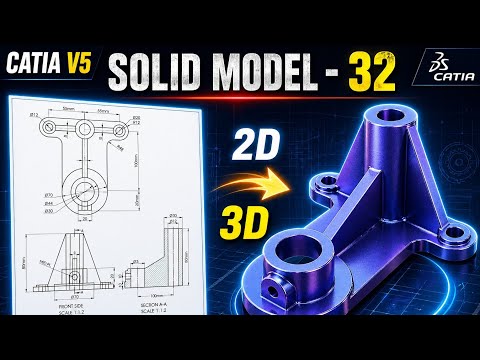
CATIA V5 remains one of the most powerful and widely used software suites in the aerospace and automotive industries. For aspiring engineers and designers, mastering solid modeling is a fundamental step toward professional proficiency. In this latest installment of our tutorial series, we break down Exercise 32, focusing on the seamless transition from a 2D engineering drawing to a fully realized 3D part.
Transitioning from 2D Drawings to 3D Geometry
The core of any mechanical design starts with a blueprint. Understanding how to interpret dimensions, tolerances, and views is crucial before you even touch the software. In this tutorial, we demonstrate how to analyze a 2D technical drawing and plan your sketching strategy. By identifying the primary features of the part first, you can build a more stable and editable model.
The Core Principles of Solid Modeling
In the world of Computer-Aided Design (CAD), solid modeling is about more than just creating shapes; it is about defining the volume, mass, and physical properties of a component. Using CATIA V5’s Sketcher workbench, we start by creating a "constrained" profile. This ensures that your design remains robust—meaning that if you change a single dimension later, the entire model updates correctly without errors.
Once the 2D sketch is finalized, we utilize essential features such as the Pad tool to extrude material and the Pocket tool to remove it. These boolean-like operations are the building blocks of 3D design, allowing you to sculpt your model with surgical precision.
Refining Your Professional Workflow
To move from a beginner to an intermediate level, you must focus on design intent and tree organization. This tutorial covers how to properly name your features and organize your Part Body. We also explore the application of dress-up features like fillets and chamfers, which provide the final engineering touches necessary for a production-ready model.
Whether you are a student or a professional looking to refresh your skills, practicing these exercises is the most effective way to gain confidence in the software. By the end of this guide, you will have a much stronger grasp of solid modeling and be better prepared to tackle complex industrial design challenges.
