
Are you ready to transform your creative ideas into digital reality? Modern product design and engineering have evolved rapidly, moving away from heavy, desktop-bound software toward streamlined, cloud-based solutions. If you are just starting your design journey, learning a powerful 3D CAD platform like Onshape is one of the best ways to kickstart your skill set.
In this beginner-friendly guide, we explore how Onshape simplifies the design workflow and why browser-based modeling is revolutionizing the industry.
Why Choose Onshape for Cloud-Based Modeling?
Traditional design software often requires high-end graphics hardware, complex installation procedures, and messy file management. Onshape changes the game by operating entirely inside your web browser. This means you can access your projects from virtually any computer or tablet without worrying about software updates or lost files.
Key advantages include: - Real-Time Collaboration: Work on projects simultaneously with team members, much like Google Docs. - Automatic Version Control: Every change is saved instantly, eliminating the fear of losing progress or overwriting critical revisions. - Zero Installation: Open your browser, log in, and start modeling immediately from anywhere.
Essential Workflow in Cloud-Based 3D CAD
Mastering 3D CAD is much easier when you understand the basic design lifecycle. In Onshape, your workflow generally follows a clear, logical sequence:
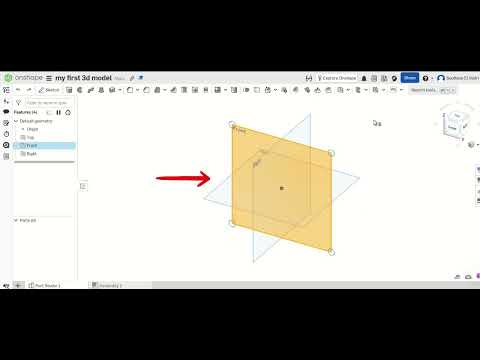
- 2D Sketching: Begin by selecting a design plane (Top, Front, or Right) and creating 2D profiles using essential shapes like lines, circles, and rectangles.
- Applying Constraints: Define precise dimensions and geometric relationships so your sketch behaves predictably when adjusted.
- 3D Feature Creation: Convert your 2D sketch into a solid 3D object using primary tools like Extrude, Revolve, or Fillet.
- Assembly and Testing: Combine multiple parts together to see how they fit and move relative to one another.
Ready to Elevate Your Design Skills?
Whether you want to create custom parts for 3D printing, conceptualize consumer products, or build a foundation for an engineering career, mastering 3D CAD opens up endless possibilities. Start experimenting with simple shapes today, practice regularly, and watch your creative ideas come to life in the cloud!
