
In today's fast-paced industrial landscape, digital engineering has completely revolutionized how parts are designed, tested, and produced. At the very heart of this technological shift lies modern computer-aided design. Transitioning from traditional paper drafts to advanced 3D CAD software has empowered engineers, machinists, and hobbyists alike to create intricate, highly accurate models ready for automated production.
Why 3D CAD is Essential for CNC Manufacturing
Computer Numerical Control (CNC) machining relies heavily on precise geometric data to guide cutting tools along complex paths. Utilizing 3D CAD tools allows designers to construct a digital representation of a physical object long before a single piece of raw material is cut.
By visualizing parts in a fully dimensional digital environment, creators can easily detect design flaws, calculate material properties, and run real-time stress simulations. This process dramatically cuts down on prototype waste, lowers overall production costs, and accelerates the product development lifecycle. Furthermore, three-dimensional models seamlessly integrate with Computer-Aided Manufacturing (CAM) software, creating a smooth pipeline from initial concept to physical production.
Best Practices for Preparing CAD Drawings for Machining
To ensure your digital drawings translate perfectly onto the workshop floor, follow these essential design rules:
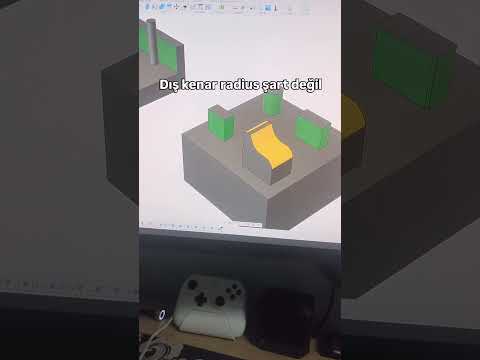
- Design for Machinability: Keep tool paths in mind. Avoid internal sharp corners where standard round end mills cannot cut, and opt for generous fillets or relief undercuts instead.
- Optimize Tolerances: Define clear manufacturing tolerances. While high precision is crucial for moving parts, unnecessarily tight limits across the entire design will significantly increase machining time and expense.
- Export the Right File Formats: Standardize your export formats. Universal standard files like STEP or IGES retain precise surface and solid geometry, making them ideal for CAM software translation.
Conclusion
Whether you are an experienced manufacturing professional or a passionate creator, leveraging 3D CAD technology is the fastest way to turn complex ideas into tangible products. By combining smart digital modeling with efficient CNC workflows, you can produce precision components with unprecedented speed and accuracy. Start refining your CAD models today and elevate your manufacturing process to the next level!

