
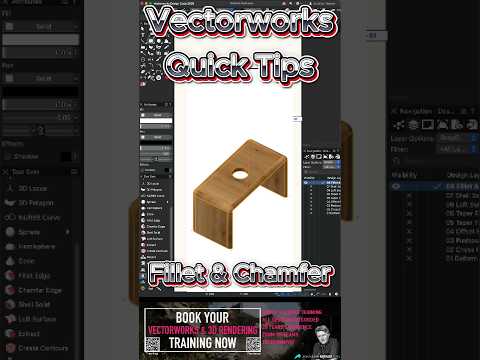
When designing complex objects or architectural elements, the secret to realism often lies in the details. Hard, razor-sharp edges rarely exist in the real world. That is where mastering edge-refinement tools becomes essential. If you are looking to elevate your 3D CAD modeling efficiency, understanding how to effectively use the 3D Fillet and Chamfer tools in Vectorworks is a game-changer.
What Are Fillet and Chamfer Tools?
In digital drafting, Fillet and Chamfer tools allow designers to quickly modify the sharp intersections of 3D solids:
- 3D Fillet Tool: Rounds off sharp edges with a specified radius, creating smooth, curved transitions that mimic natural manufactured surfaces.
- 3D Chamfer Tool: Cuts away an edge at a designated angle and distance, creating a clean, beveled slope.
Using these tools not only makes your digital models look significantly more realistic during rendering but also ensures accuracy for manufacturing and structural planning.
Quick Steps to Master Fillet and Chamfering in Vectorworks
To streamline your process in Vectorworks, follow these simple best practices:
- Select the Right Tool: Navigate to the 3D Modeling tool set and choose either the Fillet Edge or Chamfer Edge tool.
- Set Your Parameters: Before clicking on your model, enter your desired radius (for fillets) or setback distance (for chamfers) in the Tool bar settings.
- Select Edges Precisely: You can click individual edges, shift-click to select multiple edges, or choose entire faces to modify all surrounding edges simultaneously.
- Perform Non-Destructive Edits: Vectorworks maintains a parametric history. If you need to adjust the radius or distance later, simply double-click the object to edit the feature without starting from scratch.
Why These Tools Matter for Your 3D CAD Workflow
Integrating these quick modeling techniques into your daily routine drastically cuts down design time. Instead of manually constructing complex swept solids or subtractive shapes, a few clicks with the Fillet or Chamfer tools yield professional results instantly. Modern 3D CAD software relies on these intuitive operations to help designers focus on creativity rather than tedious geometry creation.
By incorporating these Vectorworks quick tips into your project routine, you will build cleaner models, render more realistic lighting, and deliver top-notch design presentations in a fraction of the time.

