
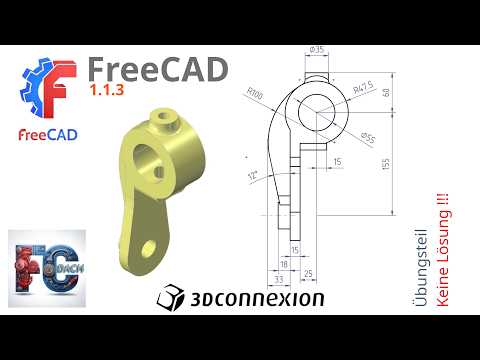
Are you looking to take your parametric modeling skills to the next level? FreeCAD 1.1.3 remains one of the most versatile open-source platforms available today, but reading documentation alone won't turn you into a proficient designer. True expertise comes from practical, hands-on training. In this exercise session, we dive straight into practical workbench workflows designed to help you transform rough ideas into polished, fully constrained models.
Deepen Your Expertise with Hands-On Workbench Practice
Mastering any modern 3D CAD application requires consistent practice and real-world problem-solving. This targeted tutorial focuses on utilizing core workbenches within FreeCAD 1.1.3 to construct precise 3D geometric shapes. By walking through structured exercises step-by-step, you will gain a deeper understanding of how to manage sketch constraints, avoid broken dependencies, and execute clean pad and pocket operations.
Whether you are designing custom replacement parts for 3D printing, working on mechanical engineering projects, or building personal woodworking plans, mastering these foundational techniques ensures your models remain stable and easy to modify down the line.
Boost Navigation and Speed with a SpaceMouse
Achieving peak productivity in 3D CAD software isn't just about knowing keyboard shortcuts—it's also about optimizing your hardware setup. Incorporating a dedicated 3D controller, such as the 3Dconnexion SpaceMouse, can revolutionize how you interact with your digital workspace.
A SpaceMouse allows you to effortlessly pan, zoom, and rotate your 3D models in a single, fluid motion with one hand, while your other hand remains free to select tools, edit dimensions, and input parameters. This two-handed approach not only minimizes repetitive wrist strain but also dramatically accelerates your overall design workflow.
Take Your Modeling to the Next Level
Consistent exercise is the fastest way to build muscle memory and confidence in open-source software. Fire up FreeCAD 1.1.3, follow along with the tutorial video, and apply these essential techniques to your next design project!

