
In the fast-paced world of modern manufacturing, turning a rough concept into a high-precision physical component requires the right digital tools. Whether you are an experienced engineer, a machinist, or an enthusiastic hobbyist, mastering 3D CAD is the fundamental first step toward successful Computer Numerical Control (CNC) production.
From Digital Design to Physical Parts
Traditionally, manufacturing relied heavily on two-dimensional paper drawings, leaving plenty of room for interpretation and costly manual errors. Today, digital modeling software allows designers to construct virtual three-dimensional objects with microscopic precision.
These digital models serve as the master blueprint for modern machine tools. By converting solid geometries into machine-readable language (G-code), 3D CAD bridges the gap between creative design concepts and accurate physical manufacturing, ensuring every cut, drill, and pocket is executed perfectly.
Key Benefits of 3D CAD in Modern CNC Workflows
Integrating 3D modeling software into your manufacturing process offers several game-changing advantages:
- Enhanced Visualization: Examine parts from every angle, inspect internal features, and verify proper fit within larger assemblies before cutting expensive raw material.
- Reduced Material Waste: Simulate tool movements virtually to detect potential collisions, thin walls, or unreachable geometry early in the design stage.
- Seamless CAM Integration: Effortlessly transfer your models directly into Computer-Aided Manufacturing (CAM) software to generate optimized toolpaths.
Tips for Creating Machine-Ready Designs
To ensure your digital drawings translate smoothly to the workshop floor, keep a few fundamental design rules in mind:
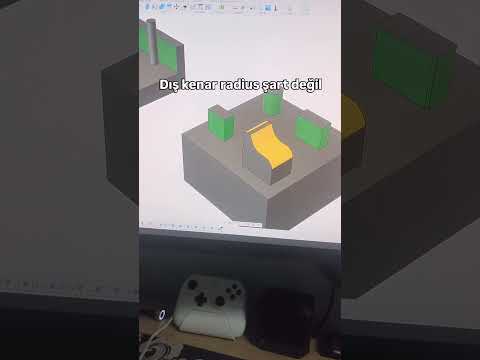
- Design for Tool Geometry: Standard CNC end mills are cylindrical. Always include internal radii on inside corners to accommodate round cutting tools.
- Maintain Reasonable Tolerances: Avoid over-specifying tight tolerances, as this significantly increases machining time and tool wear. Apply tight limits only where functional fit is critical.
- Optimize Wall Thickness: Keep structural integrity in mind. Extremely thin walls can vibrate or distort during the machining process under heavy cutting forces.
By incorporating robust 3D CAD practices into your product design workflow, you ensure higher manufacturing quality, faster project turnaround times, and lower overall production costs. Embrace modern digital modeling today to take your CNC projects to the next level!

