
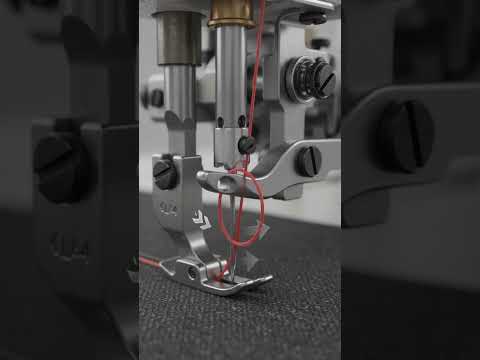
In today's fast-paced digital landscape, visual representation is everything. Whether you are an engineer showcasing a groundbreaking product design or a digital artist bringing complex mechanical movements to life, achieving high-fidelity visuals is essential. By bridging the gap between precise engineering tools and high-end artistic rendering, creators can transform standard 3D CAD models into photorealistic, cinematic animations.
The Power of SolidWorks Meets the Artistry of Blender
SolidWorks has long been an industry standard for mechanical design and parametric modeling. It provides unmatched precision, allowing designers to build intricate components with exact real-world dimensions and constraints. However, while traditional engineering tools excel at functional accuracy, generating cinematic lighting, lifelike textures, and dynamic camera movement often requires advanced rendering software.
This is where Blender enters the workflow. As a versatile, open-source 3D creation suite, Blender offers industry-leading rendering engines, realistic material shaders, and flexible animation tools. Integrating your 3D CAD designs into Blender opens up endless possibilities for creating studio-quality visuals, complete with accurate depth-of-field, lens flares, and physically based rendering (PBR) materials.
Key Workflow Steps for Ultra-Realism
To turn rigid mechanical assemblies into stunning animations, professional creators rely on a seamless hybrid workflow:
- Precision CAD Modeling: Build your assembly in SolidWorks or your preferred 3D CAD software, ensuring every joint, bolt, and moving part is structured logically.
- Mesh Optimization: Export your model into optimized formats like OBJ or FBX. Pay close attention to mesh density to balance detailed geometric curves with smooth rendering performance.
- Advanced Shading and Texturing: Import the model into Blender to assign realistic surface properties, such as brushed metals, clear glass, or subtle surface imperfections like scratches and fingerprints.
- Cinematic Lighting and Motion: Utilize studio lighting setups or HDRI environments alongside smooth camera movement to emphasize the sleek contours and functional design of your mechanism.
Elevate Your Visuals Today
Combining the structural accuracy of CAD software with the visual freedom of modern rendering tools is the ultimate secret to producing ultra-realistic animations. By adopting this powerful workflow, you can create compelling product visualizations, engaging marketing materials, and impressive portfolio pieces that captivate any audience.

