

Thursday, November 5, 2026
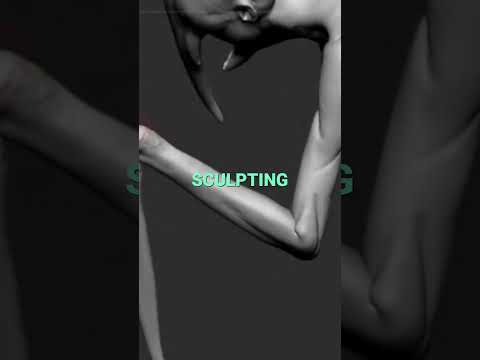
Whether you are a seasoned digital artist or just beginning your journey into character creation, refining forms and sharp details is key to crafting compelling models. In the world of ZBrush 3D, mastering control over your mesh can turn a basic sculpt into an extraordinary masterpiece. Two of the most versatile yet fundamental techniques in any artist's workflow are tapering and pinching.
The Power of Pinching: Crisp Edges and Fine Details
When working on organic sculpts or intricate hard-surface models, soft brushes can sometimes leave your mesh feeling spongy or ill-defined. This is where pinching becomes indispensable. By drawing geometry closer together along a line, pinching allows you to sharpen soft creases, define monster wrinkles, and crisp up razor-sharp edges on armor or creature features.
A subtle touch goes a long way. Just a small pinch here and there can instantly transform a flat, lifeless surface into a focal point rich with detail. Use it strategically along your mesh flow to accentuate facial features, muscle seams, and skin folds.
Silhouette Control: Mastering Tapering Techniques
While pinching refines micro-details, tapering gives you macro control over proportions and silhouette. Utilizing tapering deformers and brushes in ZBrush 3D enables artists to smoothly transition broad, heavy bases into elegant, pointed tips.
Tapering is essential for creature design. It allows you to build believable tentacles, curved horns, stylized hair, and menacing claws effortlessly. By dynamically scaling geometry along an axis, you ensure smooth, natural transitions that maintain visual weight and realistic flow throughout your character.
Combining Pinch and Taper for Dynamic Designs
The real magic happens when you combine both methods. Start by using tapering to establish the overarching silhouette and proportional rhythm of your sculpt. Once the overall silhouette is locked in, pass over the key areas with a pinch brush to tighten the edges, accentuate directional lines, and add structural definition.
By integrating these core techniques into your daily workflow, you will achieve cleaner topology, sharper forms, and a faster sculpting speed. Fire up ZBrush 3D today, start experimenting with tapering and pinching, and bring your digital creatures to the next level!


