Cad 3D Category

Showing posts with label Digital Sculpting. Show all posts

Mastering Quick Digital Sculpting: Creative Workflow Tips for ZBrush 3D

Saturday, October 24, 2026
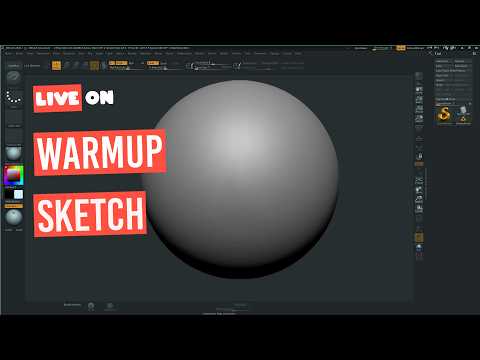
In the world of digital art and character design, speed and flexibility are essential for bringing raw ideas to life. Digital sketching allows artists to rapidly explore forms, silhouettes, and creative concepts without getting bogged down in technical constraints. When it comes to organic sculpting and rapid concept development, ZBrush 3D stands out as the ultimate industry-standard software for digital artists worldwide.

Why Use ZBrush 3D for Rapid Concepting?

Unlike traditional 3D modeling applications that rely heavily on manual polygon placement, ZBrush 3D operates much like working with physical clay. This intuitive, artist-friendly approach makes it ideal for spontaneous creativity and quick sketch sessions. Features such as DynaMesh and Sculptris Pro allow creators to push, pull, and add geometry on the fly without worrying about underlying topology or mesh stretching.

Whether you are sketching a quick character bust, a creature concept, or a stylized prop, speed sculpting helps build artistic muscle memory. By treating your dynamic viewport like a digital sketchbook, you can focus entirely on primary shapes and proportions before committing to time-consuming micro-details.

Best Practices for Effective 3D Sketching Sessions

To maximize your efficiency during quick digital sculpting sessions, consider applying these essential techniques:

  • Start with Simple Block-outs: Utilize basic spheres, cylinders, or ZSpheres to establish primary shapes quickly before merging them into a single unified mesh.
  • Prioritize the Silhouette: Frequently check your model's silhouette from various angles to ensure your character or object has a clear and impactful visual gesture.
  • Delay High-Resolution Subdivisions: Keep your mesh resolution as low as possible for as long as possible. Focusing on primary and secondary forms early on ensures a stronger final sculpt.
  • Embrace Experimentation: Remember that sketch time is designed for freedom and exploration. Don't worry about clean edge loops or final renders during the conceptual stage.

Final Thoughts

Developing a regular habit of quick digital sketching is one of the most effective ways to elevate your overall 3D artwork. By harnessing the flexible sculpting toolset inside ZBrush 3D, you can translate rough ideas into stunning visual concepts in a fraction of the time. Grab your stylus, open up a fresh canvas, and start sculpting today!

Continue Reading | ความคิดเห็น

Master the Art of Digital Sculpting: Your Essential Guide to ZBrush 3D

Thursday, October 15, 2026

Digital sculpting has revolutionized the way we create characters, creatures, and environments for games and film. If you have ever wanted to dive into the world of digital clay, ZBrush 3D is the industry-standard software you need to master. While the interface might seem intimidating to a newcomer, breaking it down into fundamental steps will help you move from a blank canvas to a professional-grade asset in no time.

Navigating the Interface with Confidence

The first hurdle for any beginner is the unique workspace. Unlike traditional CAD software, the ZBrush interface is designed specifically for artists. To get started, you must familiarize yourself with the "Shelf" and the "Brush Palette." Learning how to navigate the 3D space—rotating, panning, and zooming—is essential. Once you have customized your UI to show your most-used tools, you will find that ZBrush 3D provides a remarkably fluid and intuitive creative experience.

Core Sculpting Techniques for Beginners

The magic of sculpting happens through various brushes, each serving a specific purpose. For those just starting out, you don't need to learn every tool at once. Focus on these three essentials: * Move Brush: Perfect for adjusting the overall silhouette and large forms of your model. * Clay Buildup Brush: Ideal for adding volume and "meat" to your sculpt, mimicking the feel of physical clay. * Standard Brush: Used for fine-tuning surfaces and adding specific details.

By alternating between these brushes and using the "Smooth" modifier, you can quickly define the anatomy or structure of your model.

Building Your First 3D Asset

Every masterpiece begins with a simple primitive, such as a sphere or a cube. Using the "Dynamesh" feature is a game-changer for beginners; it allows you to stretch and pull your model without worrying about the underlying polygon structure. This freedom lets you focus entirely on your artistic vision. As you refine your shape, you can increase the subdivision levels to add intricate details like skin pores, fabric folds, or mechanical edges.

Starting your journey in ZBrush 3D is an exciting step for any aspiring digital artist. By focusing on these fundamentals and practicing consistently, you will soon find that the software becomes a natural extension of your imagination. Grab your stylus, open up a new project, and start sculpting your first asset today!

Continue Reading | ความคิดเห็น

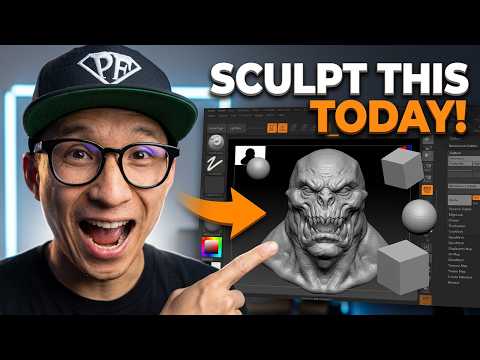
Mastering Character Design: Creating a Funny Sci-Fi Head with ZBrush 3D

Friday, October 2, 2026

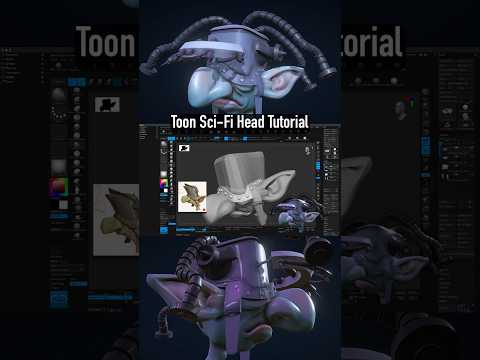
Creating characters doesn’t always have to be about gritty realism or terrifying monsters. Sometimes, the most memorable designs are those that spark a smile. In our latest step-by-step tutorial, we explore the lighter side of digital sculpting by crafting a quirky, funny sci-fi head. Using the powerful tools within ZBrush 3D, we break down the process of turning a simple sphere into a personality-filled extraterrestrial.

Finding Inspiration in the Stars

The beauty of science fiction is that there are no rules. When you are designing a "funny" character, you have the creative freedom to exaggerate features. Think about oversized eyes, asymmetrical ears, or even ridiculous facial expressions. The goal is to blend high-tech sci-fi elements with a sense of humor that resonates with the viewer.

Why ZBrush 3D is the Artist’s Choice

For digital sculptors, ZBrush 3D remains the industry standard for a reason. Its ability to handle millions of polygons while maintaining a smooth, tactile feel makes it the perfect environment for character art. Whether you are a beginner or a seasoned pro, the software’s intuitive brushes—like Move, Clay Buildup, and DamStandard—allow you to push and pull your digital clay until your character's personality starts to shine through.

Step-by-Step Character Foundations

Every great sculpt starts with a solid foundation. In this tutorial, we begin with "blocking out" the primary shapes. By focusing on the silhouette first, we ensure the character looks interesting from every angle. Once the base head is established, we move into the secondary forms, where we add those specific "funny" traits that give the alien its charm.

Adding the Sci-Fi Details

A sci-fi character isn't complete without some technological flair. We demonstrate how to integrate "hard surface" elements into your organic sculpt. From tiny cybernetic implants to unusual skin textures, these details provide a contrast that makes the character pop. By leveraging the advanced features of ZBrush 3D, you can easily transition between fleshy, organic shapes and sharp, mechanical parts.

Conclusion

Character creation is a journey of discovery. By following this step-by-step guide, you aren't just learning how to use software; you are learning how to tell a story through design. So, grab your stylus, fire up your workstation, and let’s start sculpting something out of this world!

Continue Reading | ความคิดเห็น

The Art of the Skeleton Rex: Bringing Prehistoric Beasts to Life Through 3D Modeling

Tuesday, September 22, 2026

Dinosaurs have always captured our collective imagination, but nothing quite compares to holding a detailed, articulated fossil replica in the palm of your hand. In the rapidly evolving world of desktop manufacturing, the "Skeleton Rex" has emerged as a standout project for enthusiasts and collectors alike. This review dives into the stunning details of this skeletal masterpiece and explores how the evolution of 3D modeling has made such intricate, museum-quality designs accessible to the home hobbyist.

The Precision of Digital Sculpting

The first thing you notice about the Skeleton Rex is the sheer level of anatomical detail. Unlike the simplistic, blocky prints of the early maker movement, this model features realistic bone textures, weathered crevices, and seamless articulation. This level of fidelity is a testament to the power of professional 3D modeling software. Modern designers can now simulate organic shapes and complex mechanical joints in a virtual space, ensuring that every rib and vertebrae fits perfectly before the file ever reaches a printer bed. The result is a print that feels less like a plastic toy and more like a high-end scientific specimen.

From Virtual File to Physical Reality

Printing the Skeleton Rex is a rewarding experience for both beginners and veterans. Whether you are utilizing a resin printer for maximum surface detail or a well-calibrated FDM machine for a larger-than-life display, the model’s geometry is remarkably forgiving. Reviewing the print quality reveals that the tolerances are tight, meaning the skeletal pieces snap together or move with a satisfying tactile click. It is a perfect example of how high-quality 3D modeling translates into a user-friendly printing experience, significantly reducing the "trial and error" often associated with complex, multi-part builds.

Why the Skeleton Rex is a Must-Print

Beyond the aesthetics, the Skeleton Rex serves as a bridge between paleontology and modern technology. For those interested in the craft of making, studying this model provides deep insights into how weight distribution and structural integrity are handled in a digital environment. It isn't just another file in your library; it is a showcase of what is possible when creative vision meets technical precision.

If you are looking to push your 3D printer to its limits while adding a prehistoric flair to your office or studio, the Skeleton Rex is the definitive project for your next weekend build. It stands as a shining example of how digital artistry can bring the ancient past back to life.

Continue Reading | ความคิดเห็น

Popular Posts Today

 
Support : 3Dcadbrowser | Grabcad | 3Dcontentcentral | D | E | F | G
Copyright © 2028. Engineering 3DCad Appication - All Rights Reserved