Cad 3D Category

Showing posts with label Tutorial. Show all posts

CorelDRAW for Beginners: How to Create Stunning 3D Design

Sunday, October 25, 2026

CorelDRAW is widely recognized as one of the most versatile vector graphic editing programs available today. While many graphic artists associate it primarily with flat 2D illustrations, logos, and print layouts, it also offers powerful features for creating eye-catching dimensional artwork. If you are looking to elevate your graphic skills, learning 3D design in CorelDRAW is a fantastic place to start.

Why Use CorelDRAW for Vector-Based Depth?

Vector-based graphics offer unique advantages over traditional raster rendering. They are lightweight, infinitely scalable without loss of quality, and easily editable. CorelDRAW provides an intuitive interface that allows beginners to transition smoothly from basic shape manipulation to spatial creation without the steep learning curve of complex 3D software.

Essential Tools for Creating Depth

To give your vector graphics real dimension and realism, focus on mastering these essential CorelDRAW features:

  • The Extrude Tool: This is the core feature for creating depth. By pulling a flat vector object along a specific axis, you instantly transform 2D shapes into three-dimensional forms.
  • Interactive Fill & Gradients: Lighting is essential for realism. Applying subtle color gradients helps simulate how light interacts with angled surfaces.
  • Bevel Effect: Adding a bevel gives edges a polished, metallic, or chiseled look, bringing tactile realism to text and logos.
  • Drop Shadows: Soft, realistic shadows anchor your objects, giving them scale and perspective within your canvas.

Simple Steps for Your First Project

Starting your first 3D design project in CorelDRAW is straightforward:

  1. Draw a Base Shape: Start with clean typography or a basic geometric object.
  2. Apply the Extrude Tool: Click and drag the tool across your object to set your desired perspective and depth.
  3. Set Up Lighting: Customize light sources in the Extrude property bar to highlight edges and deepen shadow areas.
  4. Refine Color and Gradients: Apply interactive fills to each surface face to complete the realistic lighting effect.

Conclusion

Mastering 3D design in CorelDRAW opens up endless creative possibilities for branding, typography, and promotional graphics. With regular practice and experimentation with shadow and lighting effects, you will soon be able to convert simple flat vectors into captivating dimensional artwork. Open CorelDRAW today and start bringing your ideas to life!

Continue Reading | ความคิดเห็น

Mastering Mesh Boolean DX: Elevate Your 3D Scanning Workflow

Saturday, October 17, 2026

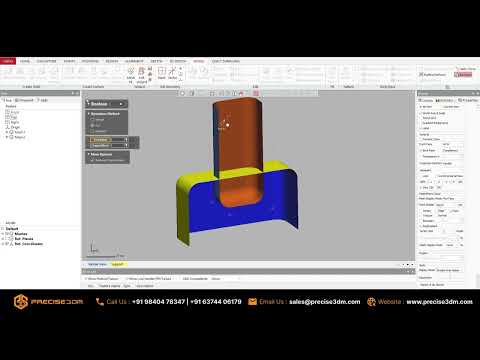
In the rapidly evolving world of digital design and reverse engineering, precision is everything. Creating seamless, high-quality digital assets often requires sophisticated post-processing techniques. Whether you are combining complex geometries or cutting precise holes into a digital model, mastering mesh editing tools is an essential step in modern 3D scanning workflows. One of the most powerful features available for mesh manipulation is Mesh Boolean DX.

What is Mesh Boolean DX?

Mesh Boolean DX is an advanced editing feature integrated into specialized post-processing software, designed to perform fundamental Boolean operations—such as Union, Difference, and Intersection—directly on polygonal mesh objects. Unlike standard modeling utilities, Mesh Boolean DX is specifically optimized to handle high-density geometric data, making it ideal for refining complex mesh models generated through 3D scanning software.

How to Use Mesh Boolean DX: A Step-by-Step Guide

Using the Mesh Boolean DX tool efficiently can significantly speed up your cleanup and design phase. Here is how to get started:

  1. Import and Prepare Your Meshes: Load your scan data into the software workspace. Ensure the target meshes are manifold ("watertight") without unsealed holes or self-intersecting faces for the best results.
  2. Select Your Target and Tool Objects: Designate which mesh will act as the primary body and which will serve as the cutting or merging tool.
  3. Choose the Boolean Operation:
  4. Union: Merges two overlapping meshes into a single, unified solid object.
  5. Difference: Subtracts the volume of one mesh from another, ideal for creating precise holes or cavities.
  6. Intersection: Retains only the overlapping volume shared by both meshes.
  7. Execute and Inspect: Apply the Mesh Boolean DX tool. The software will recalculate the boundary edges and join the geometry seamlessly. Once complete, inspect the mesh for any boundary artifacts and run a quick repair pass if needed.

Key Benefits for Design Professionals

By incorporating Boolean operations directly into your initial cleanup phase, you eliminate the tedious need to transfer heavy files back and forth between multiple CAD and modeling applications. This streamlined approach saves valuable time, maintains precise dimensional accuracy, and helps you deliver production-ready 3D assets faster.

Ready to take your 3D scanning projects to the next level? Start leveraging Mesh Boolean DX today to simplify your geometry editing and maximize your productivity!

Continue Reading | ความคิดเห็น

One modern farmhouse, from dawn to night | 3D render film - 3D rendering

Friday, October 16, 2026

Technical Overview: One modern farmhouse, from dawn to night | 3D render film

This article provides an in-depth analysis and overview of '3D rendering', covering structural mechanisms and operational workflows to help professionals and enthusiasts understand key parameters and components thoroughly.

In-depth Structural & Operational Analysis

One modern farmhouse, from dawn to night. Same house, four times of day. Morning light, midday, golden hour and the windows ...

Key Takeaways & Summary

Based on the review of 'One modern farmhouse, from dawn to night | 3D render film' regarding '3D rendering', understanding the underlying mechanics and structural components significantly enhances operational efficiency and maintenance practices.

Continue Reading | ความคิดเห็น

Shivling 3D Model in SolidWorks 🙏🔱 | 3D CAD Design #Shorts #mechanicalengineering #solidworks - 3D CAD

Technical Overview: Shivling 3D Model in SolidWorks 🙏🔱 | 3D CAD Design #Shorts #mechanicalengineering #solidworks

This article provides an in-depth analysis and overview of '3D CAD', covering structural mechanisms and operational workflows to help professionals and enthusiasts understand key parameters and components thoroughly.

In-depth Structural & Operational Analysis

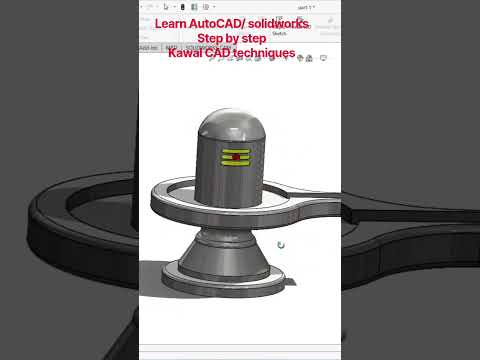
Har Har Mahadev! Watch this beautiful 3D Shivling model created using CAD modeling techniques. In this Short, see the 3D ...

Key Takeaways & Summary

Based on the review of 'Shivling 3D Model in SolidWorks 🙏🔱 | 3D CAD Design #Shorts #mechanicalengineering #solidworks' regarding '3D CAD', understanding the underlying mechanics and structural components significantly enhances operational efficiency and maintenance practices.

Continue Reading | ความคิดเห็น

Elevate Your Projects with Stunning 3D Design: An Adobe Illustrator Tutorial

In the rapidly evolving world of digital media, static, flat visuals are increasingly being replaced by depth and dimension. Modern infographic banners require a touch of realism to capture attention, and Adobe Illustrator remains the industry-standard tool for achieving this. Whether you are creating assets for a website, a presentation, or social media, mastering 3D design can significantly boost the professional impact of your visual communications.

Why 3D Infographics Matter

Traditional 2D icons often fail to convey the complexity and "premium" feel that modern brands demand. By adding depth to your banners, you guide the viewer’s eye more effectively through the information hierarchy. A well-crafted 3D banner doesn't just display data; it creates a tactile environment that feels interactive and high-end.

Crafting Sleek Vector Shapes

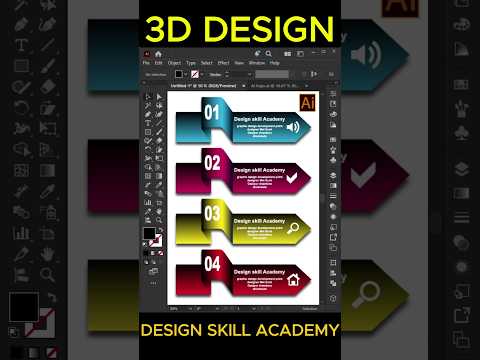
The foundation of any great 3D project in Illustrator starts with clean vector geometry. To create a modern infographic banner, you should begin by sketching out your base shapes—rectangles, circles, or polygons. Once your flat layout is ready, the magic happens within the "3D and Materials" panel. By applying the "Extrude" effect, you can transform a simple flat shape into a robust object with realistic perspective.

Mastering Lighting and Shading

A successful 3D design relies heavily on consistent shading. To make your banner look sleek rather than "clunky," you must pay close attention to the light source. Adobe Illustrator allows you to manipulate the rotation and intensity of the light, ensuring that shadows fall naturally across your vector surfaces. Adding a subtle gradient to the edges of your shapes can further enhance the metallic or plastic-like finish often seen in high-quality 3D infographics.

Pro Tips for a Modern Look

To keep your design looking contemporary, avoid over-complicating the scene. Stick to a refined color palette—perhaps a mix of soft pastels and deep shadows—to create contrast. Additionally, using "Bevel" options on your 3D objects will round off sharp corners, giving your design a softer, more user-friendly appearance.

By following these steps, you can transform a basic layout into a professional-grade banner that stands out in a crowded digital space. Start experimenting with these tools today and watch how dimension changes your creative perspective!

Continue Reading | ความคิดเห็น

Shalamayne Hytale Weapon Mod #hytale #worldofwarcraft #wow #blender3d #blender #blockbench #3d - Blender 3D

Wednesday, October 14, 2026

Technical Overview: Shalamayne Hytale Weapon Mod #hytale #worldofwarcraft #wow #blender3d #blender #blockbench #3d

This article provides an in-depth analysis and overview of 'Blender 3D', covering structural mechanisms and operational workflows to help professionals and enthusiasts understand key parameters and components thoroughly.

In-depth Structural & Operational Analysis

My Hytale Assets Store: https://payhip.com/Netherzapdos ✨ Commissions: https://vgen.co/Netherzapdos Also available for ...

Key Takeaways & Summary

Based on the review of 'Shalamayne Hytale Weapon Mod #hytale #worldofwarcraft #wow #blender3d #blender #blockbench #3d' regarding 'Blender 3D', understanding the underlying mechanics and structural components significantly enhances operational efficiency and maintenance practices.

Continue Reading | ความคิดเห็น

363 Impeller#solidworks @needful3d - SolidWorks 3D

Technical Overview: 363 Impeller#solidworks @needful3d

This article provides an in-depth analysis and overview of 'SolidWorks 3D', covering structural mechanisms and operational workflows to help professionals and enthusiasts understand key parameters and components thoroughly.

In-depth Structural & Operational Analysis

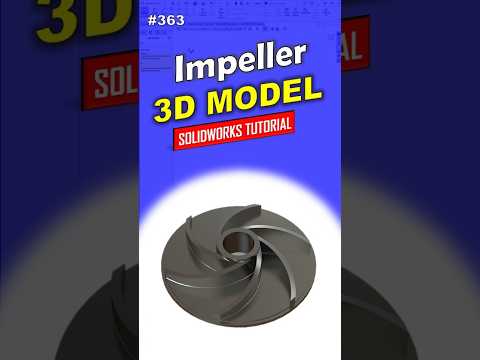
Learn how to create a model in SolidWorks step by step with a professional approach. This tutorial is perfect for beginners to ...

Key Takeaways & Summary

Based on the review of '363 Impeller#solidworks @needful3d' regarding 'SolidWorks 3D', understanding the underlying mechanics and structural components significantly enhances operational efficiency and maintenance practices.

Continue Reading | ความคิดเห็น

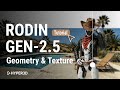
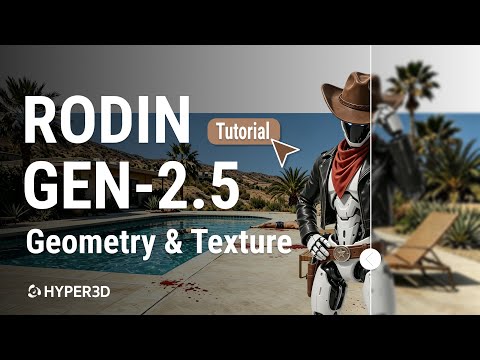
Complete Guide: Hyper3D Rodin Gen-2.5 Geometry & Texture - 3D texture

Tuesday, October 6, 2026

Technical Overview: Complete Guide: Hyper3D Rodin Gen-2.5 Geometry & Texture

This article provides an in-depth analysis and overview of '3D texture', covering structural mechanisms and operational workflows to help professionals and enthusiasts understand key parameters and components thoroughly.

In-depth Structural & Operational Analysis

How powerful is Hyper 3D Rodin Gen-2.5? In this video, we put it to the test from start to finish! As the most full-featured AI 3D ...

Key Takeaways & Summary

Based on the review of 'Complete Guide: Hyper3D Rodin Gen-2.5 Geometry & Texture' regarding '3D texture', understanding the underlying mechanics and structural components significantly enhances operational efficiency and maintenance practices.

Continue Reading | ความคิดเห็น

Nagarjuna Sagar Dam इतना बड़ा क्यों बनाया गया? 😱 | 3D Explained | EP-1 - 3D visualization

Monday, October 5, 2026

Technical Overview: Nagarjuna Sagar Dam इतना बड़ा क्यों बनाया गया? 😱 | 3D Explained | EP-1

This article provides an in-depth analysis and overview of '3D visualization', covering structural mechanisms and operational workflows to help professionals and enthusiasts understand key parameters and components thoroughly.

In-depth Structural & Operational Analysis

क्या आपने कभी सोचा है कि कृष्णा नदी के विशाल पानी को रोककर इतना बड़ा ...

Key Takeaways & Summary

Based on the review of 'Nagarjuna Sagar Dam इतना बड़ा क्यों बनाया गया? 😱 | 3D Explained | EP-1' regarding '3D visualization', understanding the underlying mechanics and structural components significantly enhances operational efficiency and maintenance practices.

Continue Reading | ความคิดเห็น

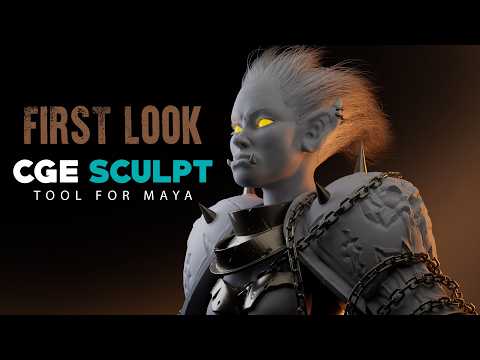
First Look at NEW Sculpting Plugin for Maya | CGE Sculpt Tool #3d #animation #vfx #art - Maya 3D

Tuesday, September 29, 2026

Technical Overview: First Look at NEW Sculpting Plugin for Maya | CGE Sculpt Tool #3d #animation #vfx #art

This article provides an in-depth analysis and overview of 'Maya 3D', covering structural mechanisms and operational workflows to help professionals and enthusiasts understand key parameters and components thoroughly.

In-depth Structural & Operational Analysis

Take a look at the brand new 3D sculpting plugin CGE Sculpt Tool by @CGElementary for Autodesk Maya that claims to bring ...

Key Takeaways & Summary

Based on the review of 'First Look at NEW Sculpting Plugin for Maya | CGE Sculpt Tool #3d #animation #vfx #art' regarding 'Maya 3D', understanding the underlying mechanics and structural components significantly enhances operational efficiency and maintenance practices.

Continue Reading | ความคิดเห็น

Học Inventor cơ bản - Giáo trình học Inventor 2026 cơ bản - Bài 6: Thực hành bài tập 1 - Inventor 3D

Monday, September 28, 2026

Technical Overview: Học Inventor cơ bản - Giáo trình học Inventor 2026 cơ bản - Bài 6: Thực hành bài tập 1

This article provides an in-depth analysis and overview of 'Inventor 3D', covering structural mechanisms and operational workflows to help professionals and enthusiasts understand key parameters and components thoroughly.

In-depth Structural & Operational Analysis

Tài liệu học AutoCAD: https://bit.ly/ebook-cad Học Inventor cơ bản - Giáo trình học Inventor 2026 cơ bản - Bài 6: Thực hành bài ...

Key Takeaways & Summary

Based on the review of 'Học Inventor cơ bản - Giáo trình học Inventor 2026 cơ bản - Bài 6: Thực hành bài tập 1' regarding 'Inventor 3D', understanding the underlying mechanics and structural components significantly enhances operational efficiency and maintenance practices.

Continue Reading | ความคิดเห็น

Beginner C4D Tutorial for Scientific Visualization | High-Quality Rendering Guide | 12 Bacillus - 3D visualization

Thursday, September 24, 2026

Technical Overview: Beginner C4D Tutorial for Scientific Visualization | High-Quality Rendering Guide | 12 Bacillus

This article provides an in-depth analysis and overview of '3D visualization', covering structural mechanisms and operational workflows to help professionals and enthusiasts understand key parameters and components thoroughly.

In-depth Structural & Operational Analysis

Welcome to the Complete C4D Scientific Illustration Tutorial Series! This systematic course includes 53 episodes of 3D modeling ...

Key Takeaways & Summary

Based on the review of 'Beginner C4D Tutorial for Scientific Visualization | High-Quality Rendering Guide | 12 Bacillus' regarding '3D visualization', understanding the underlying mechanics and structural components significantly enhances operational efficiency and maintenance practices.

Continue Reading | ความคิดเห็น

Can a 3D Scanner Work Outdoors? What to Know Before You Scan - 3D scanning

Wednesday, September 23, 2026

Technical Overview: Can a 3D Scanner Work Outdoors? What to Know Before You Scan

This article provides an in-depth analysis and overview of '3D scanning', covering structural mechanisms and operational workflows to help professionals and enthusiasts understand key parameters and components thoroughly.

In-depth Structural & Operational Analysis

"Can it scan outdoors, or only inside?" We get this one constantly. The answer is both. Exterior facades and site conditions come ...

Key Takeaways & Summary

Based on the review of 'Can a 3D Scanner Work Outdoors? What to Know Before You Scan' regarding '3D scanning', understanding the underlying mechanics and structural components significantly enhances operational efficiency and maintenance practices.

Continue Reading | ความคิดเห็น

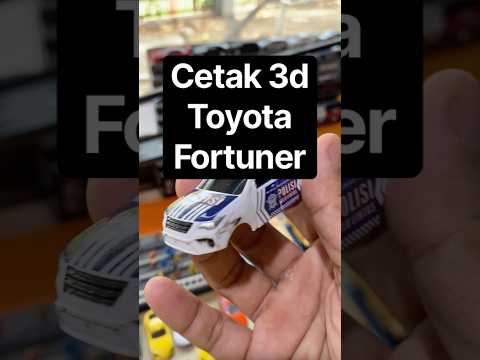
Cetak 3d print diecast toyota fortuner # #diecastcustom #diecastindonesia - 3D printing

Technical Overview: Cetak 3d print diecast toyota fortuner # #diecastcustom #diecastindonesia

This article provides an in-depth analysis and overview of '3D printing', covering structural mechanisms and operational workflows to help professionals and enthusiasts understand key parameters and components thoroughly.

In-depth Structural & Operational Analysis

Key Takeaways & Summary

Based on the review of 'Cetak 3d print diecast toyota fortuner # #diecastcustom #diecastindonesia' regarding '3D printing', understanding the underlying mechanics and structural components significantly enhances operational efficiency and maintenance practices.

Continue Reading | ความคิดเห็น

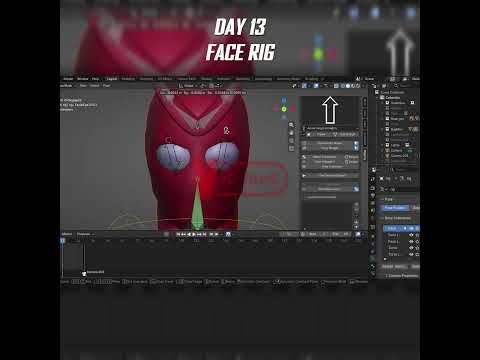
DAY 13 OF LEARNING 3D ANIMATION 🎬 #blender #3danimation #animation #comics #viral #arcane #animated - 3D animation

Technical Overview: DAY 13 OF LEARNING 3D ANIMATION 🎬 #blender #3danimation #animation #comics #viral #arcane #animated

This article provides an in-depth analysis and overview of '3D animation', covering structural mechanisms and operational workflows to help professionals and enthusiasts understand key parameters and components thoroughly.

In-depth Structural & Operational Analysis

Key Takeaways & Summary

Based on the review of 'DAY 13 OF LEARNING 3D ANIMATION 🎬 #blender #3danimation #animation #comics #viral #arcane #animated' regarding '3D animation', understanding the underlying mechanics and structural components significantly enhances operational efficiency and maintenance practices.

Continue Reading | ความคิดเห็น

Lenovo ThinkPad P16 Gen 3 – Laptop Workstation cho AI Local, CAD/BIM và Render | 2Techshop - 3D BIM

Tuesday, September 22, 2026

Technical Overview: Lenovo ThinkPad P16 Gen 3 – Laptop Workstation cho AI Local, CAD/BIM và Render | 2Techshop

This article provides an in-depth analysis and overview of '3D BIM', covering structural mechanisms and operational workflows to help professionals and enthusiasts understand key parameters and components thoroughly.

In-depth Structural & Operational Analysis

Lenovo ThinkPad P16 Gen 3 không chỉ là một chiếc laptop tích hợp AI thông thường. Đây là dòng mobile workstation dành cho ...

Key Takeaways & Summary

Based on the review of 'Lenovo ThinkPad P16 Gen 3 – Laptop Workstation cho AI Local, CAD/BIM và Render | 2Techshop' regarding '3D BIM', understanding the underlying mechanics and structural components significantly enhances operational efficiency and maintenance practices.

Continue Reading | ความคิดเห็น

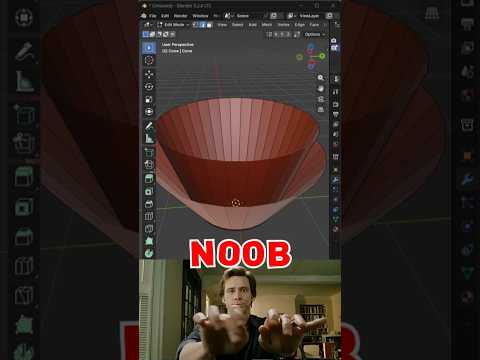
Blender Noob vs PRO: Level Up Your 3D Geometry with Bridge Secrets

Thursday, September 17, 2026

Connecting faces or filling gaps in Blender is one of the most common tasks every 3D artist encounters. While beginners often resort to tedious, manual face creation, professionals use fast and efficient workflow tricks. Mastering tools like Bridge Edge Loops allows you to clean up complex 3D geometry in seconds rather than minutes.

Whether you are building hard-surface assets or organic character models, learning how to bridge faces efficiently will transform your workflow from a Blender beginner into a seasoned pro.

The Beginner Trap vs. The Pro Approach

When starting out, most beginners select individual edges and press the F key repeatedly to build face by face. While this method works for simple flat shapes, it quickly becomes a nightmare when working with curved surfaces, hollow structures, or intricate meshes.

PRO artists, on the other hand, rely on the Bridge Edge Loops feature. By simply selecting two opposite edge loops or face regions and calling the tool, Blender automatically generates clean connecting quads between the selection. This single shortcut dramatically reduces modeling time and prevents topological errors.

Unlocking Secret Bridge Options

The real magic happens right after you execute the bridge tool. By opening the Operator Panel in the bottom-left corner of the viewport, you unlock several hidden controls:

  • Number of Cuts: Instead of a flat bridge, increase the cut count to add automatic subdivisions across the newly created section.
  • Interpolation & Profile Factor: Adjust these parameters to turn straight bridges into smoothly curved arches, pipes, or organic forms without manual sculpting.
  • Twist Offset: If your generated faces look crossed or inverted, adjusting the twist offset instantly fixes misaligned 3D geometry.

Elevate Your Modeling Workflow

Understanding how to manipulate and connect mesh elements efficiently is fundamental to high-level 3D design. By moving away from manual face creation and leveraging Blender's powerful bridging capabilities, you ensure clean, subdivision-ready 3D geometry that renders beautifully and remains easy to edit.

Give these quick bridge secrets a try in your next Blender project, and watch your 3D modeling speed double instantly!

Continue Reading | ความคิดเห็น

Parametric vs Non-Parametric Tests | Research Writing Tips for Beginners (5-Minute Series) - Parametric

Wednesday, September 16, 2026

Technical Overview: Parametric vs Non-Parametric Tests | Research Writing Tips for Beginners (5-Minute Series)

This article provides an in-depth analysis and overview of 'Parametric', covering structural mechanisms and operational workflows to help professionals and enthusiasts understand key parameters and components thoroughly.

In-depth Structural & Operational Analysis

Research Writing Tips for Beginners l 5-Minute Series* ...

Key Takeaways & Summary

Based on the review of 'Parametric vs Non-Parametric Tests | Research Writing Tips for Beginners (5-Minute Series)' regarding 'Parametric', understanding the underlying mechanics and structural components significantly enhances operational efficiency and maintenance practices.

Continue Reading | ความคิดเห็น

Model Monday Live SEPT 14 | CAD Speed Modeling Battles, Tutorials, Tips and Tricks - CAD software

Tuesday, September 15, 2026

Technical Overview: Model Monday Live SEPT 14 | CAD Speed Modeling Battles, Tutorials, Tips and Tricks

This article provides an in-depth analysis and overview of 'CAD software', covering structural mechanisms and operational workflows to help professionals and enthusiasts understand key parameters and components thoroughly.

In-depth Structural & Operational Analysis

Think you're the fastest in 3D CAD? Here's you're chance to prove it! Join us for this week's episode of Model Monday, the weekly ...

Key Takeaways & Summary

Based on the review of 'Model Monday Live SEPT 14 | CAD Speed Modeling Battles, Tutorials, Tips and Tricks' regarding 'CAD software', understanding the underlying mechanics and structural components significantly enhances operational efficiency and maintenance practices.

Continue Reading | ความคิดเห็น

AutoCAD 2D to 3D: The Professional Upgrade Guide - 3D CAD

Thursday, September 10, 2026

Technical Overview: AutoCAD 2D to 3D: The Professional Upgrade Guide

This article provides an in-depth analysis and overview of '3D CAD', covering structural mechanisms and operational workflows to help professionals and enthusiasts understand key parameters and components thoroughly.

In-depth Structural & Operational Analysis

Making the jump from AutoCAD 2D to 3D modeling can transform how you deliver projects. This guide breaks down the business ...

Key Takeaways & Summary

Based on the review of 'AutoCAD 2D to 3D: The Professional Upgrade Guide' regarding '3D CAD', understanding the underlying mechanics and structural components significantly enhances operational efficiency and maintenance practices.

Continue Reading | ความคิดเห็น

Popular Posts Today

 
Support : 3Dcadbrowser | Grabcad | 3Dcontentcentral | D | E | F | G
Copyright © 2028. Engineering 3DCad Appication - All Rights Reserved