
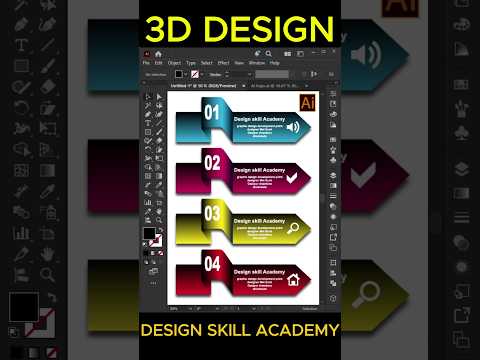
In the rapidly evolving world of digital media, static, flat visuals are increasingly being replaced by depth and dimension. Modern infographic banners require a touch of realism to capture attention, and Adobe Illustrator remains the industry-standard tool for achieving this. Whether you are creating assets for a website, a presentation, or social media, mastering 3D design can significantly boost the professional impact of your visual communications.
Why 3D Infographics Matter
Traditional 2D icons often fail to convey the complexity and "premium" feel that modern brands demand. By adding depth to your banners, you guide the viewer’s eye more effectively through the information hierarchy. A well-crafted 3D banner doesn't just display data; it creates a tactile environment that feels interactive and high-end.
Crafting Sleek Vector Shapes
The foundation of any great 3D project in Illustrator starts with clean vector geometry. To create a modern infographic banner, you should begin by sketching out your base shapes—rectangles, circles, or polygons. Once your flat layout is ready, the magic happens within the "3D and Materials" panel. By applying the "Extrude" effect, you can transform a simple flat shape into a robust object with realistic perspective.
Mastering Lighting and Shading
A successful 3D design relies heavily on consistent shading. To make your banner look sleek rather than "clunky," you must pay close attention to the light source. Adobe Illustrator allows you to manipulate the rotation and intensity of the light, ensuring that shadows fall naturally across your vector surfaces. Adding a subtle gradient to the edges of your shapes can further enhance the metallic or plastic-like finish often seen in high-quality 3D infographics.
Pro Tips for a Modern Look
To keep your design looking contemporary, avoid over-complicating the scene. Stick to a refined color palette—perhaps a mix of soft pastels and deep shadows—to create contrast. Additionally, using "Bevel" options on your 3D objects will round off sharp corners, giving your design a softer, more user-friendly appearance.
By following these steps, you can transform a basic layout into a professional-grade banner that stands out in a crowded digital space. Start experimenting with these tools today and watch how dimension changes your creative perspective!
