
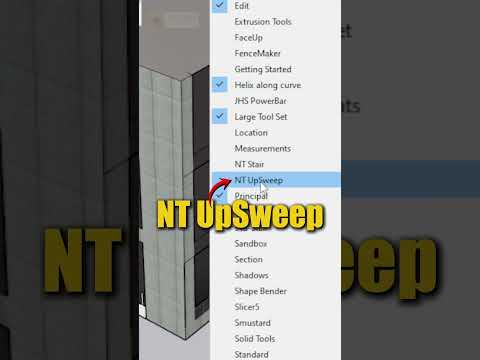
Designing modern interior furniture often requires mastering complex organic shapes that go beyond standard boxy geometry. If you are using SketchUp 3D for architectural modeling or interior visualization, creating smooth, sweeping surfaces can sometimes feel challenging. However, with the right extensions, transforming basic 2D lines into dynamic furniture becomes a fast and intuitive process.
In this guide, we will explore how to design an elegant, custom curved reception desk using the powerful "NT UpSweep" extension.
Why Use NT UpSweep for Curved Furniture?
Curved reception desks are a staple in commercial lobbies, luxury hotel reception areas, and modern office spaces. Standard push-pull methods in 3D modeling often struggle when handling sweeping elevations and complex compound curves simultaneously.
This is where the NT UpSweep tool shines. It enables designers to extrude profiles along custom curved paths while seamlessly adjusting height and sweep transitions. By leveraging this tool inside SketchUp 3D, you can save hours of manual tweaking while generating clean, professional geometry ready for rendering.
Step-by-Step: Modeling the Curved Reception Desk
- Draft the Base Footprint: Start by drawing the floor outline of your desk using arcs and curve tools to define the sweeping flow of the reception area.
- Define the Cross-Section Profile: Create a vertical profile of the desk structure, accounting for key ergonomic details like the countertop height, toe kick, and transaction ledge.
- Execute NT UpSweep: Select your base path and profile, then activate the NT UpSweep extension. The tool will automatically generate a continuous, fluid 3D form along your path.
- Detail and Materialize: Polish the model by applying textures—such as polished marble, warm wood veneers, or metallic accents—and adding integrated LED strip lighting for a photorealistic finish.
Elevate Your Interior Design Capabilities
Incorporating specialized plugins into your SketchUp 3D workflow allows you to overcome standard geometric limitations and push your creative boundaries. Tools like NT UpSweep empower you to focus on high-level design aesthetics rather than tedious technical execution. Try this method in your next interior project to deliver impressive, smooth organic structures that client presentations demand!
