
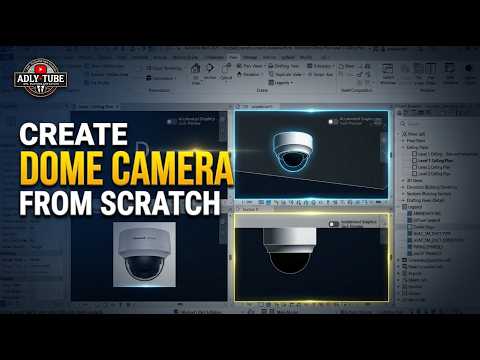
Designing security systems in Building Information Modeling (BIM) requires accurate and detailed components. While default software libraries offer standard elements, learning how to build custom parametric families gives you full control over your project aesthetics and data integrity. In this guide, we will walk you through the step-by-step process of creating a custom ceiling-mounted dome CCTV camera using Revit 3D.
Step 1: Setting Up the Ceiling-Based Family Template
To begin, open Autodesk Revit and create a new family project. Since this security camera attaches directly to a ceiling, select the Metric Electrical Fixture ceiling based or Generic Model ceiling based template. Once loaded, set up your reference planes for height, width, and radius. Establishing a robust reference framework early ensures your camera geometry resizes correctly when adding parametric controls.
Step 2: Modeling the Base and Glass Dome
With your skeleton framework in place, switch to elevation and 3D views to start modeling the camera components: - The Camera Base: Use the Extrusion or Revolve tool to create the cylindrical mounting base that attaches flush to the ceiling surface. - The Camera Dome: Select the Revolve command to sketch half of the spherical lens shield. Draw an axis line and revolve the profile 360 degrees. Assign a glass or transparent plastic material to this geometry so it renders realistically.
Utilizing these core modeling tools allows you to craft high-precision components within Revit 3D, keeping your file sizes lightweight while maintaining visual fidelity.
Step 3: Assigning Materials and Data Connectors
A functional BIM model goes beyond visual geometry—it must contain intelligent project data. - Material Parameters: Assign instance or type parameters to the base and dome materials. This allows team members to easily swap colors or surface finishes in the main project environment. - Electrical/Data Connectors: Add a Security or Electrical Data Connector to the top of the mounting base. Configure the system classification so engineers can connect the camera to security panels and power circuits.
Conclusion
Creating custom families like a ceiling-mounted dome camera boosts both the accuracy and professional presentation of your BIM models. By mastering these parametric modeling techniques, you can tailor any security fixture to your exact project specifications and elevate your overall workflow in Revit 3D. Start building your custom family library today!
