
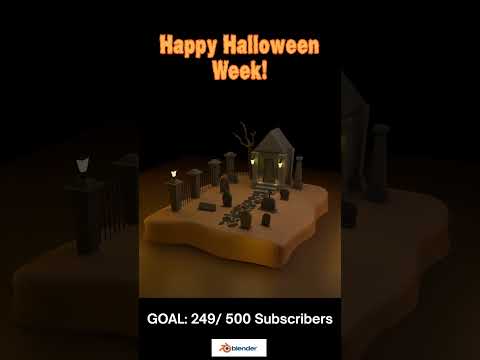
Diving into the world of 3D design can feel overwhelming, especially when you are balancing your studies. However, learning open-source software like Blender is one of the most rewarding skills a student or aspiring digital artist can build. If you want to level up your graphic design portfolio with atmosphere and charm, following a guided 3D tutorial focused on a specific theme—such as a spooky Halloween graveyard—is the ultimate way to start.
Why Start with a Thematic Environment?
Building a stylized scene from scratch teaches you core concepts without making the learning process feel like a chore. A spooky graveyard environment offers a balanced mix of simple geometric modeling and expressive lighting:
- Basic Modeling: Objects like tombstones, wooden crosses, and crooked fences rely on fundamental shapes, making them ideal for beginners.
- Atmospheric Lighting: Cool moonlight, volumetric fog, and deep shadows instantly bring mood and storytelling into your project.
- Scene Composition: Distributing assets across uneven ground teaches you camera placement, scale, and visual balance.
Essential Steps to Build Your Graveyard Scene
- Block Out the Base: Start by sculpting a subtle ground plane and placing basic primitive shapes to represent headstones and dead trees. Focus on overall arrangement before adding fine details.
- Apply Materials and Textures: Give your assets character with simple materials. Dark slate, weathered wood, and desaturated green grass create an authentic eerie aesthetic.
- Set the Mood with Lighting: Introduce a soft blue light source to simulate moonlight and experiment with Blender’s atmospheric haze. Strategic lighting transforms simple models into a captivating visual.
Tips for Student 3D Artists
The key to mastering software like Blender is consistency over perfection. You do not need to render a Hollywood-grade motion picture on your first attempt. By taking on bite-sized, fun projects and relying on a structured 3D tutorial, you can steady your learning curve and achieve impressive results quickly.
Whether you are expanding your design portfolio or simply exploring a new hobby, crafting thematic scenes will build your creative confidence. Fire up Blender, dive into a high-yield 3D tutorial, and start bringing your spooky visual ideas to life today!
