
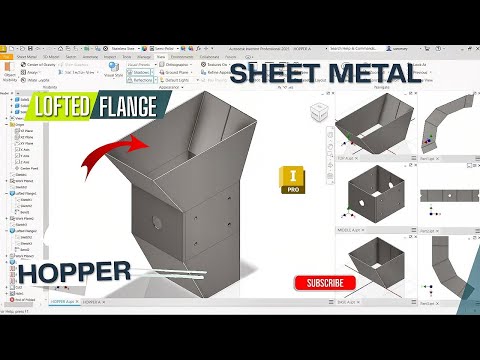
Designing custom sheet metal components can be a daunting task if you do not use the right CAD workflows. Whether you are creating material handling systems, ductwork, or industrial machinery, learning how to model a sheet metal hopper efficiently is an essential skill. By leveraging the powerful capabilities of Inventor 3D software, engineers and designers can seamlessly bridge the gap between initial 3D concept modeling and real-world fabrication.
Understanding the Power of the Lofted Flange
One of the most efficient tools for creating sheet metal hoppers and transition pieces is the Lofted Flange command. Unlike standard flanges that extend directly from straight edges, a lofted flange allows you to join two distinct closed or open profiles across separate work planes.
When designing complex sheet metal transitions in Inventor 3D, the Lofted Flange tool automatically calculates the necessary bends, material thickness, and relief cuts required for accurate manufacturing. This ensures that your model isn't just a visually appealing shape, but a functional, fabricable component ready for the shop floor.
Key Steps in the Hopper Fabrication Workflow
To build a professional-grade sheet metal hopper using real fabrication techniques, follow this streamlined CAD workflow:
- Set Up Offset Planes: Create parallel work planes representing the top opening and the bottom discharge outlet of your hopper.
- Draw Profile Sketches: Sketch the required geometry on each plane (such as a large rectangle on top and a smaller circle or square at the bottom). Apply sketch fillets to ensure smooth press brake or roll-forming bends.
- Apply Sheet Metal Rules: Define your material type, sheet thickness, and unfold rules beforehand to maintain accurate design intent.
- Generate the Lofted Flange: Select your two profiles using the Lofted Flange tool, specifying your preferred forming method (die-formed or press-brake bent).
- Create the Flat Pattern: Convert your 3D model into a 2D flat pattern with a single click to generate precise cutting templates for laser or plasma cutting machines.
Streamline Your Fabrication Process Today
Taking the time to master these practical workflow techniques in Inventor 3D will save you hours during production, eliminate material waste, and improve overall design accuracy. Start incorporating the Lofted Flange tool into your project routine today to take your sheet metal modeling skills to the next level!
