
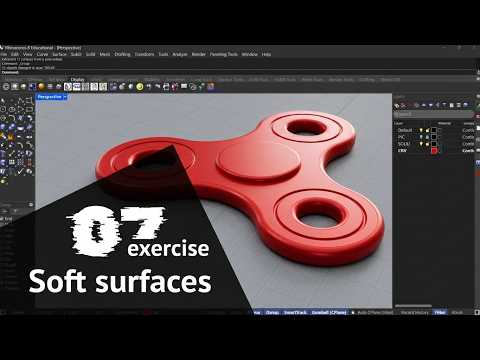
In the world of digital design, the difference between a basic concept and a professional-grade model often lies in the fine details. When you first start learning Rhino 3D, you might find that your initial models look a bit "rigid" or artificial. This is usually because real-world objects rarely possess perfectly sharp, 90-degree angles. To breathe life and realism into your digital creations, mastering the art of smoothing edges is an essential skill.
Why Smooth Edges Matter for Realism
Adding a radius to your corners—a process often referred to as filleting—is more than just a stylistic choice; it is a fundamental principle of industrial design. Smooth edges allow light to catch the surfaces of your model more naturally, creating the subtle highlights that signal high-quality craftsmanship. Whether you are designing a piece of furniture, a piece of jewelry, or a high-tech gadget, understanding how Rhino 3D handles edge transitions will significantly elevate the visual impact of your portfolio.
Essential Tools for Softening Your Models
The primary tool for most beginners is the FilletEdge command. This allows you to select a solid edge and apply a specific radius to round it off smoothly. However, as you progress, you will discover that different scenarios require different techniques:
- FilletEdge: Best for creating consistent circular arcs on solid objects.
- BlendEdge: Ideal for more complex surfaces where you need a gradual, organic transition (G2 continuity) rather than a simple geometric curve.
- ChamferEdge: Perfect for when you want a flat, angled transition, which is common in mechanical parts and modern architectural details.
Tips for a Clean Workflow
One of the biggest challenges when smoothing edges in Rhino 3D is dealing with "broken" geometry or failed fillets. To avoid these common pitfalls, always try to fillet your largest radii first and work your way down to the smaller details. Additionally, ensure your model is a "Closed Solid Polysurface" before applying these commands; this ensures the software can calculate the geometry accurately without leaving gaps.
Mastering these techniques will not only make your models look more professional but also prepare them for real-world applications like 3D printing and manufacturing. Start experimenting with different radii today, and watch your designs transform from simple blocks into sophisticated products.
