
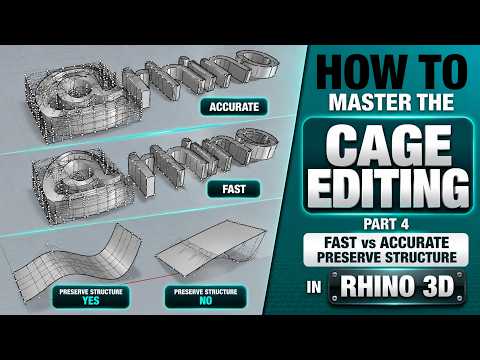
When working with complex surfaces in Rhino, Cage Editing (CageEdit) is one of the most versatile tools available. It allows designers to deform objects smoothly without breaking the underlying geometry. However, achieving the perfect balance between speed, precision, and structural integrity can be tricky.
In this guide, we dive deep into how cage deformation works in modern 3D CAD software, comparing fast versus accurate deformation methods and exploring how to preserve your model's structure.
Fast vs. Accurate Deformation: Which Should You Choose?
When performing cage edits in Rhino, you are often faced with a choice between fast deformation and accurate deformation.
- Fast Deformation: Ideal for early-stage conceptual modeling and rapid prototyping. Fast mode calculates deformations quickly, allowing you to manipulate control points smoothly in real-time. However, it may slightly approximate high-degree curves and complex surfaces.
- Accurate Deformation: Essential when precision is non-negotiable. This mode evaluates surface mathematics more rigorously, ensuring tight tolerances and exact shape retention. While it requires slightly more processing power, it is indispensable for final production-ready designs in professional 3D CAD workflows.
Understanding when to switch between these two modes saves valuable processing time while keeping your design workflow efficient.
The Importance of Preserving Model Structure
One of the biggest challenges during global shape deformation is maintaining the original surface structure. Uncontrolled cage editing can lead to unwanted control point density, heavy surfaces, or broken continuity.
To preserve structure effectively during edits: 1. Match Control Box Density: Align the cage control points with the key features of your object to prevent unnecessary surface distortion. 2. Maintain Continuity: Ensure that original curvature-continuous edges remain intact during deformation. 3. Use Directional Constraints: Restrict cage movement along specific axes (X, Y, or Z) to hold critical design dimensions steady.
Final Thoughts
Cage editing provides unmatched control over complex geometry without sacrificing model quality. By mastering the trade-offs between fast and accurate deformations—and learning how to preserve surface structure—you can significantly elevate your 3D CAD modeling speed and output quality.
Whether you are designing architectural forms or complex industrial products, applying these core techniques will keep your Rhino models clean, light, and precise.
