Cad 3D Category

Showing posts with label Jewelry Design. Show all posts

Stunning Jewelry Renderings: The Power of 3D Visualization in Blender

Tuesday, October 27, 2026
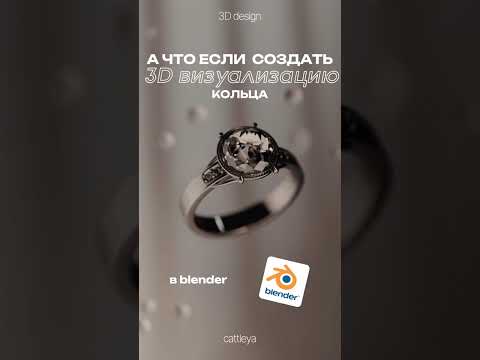
In the world of fine craft and luxury design, presentation is everything. Traditionally, showcasing high-end jewelry required physical samples, complex studio lighting, and expensive photo shoots. Today, digital tools have reshaped the creative process. With powerful open-source software like Blender, artists and jewelers can achieve breathtaking 3D visualization that captures every sparkle, reflection, and intricate detail of a ring long before physical production even begins.

Why Blender is Ideal for Jewelry Rendering

Blender has evolved into an industry powerhouse for creators looking to craft photorealistic digital assets. When working with jewelry, precision and lighting are paramount. Blender’s rendering engine enables designers to accurately simulate real-world light physics, glass refractions, and metallic surfaces like gold, silver, and platinum.

By applying custom material nodes, artists can capture the brilliance of precious gems and the subtle surface details of polished metal. Paired with smooth camera movement and cinematic close-up animations, static jewelry designs are transformed into dynamic visual experiences that captivate viewers.

Streamlining Design and Digital Marketing

Integrating high-quality 3D visualization into a jewelry design workflow provides key creative and business advantages:

  • Cost-Effective Prototyping: Designers can experiment with gemstone cuts, metal finishes, and settings virtually, saving significantly on physical manufacturing costs.
  • Engaging Social Content: Eye-catching 3D animations engineered for short-form video platforms like YouTube Shorts and Instagram Reels help creators instantly capture audience attention.
  • Pre-Visualization for Clients: Photorealistic renders allow bespoke jewelry clients to preview and approve custom pieces with full confidence prior to casting.

The Future of Digital Jewelry Creation

As digital artistry continues to blur the line between virtual models and reality, adopting modern tools is essential for content creators and brands alike. Whether you are a 3D animator building a portfolio or a commercial jeweler expanding your digital catalog, leveraging 3D visualization opens up infinite creative possibilities.

Start exploring Blender's powerful lighting and shading tools today, and bring your luxury jewelry concepts to life in vibrant 3D detail.

Continue Reading | ความคิดเห็น

Mastering 3D Sculpting for Custom Jewelry: From Blockout to Detail in ZBrush

Saturday, October 17, 2026

Crafting high-end custom jewelry has evolved significantly with modern technology. Whether you are creating fierce animal motifs like a detailed tiger head or refined accessories like fox head cufflinks, mastering 3D sculpting in ZBrush opens up endless possibilities for jewelry designers looking to push creative boundaries.

In this guide, we will explore key tips and techniques to take your digital jewelry designs from basic blockouts to production-ready masterpieces.

1. The Power of Blocking: Laying the Foundation

Every impressive sculpt starts with a solid foundation. Before diving into fine fur textures or intricate facial features, focus on the primary forms. Blocking out the base mesh is one of the most crucial stages in digital 3D sculpting.

By using basic primitives—such as spheres and cylinders—you can quickly establish the accurate proportions and silhouette of an animal head. Getting the silhouette right early on saves hours of refinement later and ensures your jewelry piece maintains structural balance when 3D printed and cast into precious metals.

2. Utilizing Nanomesh for Intricate Jewelry Details

Adding repeating textures, scales, or micro-patterned embellishments manually can be exhausting. This is where ZBrush’s Nanomesh tool becomes a game-changer for jewelry artists:

  • Speed and Efficiency: Instantly duplicate geometric patterns across polygroups.
  • Non-Destructive Editing: Adjust the scale, orientation, and placement of details on the fly.
  • Optimized Performance: Keep your workspace responsive while managing dense, complex surface textures.

Whether you are building stylized fur accents or decorative bands on custom cufflinks, Nanomesh lets you achieve high-density detail cleanly and efficiently.

3. Refining Form and Preparing for Production

Once your secondary details and Nanomesh patterns are in place, focus on the functional aspects of jewelry design. Ensure wall thicknesses meet casting standards, solidify hollow areas, and seamlessly blend organic forms—like a fox or tiger head—onto practical components like cufflink stems, pendant bails, or ring shanks.

Conclusion

Integrating smart digital techniques into your workflow allows you to bring bold, intricate concepts to life effortlessly. By incorporating solid blockout methods and powerful features like Nanomesh into your 3D sculpting toolkit, you can elevate your craft and produce stunning, professional-grade jewelry pieces that capture attention.

Continue Reading | ความคิดเห็น

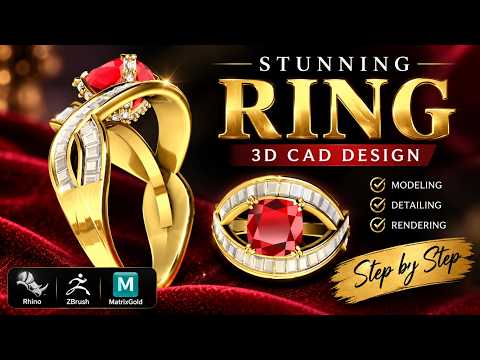
Mastering Jewelry CAD: Creating a Stunning Baguette Twin Shank Ring with Rhino 3D

Sunday, September 20, 2026

Jewelry design has entered a new era of precision and creativity thanks to advanced digital tools. One of the most elegant designs to master is the Baguette Twin Shank Ring—a piece that combines architectural symmetry with the timeless brilliance of step-cut diamonds. In this guide, we explore the intricate process of bringing this sophisticated vision to life through professional CAD techniques.

The Architecture of the Twin Shank

The beauty of a twin shank ring lies in its structural complexity. Unlike a traditional single band, the twin shank requires a delicate balance to ensure both bands flow harmoniously toward the center setting. The process begins with establishing the base finger rail and sweeping the profiles. Precision is key here; the gap between the shanks must be consistent to maintain the "light" and "airy" aesthetic that makes this style so popular in modern fine jewelry.

Setting Baguette Stones with Rhino 3D

Baguette diamonds demand a high level of accuracy because of their straight edges and specific geometric proportions. Using Rhino 3D, designers can meticulously align each stone within the channel or prong setting. This software allows for the exact calculation of metal thickness and stone spacing, ensuring that the final cast piece requires minimal manual cleanup. When working with twin shanks, the transition point where the stones meet the dual bands is the most critical area to refine, requiring a smooth surface flow to ensure wearer comfort.

Pro-Tips for a Flawless Workflow

To elevate your jewelry design game, focus on your Boolean operations and history-enabled modeling. By utilizing the robust toolset available in Rhino 3D, you can create parametric-like adjustments. For instance, if you decide the baguette stones need to be slightly larger or the shank needs a different taper, having a clean, organized workflow allows you to make these changes without rebuilding the entire model from scratch. Always remember to check your tolerances for 3D printing; a design that looks flawless on the screen must also be structurally sound for casting in gold or platinum.

Conclusion

The Baguette Twin Shank Ring is a testament to how modern technology meets traditional craftsmanship. Mastering this specific style will not only sharpen your technical skills but also expand your design repertoire for high-end clients. By combining artistic vision with the power of digital modeling, the possibilities for innovation are endless.

Continue Reading | ความคิดเห็น

Mastering Jewelry Design: Crafting a Stunning Krishna Pendant with 3D CAD

Monday, August 31, 2026

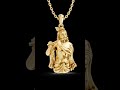
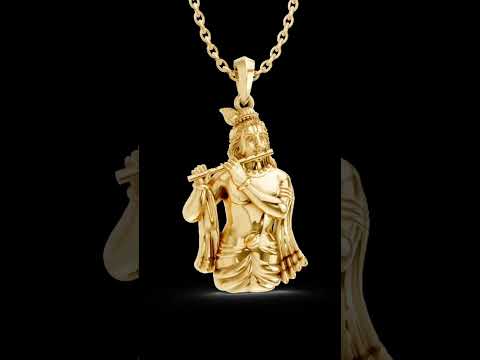
Jewelry design has evolved into a breathtaking blend of traditional craftsmanship and digital innovation. Crafting intricate, sacred pieces like a Lord Krishna pendant requires both artistic devotion and exceptional technical precision. Today, the power of modern 3D CAD technology makes it easier than ever for designers to transform complex concepts into photorealistic digital models ready for production.

Designing the Sacred Krishna Pendant

Designing devotional jewelry demands meticulous attention to detail. From the iconic peacock feather and flute to the subtle curves of divine features, utilizing advanced 3D CAD software allows designers to capture delicate elements with unmatched accuracy. Computer-aided design gives artists full creative freedom to experiment with filigree work, surface textures, and gemstone placements long before physically casting the metal.

Bringing Jewelry to Life: Rendering and Animation

Once the digital model is complete, the true visual transformation begins through rendering and animation. High-end rendering software enables designers to apply realistic metal finishes—such as rich yellow gold, warm rose gold, or sleek platinum—and simulate natural studio lighting on every surface.

Creating smooth 360-degree animations brings the Krishna pendant to life from every angle. These animations are not only captivating for potential clients and buyers but also serve as incredible visual material for jewelry CAD design tutorials. Viewers can see every intricate fold of drapery and fine detail in action.

Why Digital CAD Workflows Revolutionize Jewelry Making

Transitioning to digital design tools offers massive advantages for both custom jewelry businesses and CAD enthusiasts: - Unmatched Precision: Ensures accurate dimensions for gem setting and casting. - Enhanced Efficiency: Reduces physical prototyping costs and avoids costly manufacturing errors. - Seamless Visualizing: Allows clients to view accurate 3D renders and request modifications effortlessly.

Whether you are a seasoned goldsmith or a beginner following digital modeling tutorials, mastering 3D CAD skills is essential for turning divine inspiration into wearable art. Dive into 3D jewelry design today and elevate your creative craft to new heights!

3D CAD
Continue Reading | ความคิดเห็น

Free 3D Model: Old Artisan Wave Pendant - Jewelry Design Resource

Thursday, January 22, 2026

Enhance Your Jewelry Projects with the Old Artisan Wave Pendant 3D Model

Looking for a unique, vintage-inspired piece for your digital jewelry collection? Download this Free Old Artisan Wave Pendant 3D model. This intricately designed accessory features a classic wave pattern, perfect for 3D artists, jewelers, and hobbyists looking for high-quality 3D printable jewelry or realistic rendering assets.

Key Highlights:

  • Style: Vintage Artisan / Nautical Wave
  • Usage: 3D Printing, Digital Sculpting, Jewelry Visualization
  • Compatibility: Optimized for major 3D software (Check source for formats)
  • SEO Optimized: Free 3D Jewelry Model, Artisan Pendant, Wave Jewelry Design

This Wave Pendant 3D model is inspired by traditional craftsmanship, blending organic curves with a timeless aesthetic. Whether you are practicing your rendering skills or looking for a base model for your next jewelry line, this free resource is a must-have.

Ready to add this to your library?

DOWNLOAD FREE 3D MODEL HERE

Note: Please check the license on the source website (TurboSquid) before use for commercial projects.

3D Model, Free Download, Jewelry Design, Artisan Pendant, Wave Pendant, 3D Printing, TurboSquid, Digital Art

Continue Reading | ความคิดเห็น

Popular Posts Today

 
Support : 3Dcadbrowser | Grabcad | 3Dcontentcentral | D | E | F | G
Copyright © 2028. Engineering 3DCad Appication - All Rights Reserved