
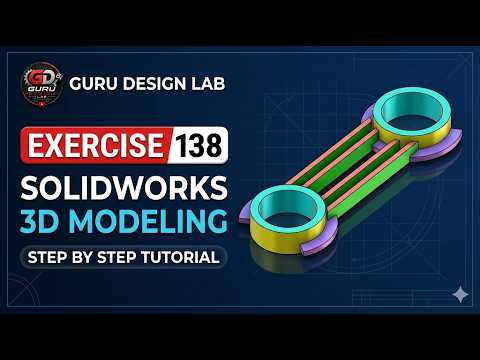
Mastering modern engineering design requires consistent practice and hands-on experience with industry-standard software. Whether you are taking your first steps in engineering or looking to refine your parametric design skills, working through practical mechanical exercises is the best way to grow.
In this tutorial brought to you by Guru Design Lab, we walk you step-by-step through SOLIDWORKS Exercise 138, taking your modeling techniques from beginner level all the way to advanced precision.
Why Practice Mechanical Part Modeling?
Transitioning from simple 2D sketches to complex solid geometries can be challenging. Working on structured design challenges helps you master essential modeling operations such as extruded bosses, cuts, fillets, and revolve features.
Honing your skills through hands-on 3D CAD exercises allows you to understand design intent, optimize component geometry, and maintain clean feature trees that are easy to edit later in the design cycle.
Key Techniques Covered in Exercise 138
In this exercise, you will learn how to approach a technical drawing efficiently and translate dimensions into an accurate 3D model:
- Defining Base Sketches: Learn how to select the optimal sketching plane and use geometric relations to keep your sketches fully defined.
- Main Feature Creation: Apply basic and advanced extrusion techniques to build the primary volume of the mechanical part.
- Precision Material Removal: Master cut-extrude and hole features to create internal pockets and mounting holes precisely where needed.
- Detailing & Finishing: Add fillets and chamfers to smooth edges, reduce stress concentration, and give your model a professional finish.
Tips for an Efficient Modeling Workflow
To build accurate models quickly in any 3D CAD environment, always plan your steps before drawing the first line. Start with the largest base feature and progressively add complex details. Keep your sketches simple and rely on feature operations rather than overly crowded single sketches.
By following along with this guided video tutorial, you will streamline your overall 3D CAD workflow and gain the confidence needed to tackle complex mechanical assemblies in your professional project work. Watch the step-by-step video above, grab your dimensions, and start modeling today!
