

Thursday, November 19, 2026
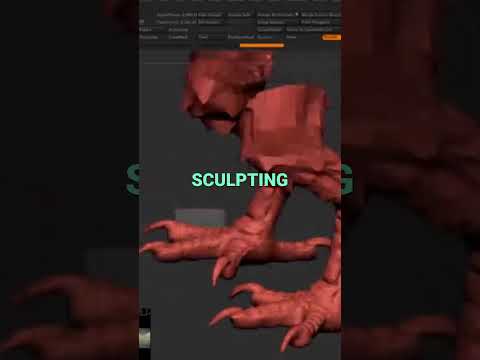
Sculpting intricate creatures from scratch can be a time-consuming process, especially when detailing complex anatomical features like claws, scales, or bird feet. Many digital artists waste valuable hours recreating elements they have already modeled in past projects. If you want to streamline your creature design pipeline, it is time to leverage the power of ZBrush 3D and rethink how you use its built-in features.
One of the most underutilized assets in the industry is the Lightbox. By treating this built-in file browser as a personal asset superstore, you can dramatically speed up your character and creature sculpting workflow.
Why You Are Underutilizing the ZBrush Lightbox
Many artists open the software, close the Lightbox pop-up immediately, and start building base meshes from scratch every single time. However, the Lightbox is designed to act as your ultimate workflow accelerator.
Instead of starting from zero, think of the Lightbox as a shop where you can select pre-made body parts, custom brushes, alphas, and base meshes. When working on complex anatomy—such as bird feet or reptilian limbs—having a organized library of assets ready to go allows you to instantly import, modify, and append subtools without breaking your creative momentum.
A Smarter Workflow: "Shopping" for Creature Anatomy
Rather than re-sculpting a bird foot every time you build a new avian monster or mythical beast, save your detailed sculpts into dedicated Lightbox folders. When starting a new project in ZBrush 3D, simply open your custom Lightbox menu, browse your saved parts, and drag the component straight onto your canvas.
This modular workflow allows you to: - Save Valuable Time: Skip tedious base-mesh creation and jump straight into secondary and tertiary detailing. - Maintain High Quality: Keep anatomical accuracy and consistent style across multiple sculpts in a production pipeline. - Experiment Freely: Quickly swap out different feet, hands, or heads onto a torso to test silhouettes and design ideas.
Elevate Your Digital Sculpting Pipeline
Mastering creature sculpting isn't just about technical artistic skill; it's about working efficiently. By organizing your custom meshes inside the Lightbox, you turn ZBrush 3D from a standard sculpting program into an agile production powerhouse. Stop rebuilding the wheel for every sculpt—start building your personal asset library today and revolutionize your creature creation process.


