

Tuesday, November 10, 2026
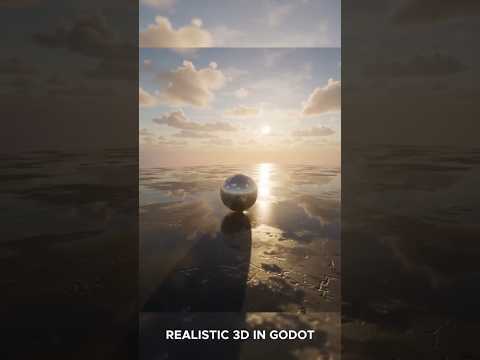
Creating immersive games starts with building atmospheric worlds that captivate players from the very first frame. If you are using the Godot Engine, setting up your own realistic 3D environment is much easier than you might think. Whether you are working on a quick indie project or a full-scale game, mastering environment design in Godot will elevate your visual quality instantly.
Step 1: Set Up Your Core Lighting and WorldEnvironment
The foundation of any breathtaking scene in Godot relies heavily on the WorldEnvironment node and proper lighting. Start by adding a WorldEnvironment node to your main 3D scene. This node acts as the central control hub for background settings, ambient light, and sky configurations.
To achieve realistic lighting quickly:
- Use HDRI Skyboxes: Import a high-quality HDRI texture into a PanoramaSkyMaterial. This provides natural, realistic ambient light and reflections across all your game assets.
- Configure DirectionalLight3D: Add a DirectionalLight3D node to simulate sunlight or key atmospheric lighting. Enable shadows and adjust energy levels to define clear depth and contrast.
Step 2: Assemble Your World Assets and Materials
Once your lighting foundation is established, it is time to build the actual terrain and structures. Using modular 3D models makes populating your scene quick and efficient. Bring in your terrain meshes, props, vegetation, and architectural elements. Pay close attention to texture maps—using PBR (Physically Based Rendering) materials with proper albedo, roughness, and normal maps will make your 3D environment look polished and professional.
Don't forget post-processing effects! Godot offers built-in visual enhancements such as Glow, Screen Space Ambient Occlusion (SSAO), and Volumetric Fog. Enabling these features adds immediate depth and mood to your level.
Step 3: Optimize for Smooth Performance
A visual masterpiece must also run smoothly on target devices. As you refine your 3D environment, keep performance optimization at the forefront of your process:
- Bake Global Illumination: Use VoxelGI or LightmapGI for static geometry to render complex global lighting without draining hardware resources.
- Implement Occlusion Culling and LODs: Hide objects that are outside the camera's view and use Level of Detail meshes to maintain high frame rates.
Start Building Today
Creating custom game worlds in Godot doesn't have to take weeks. By combining clever lighting techniques, quality materials, and subtle post-processing, you can craft captivating game spaces fast. Jump into Godot today and turn your creative vision into reality!


