Wednesday, November 18, 2026
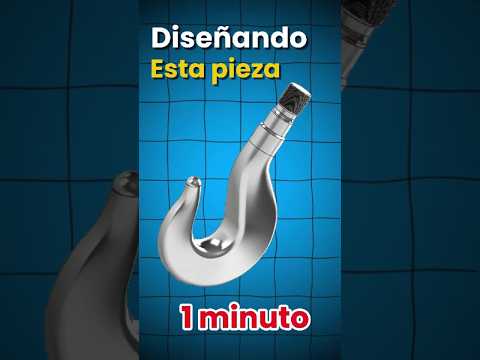
In the world of Computer-Aided Design (CAD), speed and precision are often seen as two sides of the same coin. Many beginners believe that complex industrial parts require hours of tedious labor, but with the right workflow in SolidWorks 3D, you can achieve professional results in a fraction of the time. Today, we’re looking at how a well-structured approach allows you to design a functional hook in just one minute.
The Secret Starts with a Perfect Sketch
The foundation of any high-quality 3D model is the 2D sketch (or "croquis"). As the saying goes, "A house is only as strong as its foundation." In the video, the speed of the design process is made possible because the initial sketch is fully defined. By utilizing geometric constraints—such as tangency, symmetry, and coincident points—you eliminate the guesswork.
When you start your project in SolidWorks 3D, focus on creating a clean path for the hook's body and a precise profile for its cross-section. If your sketch is "well-made" from the start, the transition to the third dimension becomes a simple click of a button.
Utilizing Advanced Features for Rapid Prototyping
To turn a flat drawing into a realistic hook, the "Sweep" or "Swept Boss/Base" tool is usually the star of the show. By selecting the path (the shape of the hook) and the profile (the thickness), SolidWorks 3D instantly generates the volume. This tool is essential for creating organic, curved industrial components that need to maintain a specific structural integrity.
Once the main body is created, adding finishing touches like fillets or chamfers takes only seconds. These small details are crucial not just for aesthetics, but for reducing stress concentrations in mechanical parts, ensuring the hook can withstand the loads it was designed for.
Efficiency is a Skill
Designing a hook in 60 seconds isn't just a party trick; it’s a testament to the power of modern engineering software and a disciplined workflow. By mastering shortcuts and understanding how features interact, you can significantly reduce your design cycle. Whether you are a student or a professional engineer, practicing these "speed designs" helps you internalize the tools and become a more proficient creator.
Ready to put your skills to the test? Open your workstation, set a timer, and see how fast you can bring your next idea to life!