
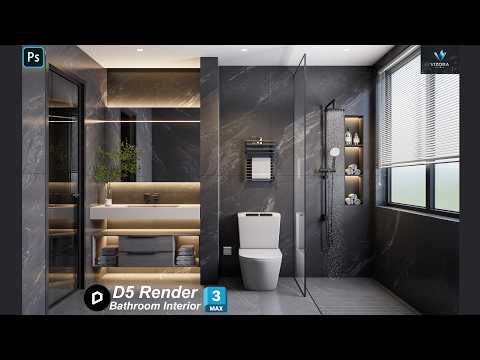
In the fast-paced world of architectural visualization, the ability to create lifelike visuals quickly is a game-changer. D5 Render has emerged as a powerhouse for designers looking to push the boundaries of 3D rendering without the steep learning curve of traditional software. Whether you are an architect or an interior designer, achieving photorealism is the ultimate goal to help clients truly "feel" a space before it is built. Here is how you can transform your raw models into stunning, realistic interior scenes.
Start with High-Quality Materials
Realism starts with the surface. D5 Render’s extensive asset library offers high-quality PBR (Physically Based Rendering) materials that react naturally to light. To get the best results, you must look beyond basic textures. Pay close attention to reflection, roughness, and normal maps. Adjusting these parameters ensures that a wooden floor looks organic rather than plastic, and a marble countertop has the perfect subtle sheen. When your materials look tactile, your 3D rendering gains a level of authenticity that captures the eye.
Mastering Lighting and Environment
Lighting is the soul of any interior scene. D5 Render’s real-time ray tracing capabilities allow you to see light bounces and shadows instantly, making the calibration process much more intuitive. Start by setting your environment—use HDRI maps to establish a natural base light. For interior shots, adding artificial light sources is crucial. Use IES lights for realistic ceiling fixtures or rectangular lights behind window frames to mimic the soft, ambient glow of the sun. This layering of light creates depth and warmth, which are essential for a professional finish.
Refining the Details and Post-Processing
The difference between a good render and a great one often lies in the "lived-in" details. Utilize the D5 library to add high-quality furniture, decor, and plants. These small assets break the perfection of digital models and add a sense of scale and life.
Finally, use the built-in post-processing panel to fine-tune your image. Adjusting the contrast, color temperature, and bloom can dramatically change the mood of the room. These final touches ensure that your final 3D rendering is not just a technical success, but a piece of art that effectively communicates your design vision. By following these steps in D5 Render, you can produce portfolio-ready interiors that stand out in a competitive market.
