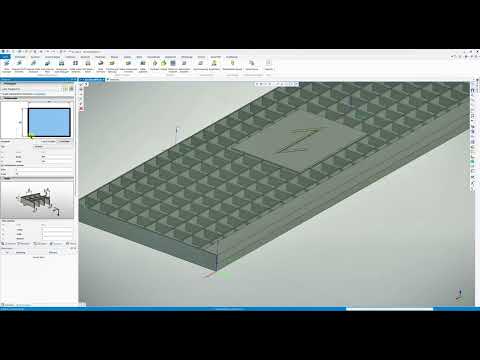
Cad 3D Category

Showing posts with label Industrial Design. Show all posts

Mastering Bottle Modeling: Final Steps to Perfect Your 3D CAD Design

Monday, September 7, 2026
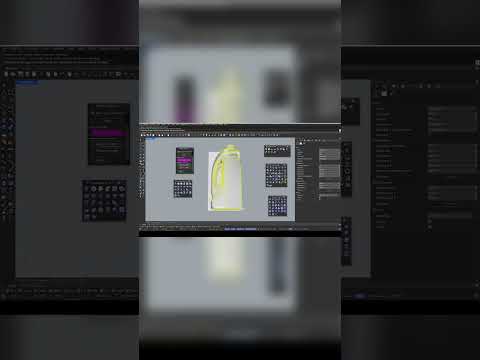
Creating sleek, functional industrial products requires precision, patience, and the right digital tools. Designing a custom bottle involves mastering curvature, surface continuity, and ergonomic details. In this final installment of our modeling series, we wrap up our bottle project and explore how modern 3D CAD tools allow designers to take concepts from a simple sketch to a manufacturing-ready 3D model.

Perfecting the Details in Industrial Design

The final stage of any product modeling workflow is where the true craftsmanship shows. Fine-tuning edge fillets, ensuring smooth surface transitions, and finalizing bottle threading are critical steps. Utilizing powerful 3D CAD software like Rhinoceros (Rhino) ensures that every curve is mathematically precise, eliminating potential manufacturing defects long before physical prototyping begins.

During this concluding phase, designers focus on several essential elements: - Surface Continuity: Achieving seamless blends between complex surfaces for a clean, premium visual aesthetic. - Precision Tolerances: Fine-tuning wall thickness and neck closures so structural components fit together effortlessly. - Product Visualization: Applying realistic materials and lighting to evaluate ergonomics and overall brand appeal.

Why Master 3D CAD for Packaging Design?

Packaging design is a dynamic industry where technical accuracy and high visual impact are equally important. By leveraging advanced 3D CAD techniques, industrial designers gain complete control over intricate geometries. This makes it far easier to iterate, refine, and present bottle containers, closures, and labeling surfaces with professional accuracy.

Watch the Full Video Tutorial

Ready to see the entire step-by-step workflow in action? While this quick preview highlights the final touches, you can master every technique from start to finish in our comprehensive video guide.

Don't miss a single step—watch the complete walkthrough here: Watch the Full Rhino 3D Bottle Tutorial. Take your modeling expertise to the next level and start crafting production-ready product designs today!

Continue Reading | ความคิดเห็น

Streamlining Metal Construction: How to Create Professional Gratings in 3D CAD

Tuesday, August 18, 2026

In the modern landscape of structural engineering and industrial design, precision and speed are the two pillars of success. When it comes to designing complex structures like industrial walkways, platforms, or specialized flooring, traditional manual drafting methods are no longer sufficient to meet tight deadlines. This is where the power of professional 3D CAD software becomes indispensable for the modern engineer.

The Evolution of Grating Design

Designing gratings—traditionally known as "Gitterroste"—has historically been a meticulous and error-prone task. Engineers previously had to manually calculate bar spacing, load-bearing requirements, and edge trimming to ensure a perfect fit within a steel frame. However, with the IN-CAD 3D MetallPRO extension, this tedious process is transformed into a streamlined, automated workflow that minimizes human error.

Why Use MetallPRO for Your Projects?

The MetallPRO plugin is specifically engineered to meet the rigorous demands of metal construction professionals. One of its standout features is the dedicated grating function. Instead of drawing every individual bar or cross-member, the software allows you to define the boundary area and let the specialized algorithm handle the rest. By integrating these automated tools into your 3D CAD environment, you can visualize the entire assembly in real-time, making it easier to spot potential clashes or structural issues long before the project reaches the fabrication stage.

Speed and Accuracy Combined

The primary advantage of utilizing the MetallPRO feature set is the sheer amount of time saved during the design phase. What used to take hours of manual drafting can now be accomplished in just a few clicks. Users can quickly adjust parameters such as mesh size, material thickness, and orientation. This flexibility ensures that every grating is perfectly optimized for its specific use case, whether it is intended for heavy-duty industrial use or architectural aesthetics.

Furthermore, the high-quality data generated by advanced 3D CAD tools ensures that the information passed to production is flawless. This reduction in "re-work" and material waste significantly lowers project costs and improves the overall turnaround time for your clients.

Conclusion

Embracing specialized tools like MetallPRO within your design suite is the key to modernizing your metalwork business. By leveraging the automated features of IN-CAD 3D, you ensure that your designs are not only accurate but also highly efficient. If you are looking to stay ahead in a competitive market, mastering these advanced grating functions is the best way to elevate your engineering standards and deliver superior results.

3D CAD
Continue Reading | ความคิดเห็น

Popular Posts Today

 
Support : 3Dcadbrowser | Grabcad | 3Dcontentcentral | D | E | F | G
Copyright © 2028. Engineering 3DCad Appication - All Rights Reserved