Cad 3D Category

Showing posts with label 3D Environment. Show all posts

How to Build a Stunning 3D Environment in Godot Fast

Tuesday, November 10, 2026
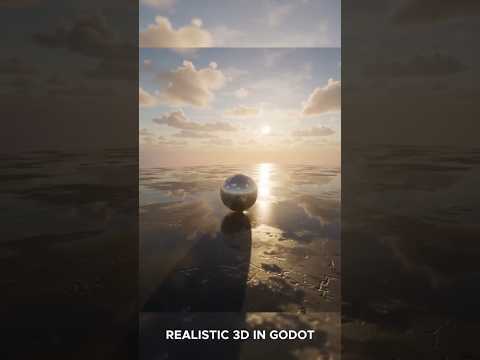
Creating immersive games starts with building atmospheric worlds that captivate players from the very first frame. If you are using the Godot Engine, setting up your own realistic 3D environment is much easier than you might think. Whether you are working on a quick indie project or a full-scale game, mastering environment design in Godot will elevate your visual quality instantly.

Step 1: Set Up Your Core Lighting and WorldEnvironment

The foundation of any breathtaking scene in Godot relies heavily on the WorldEnvironment node and proper lighting. Start by adding a WorldEnvironment node to your main 3D scene. This node acts as the central control hub for background settings, ambient light, and sky configurations.

To achieve realistic lighting quickly: - Use HDRI Skyboxes: Import a high-quality HDRI texture into a PanoramaSkyMaterial. This provides natural, realistic ambient light and reflections across all your game assets. - Configure DirectionalLight3D: Add a DirectionalLight3D node to simulate sunlight or key atmospheric lighting. Enable shadows and adjust energy levels to define clear depth and contrast.

Step 2: Assemble Your World Assets and Materials

Once your lighting foundation is established, it is time to build the actual terrain and structures. Using modular 3D models makes populating your scene quick and efficient. Bring in your terrain meshes, props, vegetation, and architectural elements. Pay close attention to texture maps—using PBR (Physically Based Rendering) materials with proper albedo, roughness, and normal maps will make your 3D environment look polished and professional.

Don't forget post-processing effects! Godot offers built-in visual enhancements such as Glow, Screen Space Ambient Occlusion (SSAO), and Volumetric Fog. Enabling these features adds immediate depth and mood to your level.

Step 3: Optimize for Smooth Performance

A visual masterpiece must also run smoothly on target devices. As you refine your 3D environment, keep performance optimization at the forefront of your process: - Bake Global Illumination: Use VoxelGI or LightmapGI for static geometry to render complex global lighting without draining hardware resources. - Implement Occlusion Culling and LODs: Hide objects that are outside the camera's view and use Level of Detail meshes to maintain high frame rates.

Start Building Today

Creating custom game worlds in Godot doesn't have to take weeks. By combining clever lighting techniques, quality materials, and subtle post-processing, you can craft captivating game spaces fast. Jump into Godot today and turn your creative vision into reality!

Continue Reading | ความคิดเห็น

How to Create a Magical 3D Environment in Blender: A Beginner's Step-by-Step Guide

Sunday, October 18, 2026

Have you ever wanted to bring your imagination to life through digital art? Creating a magical, atmosphere-rich 3D environment might seem daunting at first, but with Blender, it is easier and more accessible than ever. Whether you are an absolute beginner or looking to sharpen your digital art skills, learning step-by-step can help you master 3D animation without feeling overwhelmed.

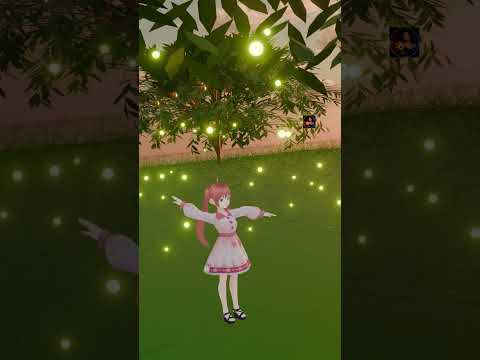
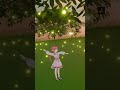
In this guide, we will explore how you can create an enchanting, glowing firefly scene from scratch using Blender's powerful set of free tools.

Setting Up Your Magical Scene in Blender

To build a stunning 3D environment, you need to start with the fundamentals of composition and lighting. Begin by modeling simple background elements such as trees, grass, or stylized terrain to give your scene a solid structural base.

Lighting plays a crucial role in establishing mood. For a night scene featuring fireflies, you will want a dark, moody ambient light contrasted by warm, glowing focal points. Blender's render engines make it easy to tweak materials, shadows, and atmospheric fog, giving your digital world a truly immersive, cinematic feel.

Adding Magic with Glowing Fireflies

The real magic happens when you introduce the fireflies. Instead of placing each glowing orb manually, you can utilize Blender's built-in particle system. By creating a simple sphere with an Emission shader and distributing it across your scene, you can instantly transform a basic landscape into a whimsical fantasy world.

Adjusting the particle settings and adding subtle force fields will give your fireflies realistic, gentle floating movements that bring the entire animation to life.

Start Your 3D Animation Journey Today

Mastering Blender takes practice, but breaking down complex tools into manageable steps makes the process fun and rewarding. Designing your very first 3D environment is just the beginning of what you can accomplish in 3D animation. Dive in, experiment with lights and shaders, and start turning your creative ideas into breathtaking visual realities!

Continue Reading | ความคิดเห็น

Elevate Your 3D Environment: How to Model Custom Chandeliers and Tavern Roofs

Wednesday, October 7, 2026

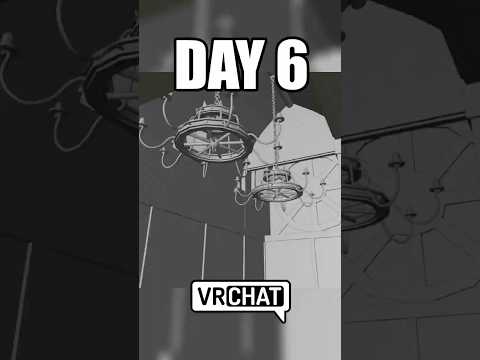
Creating an immersive fantasy setting requires careful attention to detail, lighting, and structural architecture. In Day 6 of our Guildhall Tavern series, we take a major step forward by constructing a custom tavern roof and crafting intricate chandeliers to illuminate the space. Whether you are building worlds for game engines or designing a custom VRChat world, adding unique decorative elements is key to making your 3D environment feel alive and lived-in.

Crafting a Custom Tavern Roof

A believable fantasy tavern needs more than just flat ceilings; it requires exposed wooden beams, arched rafters, and textured roofing to convey warmth and history. Using Blender, we start by blocking out the main roof architecture to fit the tavern's unique layout.

By focusing on modular modeling techniques, you can easily snap timber beams into place while keeping your geometry clean. Adding subtle variations to the wood textures and beam alignments gives the roof an authentic, handcrafted look that draws the viewer’s eye upward.

Modeling Detailed Chandeliers for Atmospheric Lighting

Lighting plays a crucial role in setting the mood of any virtual space. Flat ambient light can flatten your geometry, whereas warm, localized light sources create depth, contrast, and cozy shadows.

In this phase of the build, we design detailed medieval chandeliers from scratch: - Base Geometry: Crafting forged iron hoops and decorative accents using curves and extrusions. - Candle Details: Modeling realistic wax drips and emissive flames to act as warm key light sources. - Chain Links: Utilizing array modifiers to drape heavy iron chains effortlessly from the newly built roof beams.

These chandeliers serve a dual purpose: they act as striking visual centerpieces and establish an inviting lighting scheme for your interior.

Bringing Your Scene to Life

Optimizing assets for real-time applications like VRChat requires balancing visual complexity with performance. By keeping polycounts reasonable and efficiently baking lightmaps, your finished 3D environment will remain performant without sacrificing visual fidelity.

Whether your goal is to host virtual gatherings or build an interactive game level, mastering interior lighting and architectural details will elevate the overall quality of every 3D environment you create. Stay tuned for the next phase of the Guildhall Tavern build as we continue adding prop details and rich textures!

Continue Reading | ความคิดเห็น

Popular Posts Today

 
Support : 3Dcadbrowser | Grabcad | 3Dcontentcentral | D | E | F | G
Copyright © 2028. Engineering 3DCad Appication - All Rights Reserved