Cad 3D Category

Showing posts with label Digital Modeling. Show all posts

Mastering the Art of Animation: A Comprehensive Guide to Maya 3D

Monday, October 12, 2026
The world of digital content creation has evolved rapidly, moving from simple 2D graphics to immersive, lifelike experiences. At the heart of this revolution is 3D animation, a field that combines technical precision with limitless artistic creativity. Whether you are an aspiring filmmaker, a game developer, or a hobbyist looking to bring your imagination to life, learning the right tools is the first step toward success.

Why Choose Maya 3D for Your Animation Journey?

When it comes to professional-grade software, Maya 3D stands as the industry standard. Used by top-tier studios like Disney, Pixar, and Sony Pictures, this software provides a robust suite of tools for modeling, simulation, and rendering. The reason many professionals prefer Maya 3D is its sheer versatility; it allows creators to handle everything from complex character rigging to hyper-realistic fluid simulations. For anyone serious about a career in visual effects or gaming, mastering this platform is often considered a prerequisite.

Getting Started with the Basics

Transitioning into the 3D space can feel overwhelming at first. However, the key is to break the process down into manageable stages. Every great 3D project follows a specific pipeline: 1. Modeling: Creating the basic shape and geometry of your object. 2. Texturing: Adding colors, patterns, and materials to make the model look real. 3. Rigging: Building a digital skeleton so the model can move. 4. Animation: Bringing the character or object to life through movement.

By focusing on these core pillars within Maya 3D, beginners can slowly build their confidence and move from creating simple spheres to complex, animated environments.

Tips for Faster Learning

To excel in 3D animation, consistency is more important than raw talent. Start by following structured tutorials that focus on the user interface and basic navigation. Don't be afraid to experiment with lighting and camera angles, as these elements significantly impact the final "feel" of your video. Furthermore, engaging with online communities and specialized courses can help you troubleshoot common rendering issues and stay updated with the latest industry plugins.

The journey into 3D creation is a marathon, not a sprint. With patience and the right tools, you can transform a blank digital canvas into a cinematic masterpiece. Start your journey today and unlock the incredible potential of professional animation.


Continue Reading | ความคิดเห็น

3D Scanning Explained: How to Turn Physical Objects into 3D CAD Models

Sunday, September 6, 2026

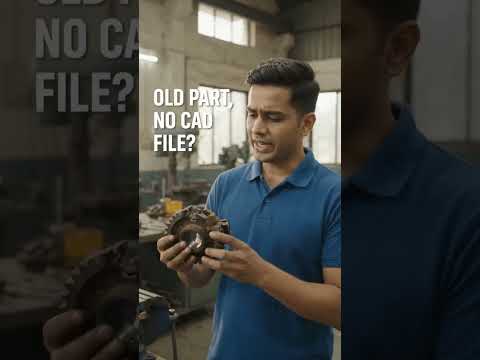
Ever wondered how engineers digitize complex, existing mechanical components without starting from scratch? Whether you are dealing with a legacy part that lacks original blueprints or looking to inspect a manufactured piece for quality control, 3D scanning provides the ultimate solution. By bridging the gap between the physical world and digital design environments, this technology has revolutionized modern manufacturing and engineering.

How Does 3D Scanning Work?

3D scanning is the process of analyzing a real-world object or environment to collect precise data on its shape and appearance. Using lasers, structured light, or tactile sensors, the scanner captures millions of measurements from the object's surface.

These measurements form a dense "point cloud," which software connects into a polygonal mesh. From there, specialized reverse-engineering tools process the mesh to create a fully functional, parametric 3D CAD model. This transition allows designers to edit, modify, or analyze the physical part inside their standard design software.

Key Benefits of Digitizing Physical Parts

Converting real components into digital assets opens up endless possibilities for product development:

  • Reverse Engineering: Effortlessly recreate legacy components that no longer have original engineering drawings or design data.
  • Quality Control & Inspection: Compare high-resolution scan data directly against original 3D CAD files to detect manufacturing defects, deformation, or surface wear.
  • Faster Product Iteration: Scan physical hand-made prototypes to rapidly refine and optimize designs digitally before mass production.

Integrating Scan Data into Your Engineering Workflow

Transitioning physical components into a digital format drastically reduces manual measurement errors and accelerates project timelines. Once your scan data is successfully transformed into a clean 3D CAD file, you can easily perform finite element analysis (FEA), optimize geometry for lightweighting, prepare parts for 3D printing, or generate toolpaths for CNC machining.

Final Thoughts

As modern engineering continues toward full digital transformation, 3D scanning stands out as an indispensable bridge between physical reality and digital innovation. By turning real-world components into accurate 3D models, teams save time, enhance accuracy, and streamline their entire product lifecycle.

Continue Reading | ความคิดเห็น

Popular Posts Today

 
Support : 3Dcadbrowser | Grabcad | 3Dcontentcentral | D | E | F | G
Copyright © 2028. Engineering 3DCad Appication - All Rights Reserved