Cad 3D Category

Designing an Efficient Manual Trolley: A Deep Dive into 3D CAD Modeling

Wednesday, September 9, 2026

Efficient material handling is the backbone of smooth operations in manufacturing plants, warehouses, and industrial workshops. When it comes to moving heavy loads safely and effortlessly, a well-engineered manual trolley makes all the difference. Modern product development relies heavily on advanced digital tools, and utilizing 3D CAD software allows engineers to transform functional concepts into precise, manufacturable products.

Key Design Features for Maximum Mobility

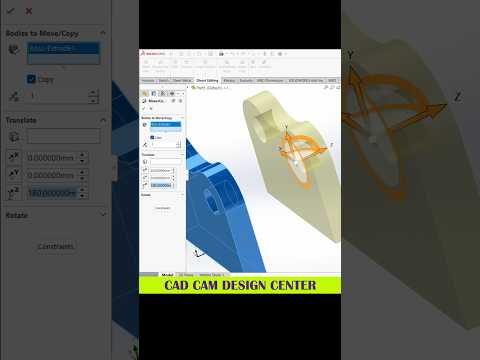
The primary objective behind this manual trolley design is user convenience and effortless maneuverability. Created in SolidWorks with a strong focus on ergonomics and practical utility, the trolley features an optimized frame structure that balances structural strength with lightweight operation.

Key design highlights include: - Ergonomic Handle Layout: Positioned at an optimal height to minimize operator strain during pushing, pulling, and steering. - Robust Load Frame: Engineered to support heavy materials while maintaining overall structural integrity and balance. - Smooth Wheel Assemblies: Integrated to ensure low rolling resistance and fluid movement across various factory floor surfaces.

Why 3D CAD is Essential for Equipment Design

Designing industrial equipment directly in a virtual environment eliminates costly guesswork. By leveraging 3D CAD capabilities within SolidWorks, every single component—from the main structural tubing to the smallest fasteners—can be accurately modeled, fitted, and tested prior to physical fabrication.

This digital prototyping workflow allows designers to evaluate spatial clearances, inspect joint alignments, and refine motion mechanics seamlessly. Consequently, potential design flaws are caught early in the development phase, saving substantial production time and manufacturing costs.

Final Thoughts

Whether you are optimizing factory logistics or creating custom industrial tools, mastering 3D CAD workflows is essential for modern engineering success. This manual trolley design demonstrates how thoughtful mechanical design and computer-aided software come together to build practical, reliable, and highly efficient material handling solutions.

Continue Reading | ความคิดเห็น

9mm Luger Cartridge 3D CAD Model | Multi-Format Download

Preview Image

Download a high-precision 3D CAD model of the standard 9mm Luger (9x19mm Parabellum) cartridge. Designed for mechanical engineers, defense designers, and CAD specialists who require accurate geometry for clearance testing, dynamic assemblies, visualization, and product design.

Key Features & Software Compatibility:

  • Broad File Format Support: Fully compatible with SolidWorks, AutoCAD, Autodesk Inventor, PTC Creo, CATIA, Siemens NX, and ACIS-supported software.
  • Precision Modeling: Scaled according to standard 9mm Luger dimensions for realistic rendering and mechanical fit.
  • Versatile Applications: Ideal for firearm accessory design, holster engineering, educational graphics, and ballistics simulations.
Enhance your technical project workflow by downloading this reliable 3D CAD asset today.


Continue Reading | ความคิดเห็น

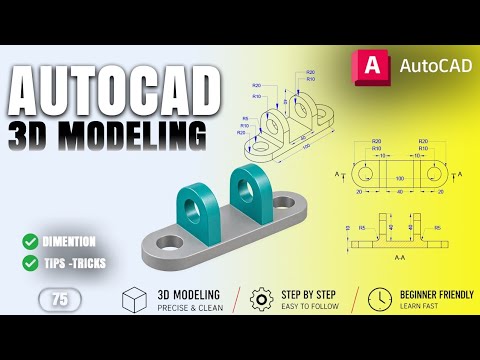
Mastering Mechanical Design: A Step-by-Step Guide to 3D CAD Modeling for Mounting Brackets

In the rapidly evolving world of mechanical engineering, the ability to transform a conceptual 2D sketch into a functional, three-dimensional model is a critical skill. Whether you are a student or a seasoned professional, mastering 3D CAD software is essential for staying competitive in the design industry. In this guide, we will explore the foundational techniques used to create a mechanical mounting bracket, a common component found in various industrial applications.
Understanding the Component: The Mounting Bracket

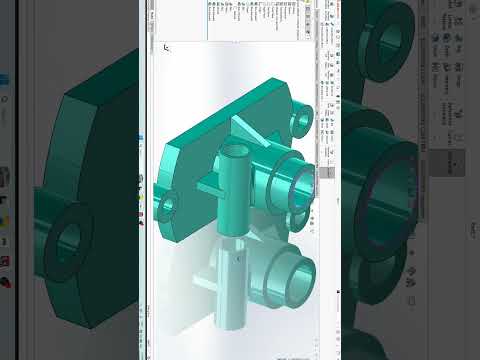
The project focuses on a 3D mechanical mounting bracket, a vital piece of hardware used to secure components in place. The design features a long, rounded rectangular base plate, which provides stability and a solid surface for attachment. This specific model serves as an excellent practice piece because it combines basic geometric shapes with precise technical requirements.

By focusing on the base plate first, designers can learn how to manage fillets (rounded corners) and ensure that the proportions are accurate before moving on to more complex features. Precision is the cornerstone of mechanical design, and practicing with these foundational shapes builds the necessary muscle memory for larger projects.

The 3D CAD Modeling Workflow

To create this bracket, the modeling process typically begins with a 2D profile. Using 3D CAD tools, the designer draws the footprint of the bracket, ensuring that the dimensions for the length and width are exact. Once the 2D sketch is finalized, the "Extrude" command is used to give the bracket its thickness.

Key steps in this workflow include: 1. Sketching the Base: Creating the rectangular profile with rounded ends. 2. Adding Mounting Holes: Positioning two mounting holes accurately to ensure the bracket can be bolted to a surface. 3. Applying 3D Transforms: Using subtraction or union tools to finalize the mechanical structure.

Why Practice Matters

Mechanical practice work, such as modeling this mounting bracket, is about more than just learning software buttons; it is about understanding spatial relationships and manufacturing constraints. Utilizing 3D CAD allows you to visualize potential interference issues and material thickness before a single part is ever manufactured.

As you continue your journey in AutoCAD and 3D modeling, remember that consistency is key. Exercises like these prepare you for complex assemblies, helping you bridge the gap between a simple idea and a professional-grade mechanical component.

Continue Reading | ความคิดเห็น

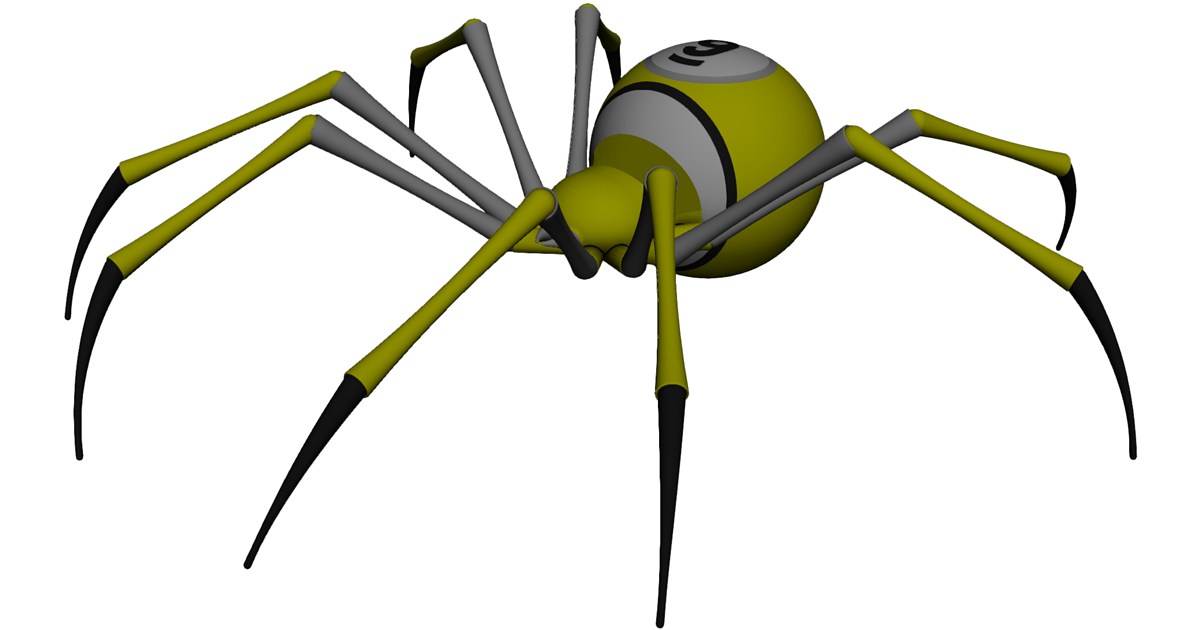
Free 9-Ball Spider CAD Model Download | Multi-Format 3D Asset

Preview Image

Overview

Enhance your sports equipment design, animation, or mechanical engineering projects with this high-precision 9-Ball Spider CAD Model. Commonly used in pool and billiards as a bridge accessory for hard-to-reach shots, this model features accurate geometric detailing suitable for product design, digital rendering, and CNC manufacturing workflows.

Key Features & Specifications

  • Broad Software Compatibility: Ready to import into AutoCAD, SolidWorks, Autodesk Inventor, PTC Creo, CATIA, Siemens NX, Pro/ENGINEER, and ACIS-supported packages.
  • Design Ready: Optimized for easy integration into larger assembly models or standalone render setups.
  • Multi-Format Availability: Compatible with primary neutral and native CAD formats for seamless cross-platform usage.

Applications

Whether you are designing custom gaming hardware, creating realistic 3D sports visualizations, or testing mechanical simulations, this CAD asset offers a reliable digital foundation.


Continue Reading | ความคิดเห็น

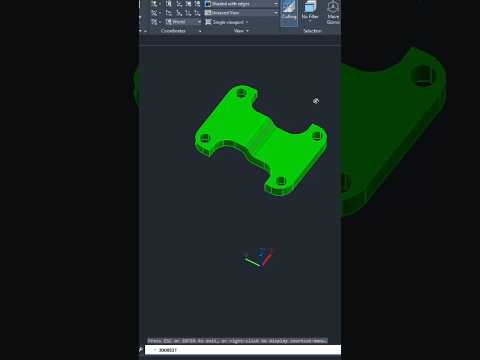
Master AutoCAD: A Step-by-Step Guide to 3D CAD Modeling

Transitioning from traditional 2D drafting to the dynamic world of digital design can seem intimidating, but learning 3D CAD is one of the most rewarding skills for students, engineers, and designers alike. Whether you are completing a practical class assignment or building a professional design portfolio, creating three-dimensional figures is an essential step in modern CAD mastery.

In this guide, we will break down the core process of transforming simple concepts into fully realized solid models using AutoCAD.

Setting Up Your 3D Workspace

Before creating any object, you need to prepare your design environment. Switch your workspace from the standard "2D Drafting & Annotation" mode to "3D Modeling." This change gives you direct access to powerful modeling tools, such as solid primitives, extrusion features, and Boolean commands.

When working in a 3D CAD environment, dynamic navigation is critical. Learn to use the ViewCube and Navigation Bar to orbit around your workspace smoothly. Viewing your project from multiple angles ensures accurate alignment along the X, Y, and Z axes.

Key Steps to Construct a 3D Figure

Building a complex 3D figure typically follows a simple, structured workflow:

  1. Draw the 2D Outline: Start by creating a accurate 2D base profile using closed polylines. A clean 2D sketch forms the foundation of any solid model.
  2. Extrude or Presspull: Convert your flat sketch into a solid shape by giving it height. Use the Extrude or Presspull tool to extend the geometry along the Z-axis.
  3. Refine with Boolean Operations: Combine different shapes using the Union tool, or create cutouts, holes, and slots using the Subtract command.

Tips for an Efficient Workflow

To keep your design process smooth and organized, implement these quick tips: - Organize with Layers: Keep your original 2D construction lines, solid models, and annotations on separate layers. - Toggle Visual Styles: Switch between "2D Wireframe" for precise snapping and "Shaded with Edges" to preview your final 3D figure. - Practice with Hands-On Tasks: The fastest way to learn is by following practical tutorials and recreating real-world mechanical parts or geometric shapes.

By mastering these fundamental techniques, you will be well on your way to creating accurate, professional-grade models in 3D CAD. Open your software, try out these steps, and bring your designs to life today!

Continue Reading | ความคิดเห็น

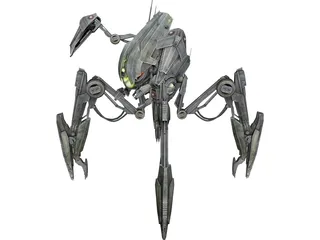
Star Wars Droideka 3D Model: High-Detail Asset for Blender, Unreal & 3ds Max

Preview Image

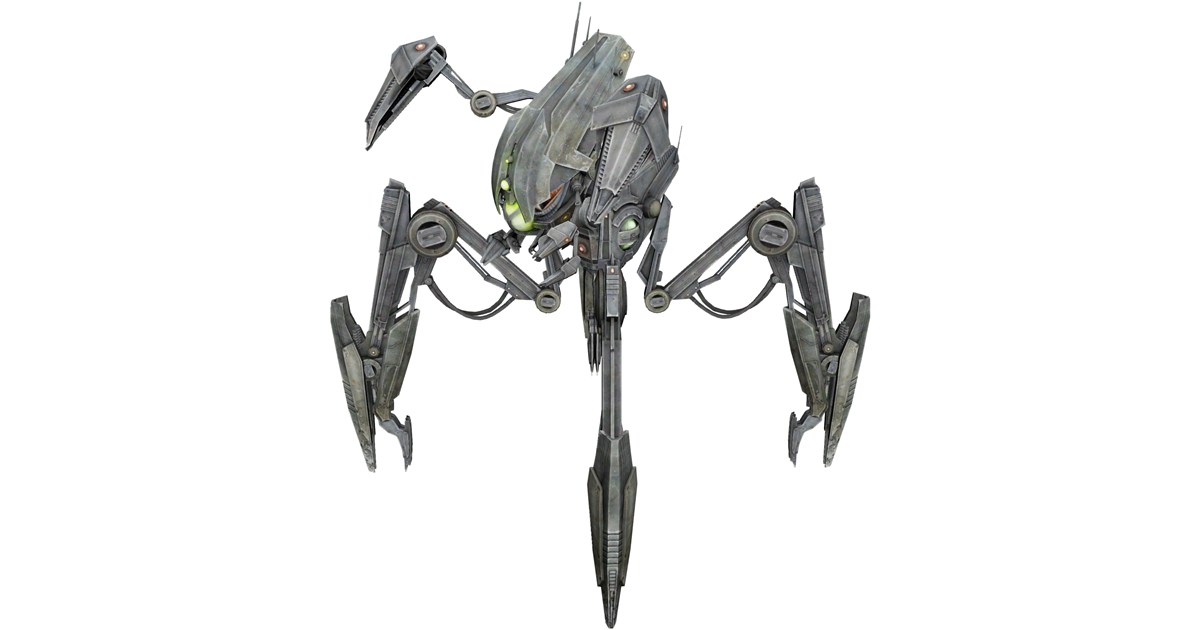
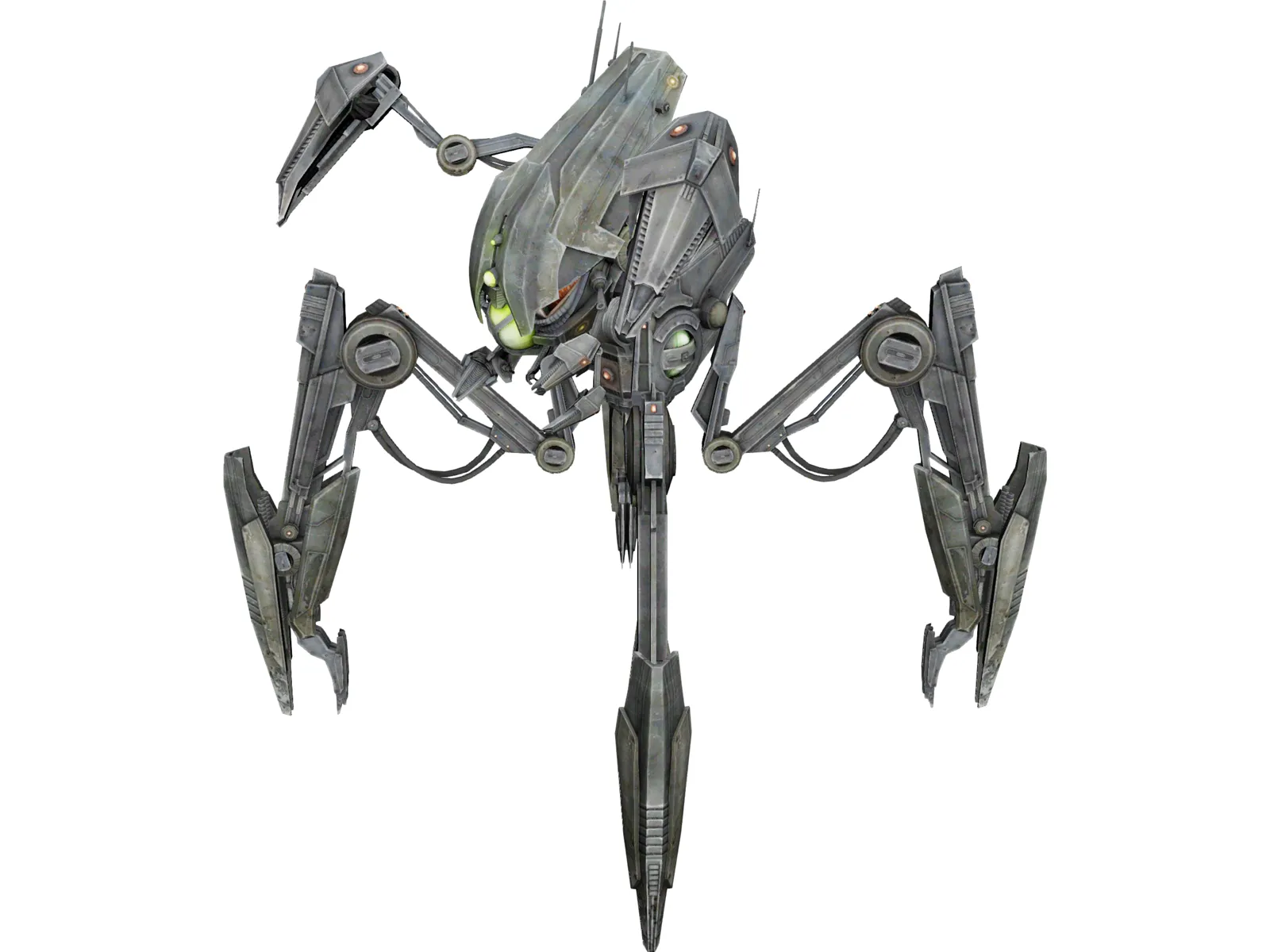
Enhance your sci-fi renderings, game development, and animation projects with this iconic Star Wars Droideka (Destroyer Droid) 3D Model. Designed with high-precision geometry, this versatile 3D asset captures the distinct mechanical detailing of the Trade Federation's formidable combat droid, ready for integration into major 3D creation suites.

Key Features & Technical Specs:

  • Multi-Software Compatibility: Fully adaptable for 3ds Max, Maya, Blender, Cinema 4D, Unreal Engine, and Unity pipelines.
  • Detailed Mechanical Geometry: Accurately rendered hard-surface components ideal for close-up shots and high-resolution visual effects (VFX).
  • Game & VR/AR Ready: Optimized structure suitable for real-time engines, virtual reality applications, and interactive experiences.
  • Flexible Pipeline Use: Easily riggable and ready for texturing, lighting, and animation setups.

Recommended Applications:

Whether you are producing fan-made cinematic trailers, building immersive sci-fi environments, or studying complex mechanical 3D modeling techniques, this Droideka model serves as a robust asset for your digital content creation (DCC) workflow.


Continue Reading | ความคิดเห็น

Unleashing Innovation: Inside the Modern 3D CAD Lab

Tuesday, September 8, 2026

In today’s fast-paced technological landscape, engineering education and industrial design are undergoing a massive transformation. At the heart of this revolution is the state-of-the-art 3D CAD lab, a dedicated workspace where students, researchers, and engineers turn complex virtual ideas into tangible reality. Computer-Aided Design has evolved far beyond basic 2D drafting, becoming the cornerstone of modern manufacturing, robotics, and structural engineering.

Transforming Virtual Designs into Physical Prototypes

A modern design facility serves as a vital bridge between theoretical engineering concepts and practical applications. Inside a fully equipped 3D CAD lab, creators learn to manipulate complex three-dimensional geometries, run real-time stress simulations, and optimize mechanical components long before any physical materials are used.
When paired with additive manufacturing technologies like 3D printing, the capabilities of modern design tools expand exponentially. Engineers can conceptualize a part in the digital workspace, refine its dimensions, and send it directly to a 3D printer. This seamless integration allows for rapid prototyping—reducing development cycles from months to just hours and encouraging a mindset of experimentation and continuous improvement.

Key Advantages of Hands-On Design Facilities

Industry standards now require modern engineering graduates to possess strong practical expertise in digital design software. Working directly within a dedicated lab environment provides several distinct benefits:

  • Enhanced Spatial Visualization: Designers can view, rotate, and analyze complex assemblies from every angle.
  • Early Defect Detection: Virtual stress testing helps identify structural weaknesses and interference issues prior to production.
  • Resource Conservation: Testing performance digitally drastically reduces material waste and prototyping costs.

Shaping the Future of Digital Manufacturing

As modern manufacturing shifts toward automation and digital twin integration, mastery of digital modeling tools is essential. Modern 3D CAD software empowers multidisciplinary teams—from mechanical to electrical engineers—to collaborate on a single unified platform.

By investing time in advanced design labs, aspiring engineers gain the hands-on expertise required to solve real-world industrial challenges. These facilities do not just teach software; they cultivate the problem-solving mindset necessary to design the technological advancements of tomorrow.

Continue Reading | ความคิดเห็น

Industrial Robot Arm 3D Model: High-Detail Asset for CAD, Blender & Game Engines

Preview Image

High-Detail Industrial Robot Arm 3D Model

Enhance your industrial visualizations, robotics simulations, and sci-fi game environments with this versatile Robot Arm 3D Model. Designed for high compatibility and performance, this mechanical asset is perfect for engineers, 3D animators, and game developers alike.

Key Features & Technical Compatibility:

  • Multi-Platform Support: Fully compatible with leading 3D software including 3ds Max, Maya, Blender, and Cinema 4D.
  • Real-Time & VR Ready: Prepped for seamless import into Unreal Engine and Unity for game development and interactive VR simulations.
  • Mechanical Design: Detailed joint articulation and realistic structural components suited for engineering visualization.

Download this essential robotic asset to streamline your workflow and elevate your rendering and CAD projects.

Continue Reading | ความคิดเห็น

How to Use the AutoCAD INTERSECT Command for Efficient 3D CAD Modeling

Creating complex shapes and geometry in modern design software doesn't have to be a slow, tedious process. If you are working on a 3D CAD project in AutoCAD, mastering Boolean operations can drastically speed up your modeling workflow. One of the most powerful yet straightforward tools in this set is the INTERSECT command.
What is the INTERSECT Command in AutoCAD?

The INTERSECT command allows you to combine two or more overlapping 3D solids or 2D regions to create a brand-new object. Instead of manually trimming lines or calculating complex angles, AutoCAD evaluates the overlapping volume of your selected shapes, deletes the surrounding non-overlapping portions, and leaves you with the exact shared geometric core.

Step-by-Step Guide to Using the INTERSECT Command

Using this feature is quick and intuitive. Follow these simple steps to isolate common areas easily:

  1. Create Overlapping Objects: Draw two or more overlapping 3D solids (such as a cylinder passing through a cube) or 2D regions on your workspace.
  2. Activate the Command: Type INTERSECT (or the keyboard shortcut IN) into the command line and press Enter.
  3. Select Your Objects: Click on all the overlapping objects you want to calculate the shared area for.
  4. Finalize the Operation: Press Enter. AutoCAD instantly removes the surrounding geometry, keeping only the intersecting shape.

Why Include INTERSECT in Your Design Workflow?

Boolean tools like Union, Subtract, and Intersect form the foundation of professional 3D CAD modeling. Integrating the INTERSECT tool into your daily drafting routine offers several key advantages:

  • Time Efficiency: Generate intricate, custom shapes in seconds without having to rebuild complex boundaries from scratch.
  • High Precision: Eliminate human error when finding the exact overlapping boundaries of curved or angled solids.
  • Design Versatility: Ideal for creating mechanical parts, custom architectural joints, and specialized industrial components.

Conclusion

Understanding how to extract common areas using the INTERSECT command is an essential skill for anyone looking to optimize their 3D CAD productivity. Try experimenting with different overlapping shapes in AutoCAD today to see how much time this practical feature can save you on your next design project!

Continue Reading | ความคิดเห็น

Star Wars R2-D2 3D Model: Download for Blender, Maya & Game Engines

Preview Image

Bring the iconic astromech droid to life in your creative projects with this detailed Star Wars R2-D2 3D Model. Precision-modeled for versatility, this asset is optimized for seamless integration across industry-standard 3D software and real-time rendering engines.

Key Features & Compatibility:

  • Multi-Platform Support: Fully compatible with 3ds Max, Maya, Blender, Cinema 4D, and major CAD/3D suites.
  • Real-Time & VR Ready: Optimized geometry suitable for deployment in Unreal Engine, Unity, and interactive VR/AR environments.
  • Detailed Geometry: Faithfully recreates R2-D2's classic dome, mechanical paneling, and proportions for high-quality visual renders.

Ideal Use Cases:

Perfect for VFX animation, sci-fi game development, virtual production, 3D visualization, and digital asset collection.


Continue Reading | ความคิดเห็น

Mastering 3D CAD: Real Student Feedback on Learning Civil 3D with Dr. Abrar Khalak

In the rapidly evolving world of civil engineering and infrastructure design, staying ahead of technical trends is essential. Mastering industry-standard software not only boosts design productivity but also opens up exciting career opportunities. Among these essential technical skills, proficiency in 3D CAD modeling through specialized programs like Autodesk Civil 3D stands out as a game-changer for aspiring and practicing engineers alike.

Why Learn Civil 3D with Dr. Abrar Khalak?

Learning complex engineering software requires more than just basic tutorials; it demands expert mentorship and a structured curriculum. Dr. Abrar Khalak has earned a stellar reputation for delivering comprehensive, practical, and highly engaging Civil 3D training. His teaching approach focuses on real-world practical application, effectively bridging the gap between theoretical engineering concepts and actual project execution.

Through hands-on exercises, students learn how to navigate land development, road design, surveying, and site planning using advanced 3D CAD workflows.

Student Reviews: Key Takeaways and Results

Students who recently completed the Civil 3D training under Dr. Abrar Khalak’s guidance have shared overwhelmingly positive reviews. Here are some of the key highlights expressed in their feedback:

  • Practical Project Experience: Learners appreciated working directly with realistic engineering datasets, gaining the confidence to tackle actual industry challenges.
  • Simplified Learning Curve: Complex technical topics—such as surface creation, corridor design, grading, and pipe networks—were broken down into clear, easy-to-digest lessons.
  • Improved Design Efficiency: Many students noted significant improvements in their workflow speed and accuracy, preparing them for professional engineering roles.

Take Your Engineering Career to the Next Level

Whether you are a university student, a recent graduate, or an experienced professional seeking to upgrade your software expertise, investing in comprehensive 3D CAD education is one of the smartest career moves you can make. Dr. Abrar Khalak’s Civil 3D course equips you with the practical skills and confidence needed to succeed in modern civil design.

Continue Reading | ความคิดเห็น

Star Wars C-3PO Droid 3D Model | Multi-Format CAD Resource

Preview Image

Bring the iconic protocol droid to life in your next digital project with the Star Wars C-3PO Robot 3D Model. Designed for high compatibility across leading software suites, this detailed 3D asset is tailored for game developers, VFX artists, and 3D visualization professionals.

Features & Compatibility:

  • Software Support: Fully adaptable for 3ds Max, Maya, Blender, Cinema 4D, Unreal Engine, and Unity.
  • Versatile Use Cases: Perfect for virtual reality (VR), augmented reality (AR), cinematic animation, and sci-fi environment renderings.
  • Accurate Detailing: Captures the distinct metallic finish and intricate structural elements of the classic Star Wars character.

Enhance your sci-fi pipeline today by downloading this optimized C-3PO 3D asset for your rendering and real-time engines.


Continue Reading | ความคิดเห็น

3D Scanning Explained: Bridging the Gap Between Physical Parts and 3D CAD

In today's fast-paced engineering landscape, capturing the exact geometry of a physical object is essential for redesign, quality control, and reverse engineering. Whether you need to reproduce a legacy mechanical component without original blueprints or analyze a complex prototype, 3D scanning provides the ultimate solution. This technology seamlessly bridges the gap between the physical world and digital design, transforming tangible parts into workable 3D CAD data.

How 3D Scanning Digitizes Physical Parts

3D scanning works by capturing the surface measurements of a physical object using lasers, structured light, or photogrammetry. As the scanner projects light or laser lines onto the component, advanced sensors calculate millions of spatial data points in seconds.

This process generates a dense "point cloud," which is then connected to form a polygon mesh—a high-fidelity digital representation of the physical object's exterior geometry. From intricate automotive components to custom medical devices, 3D scanners capture complex organic curves and fine details that traditional measuring tools like calipers simply cannot match.

Transforming Raw Scans into Parametric Models

While a raw 3D scan provides an accurate visual surface mesh, it isn't immediately ready for parametric manufacturing or mechanical modification. To unlock its full potential, engineers transfer the mesh data into professional 3D CAD software for reverse engineering.

In this stage, the scanned mesh serves as a precise digital blueprint. Designers use specialized modeling tools within their 3D CAD environment to extract geometric features, align mechanical axes, and rebuild clean, editable solid geometry. This allows engineering teams to modify dimensions, add mounting features, or optimize the design for modern production methods such as 3D printing and CNC machining.

Why Digital Integration Matters for Manufacturing

Connecting physical hardware with digital workflows offers powerful competitive advantages: - Accelerated Product Development: Drastically reduce the time required to measure, model, and iterate existing components. - Legacy Part Preservation: Effortlessly archive and re-manufacture obsolete parts that lack original technical drawings. - Enhanced Quality Inspection: Overlay scanned physical parts against their original digital blueprints to instantly detect manufacturing deviations and tolerances.

By converting physical components into versatile digital assets, modern scanning technology combined with CAD software empowers engineers to innovate faster, improve accuracy, and streamline the entire product lifecycle.

Continue Reading | ความคิดเห็น

Tachikoma Robot 3D Model: Rig-Ready Sci-Fi Asset for Blender, Maya, & Unreal

Preview Image

Enhance your futuristic visual effects, game environments, or rendering projects with the iconic Tachikoma Robot 3D Model. Inspired by classic mecha aesthetics, this detailed spider-legged walking tank asset is tailored for seamless integration across major digital content creation (DCC) tools and real-time engines.

Key Features & Technical Highlights:

  • Multi-Format Compatibility: Optimized for easy import into Blender, Autodesk 3ds Max, Maya, Cinema 4D, Unreal Engine, and Unity.
  • Detailed Mechanical Geometry: Precision-modeled components featuring accurate joint articulation, camera pods, and weapon hardpoints.
  • Versatile Use Cases: Perfectly suited for sci-fi animation, game development, cinematic VFX, virtual reality (VR), and digital prototyping.

Download the Tachikoma Robot asset today to bring high-quality mecha design and tactical robotics into your production pipeline.


Continue Reading | ความคิดเห็น

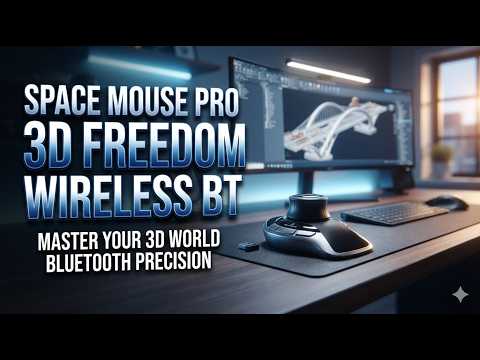
Is the SpaceMouse Pro Wireless the Ultimate Tool for 3D CAD Professionals?

Monday, September 7, 2026

Are you looking to streamline your engineering workflow and boost your daily design efficiency? For architects, product designers, and engineers working in 3D CAD software, relying solely on a traditional mouse and keyboard can feel restrictive and sluggish. Enter the 3Dconnexion SpaceMouse Pro Wireless Bluetooth Edition—a hardware controller designed specifically to transform how you interact with digital models.

Seamless 6-Degree-of-Freedom Navigation

At the core of the SpaceMouse Pro Wireless is 3Dconnexion’s patented 6-Degrees-of-Freedom (6DoF) sensor. Unlike a standard mouse that confines you to a two-dimensional plane, this 3D mouse allows you to simultaneously pan, zoom, and rotate your models with incredible precision. Navigating complex 3D CAD assemblies becomes a smooth, fluid motion, giving you an intuitive feel for your design while significantly reducing repetitive stress on your dominant hand.

Wireless Convenience Meets Ergonomic Design

Tangled cables and cluttered desks can hamper focus. The SpaceMouse Pro Wireless Bluetooth Edition addresses this by offering reliable, low-latency wireless connectivity. Coupled with a high-capacity rechargeable battery, you can work seamlessly without worrying about constant recharging.

Ergonomics are equally paramount. The full-size, soft-touch wrist rest positions your hand comfortably for long modeling sessions. Additionally, the unit features 15 programmable, tactile buttons. These include Intelligent Function Keys that automatically recognize your active software environment and map your favorite shortcuts directly to your fingertips.

Boosted Productivity for Complex Workflows

By using a two-handed workflow—holding the SpaceMouse in one hand to position the model and your traditional mouse in the other to select and edit—you eliminate thousands of tedious clicks each day. This dual-handed approach not only speeds up execution but also helps maintain your creative momentum without constant menu hunting.

Final Verdict: Is It Worth It?

If you spend hours every day rendering, drafting, or animating, upgrading your hardware is one of the smartest investments you can make. The 3Dconnexion SpaceMouse Pro Wireless bridges the gap between your physical hand and digital design space, making it a powerful asset for any serious 3D CAD professional looking to maximize precision and comfort.

Continue Reading | ความคิดเห็น

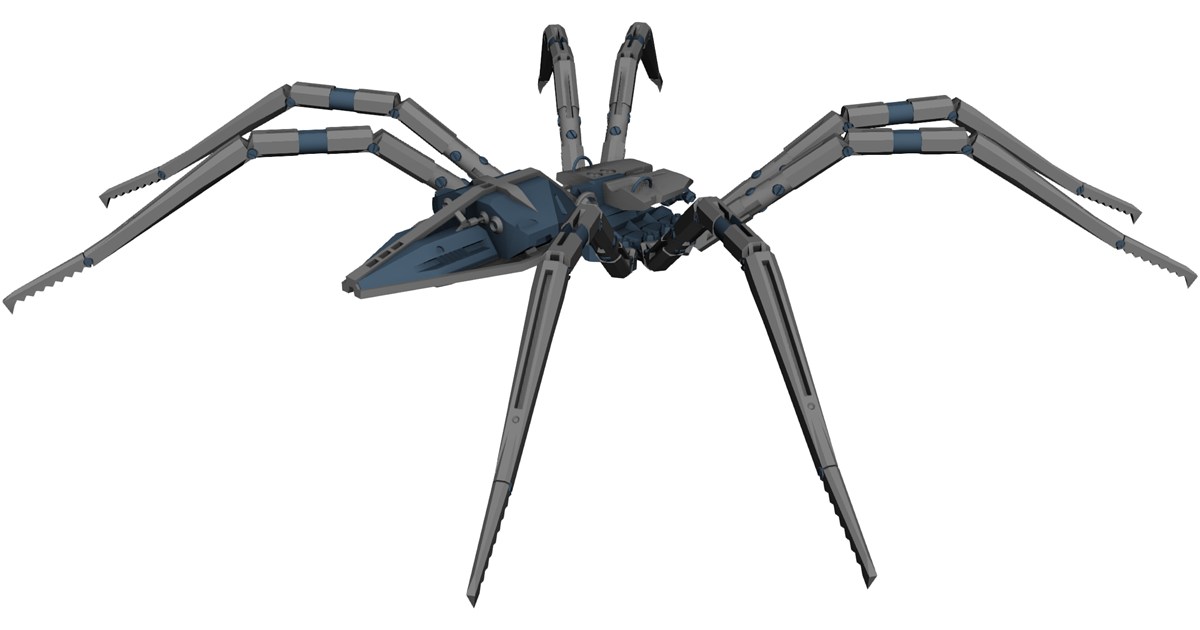
Mechanical Spider Robot 3D Model: High-Detail Sci-Fi Asset for CG & Game Engines

Preview Image

Enhance your sci-fi visual effects, animation, and game development projects with this highly detailed Mechanical Spider Robot 3D Model. Engineered with modern robotic aesthetic principles, this versatile 3D asset is ideal for futuristic environments, cinematic rendering, and interactive real-time applications.

Key Features & Specifications:

  • High-Quality Geometry: Clean mesh topology optimized for high-end rendering and real-time visualization.
  • Multi-Engine Compatibility: Ready for import into industry-standard software including Blender, 3ds Max, Maya, Cinema 4D, Unreal Engine, and Unity.
  • Versatile Use Cases: Perfectly suited for sci-fi games, VFX sequences, virtual reality (VR), augmented reality (AR), and concept mechanical animation.

Whether you're developing a post-apocalyptic game or creating realistic CGI motion graphics, this Mechanical Spider Robot provides a solid foundation for rigging, texturing, and dynamic integration into your pipeline.


Continue Reading | ความคิดเห็น

SpaceMouse Pro Wireless Review: Is This the Ultimate Hardware for 3D CAD Design?

Navigating complex digital models using a standard mouse and keyboard can often feel clunky and inefficient. For engineers, architects, and designers who spend hours working in 3D CAD software, precise navigation is paramount to maintaining momentum and creativity. Enter the 3Dconnexion SpaceMouse Pro Wireless (Bluetooth Edition)—a premium hardware solution engineered to redefine how you interact with digital models. But is it truly worth adding to your professional toolkit?

Effortless Navigation and Ergonomic Superiority

At the heart of the SpaceMouse Pro Wireless is its patented 6-Degrees-of-Freedom (6DoF) sensor. This technology allows you to effortlessly pan, zoom, and rotate digital models with one hand while using your standard mouse with the other. This intuitive, two-handed workflow significantly cuts down on repetitive mouse clicks and movements, dramatically streamlining your design process.

Additionally, the SpaceMouse Pro Wireless features a full-sized, soft-coated hand rest alongside 15 programmable, tactile keys. These features reduce wrist strain during long modeling sessions, delivering an ergonomic experience that standard desktop peripherals simply cannot match.

Wireless Versatility and Customization

The Bluetooth Edition brings maximum flexibility to modern, clutter-free workstations. Offering three distinct connection modes—Bluetooth Low Energy, a 2.4 GHz wireless USB receiver, or a direct micro-USB cable—the device seamlessly adapts to any home, office, or mobile setup. Its long-lasting rechargeable battery ensures you won't be interrupted midway through a critical project.

Equipped with intelligent function keys that automatically detect your active 3D CAD application, you can map your most frequently used commands and macros directly to the controller. This contextual integration eliminates the need to constantly navigate nested drop-down menus, saving precious time on every project.

The Verdict: A Game-Changer for Professionals

If you are looking to elevate your design efficiency, the 3Dconnexion SpaceMouse Pro Wireless is far more than a simple gadget—it is an indispensable productivity upgrade. By enhancing speed, precision, and physical comfort, this device stands out as one of the best hardware investments available for 3D CAD professionals today. Whether you are drafting complex mechanical parts or modeling architectural structures, the SpaceMouse Pro Wireless delivers the control you need to bring your vision to life.

Continue Reading | ความคิดเห็น

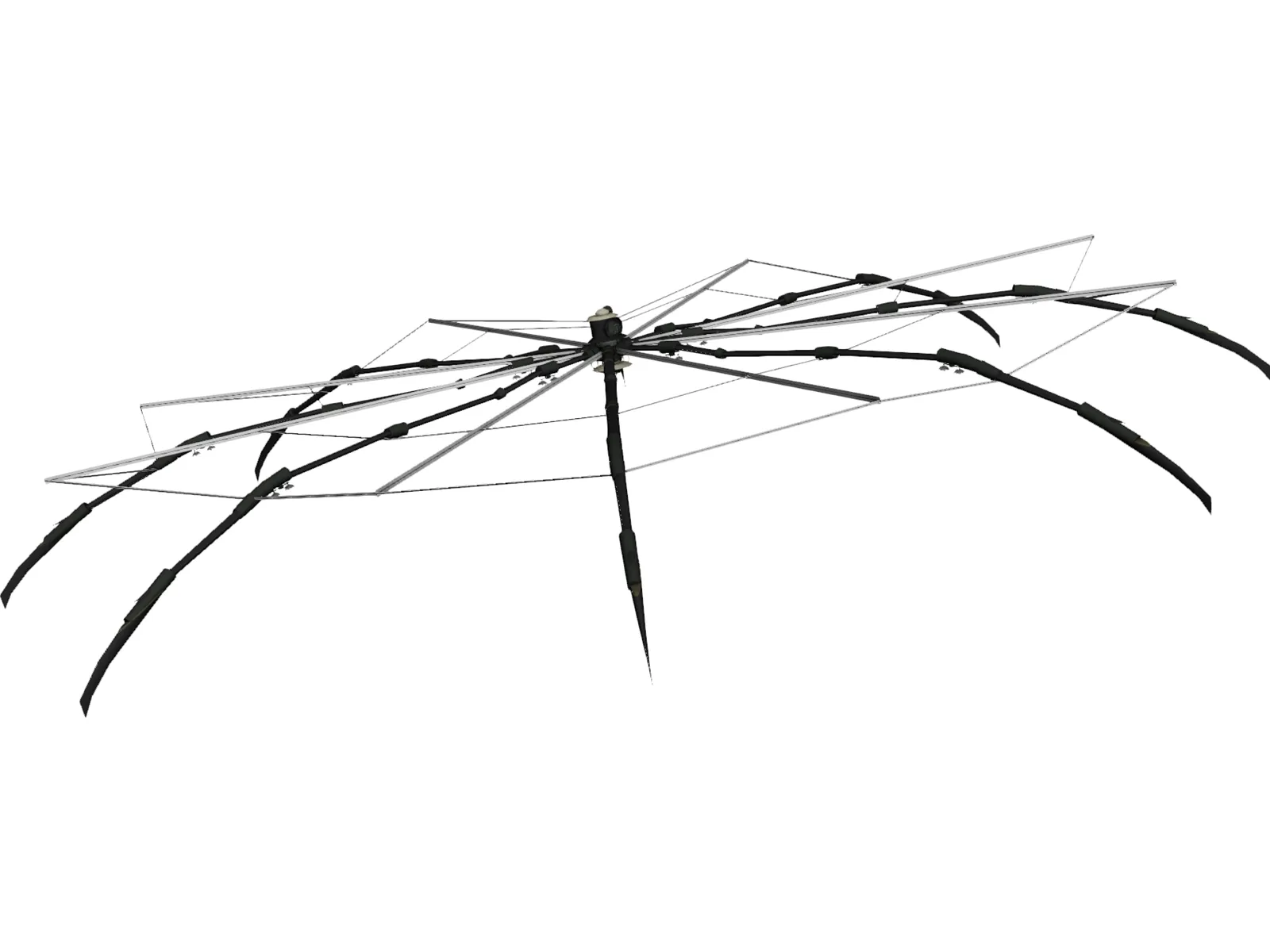
Download Mechanical Spider 3D Model | Sci-Fi Asset for Blender, 3ds Max & Unreal

Preview Image

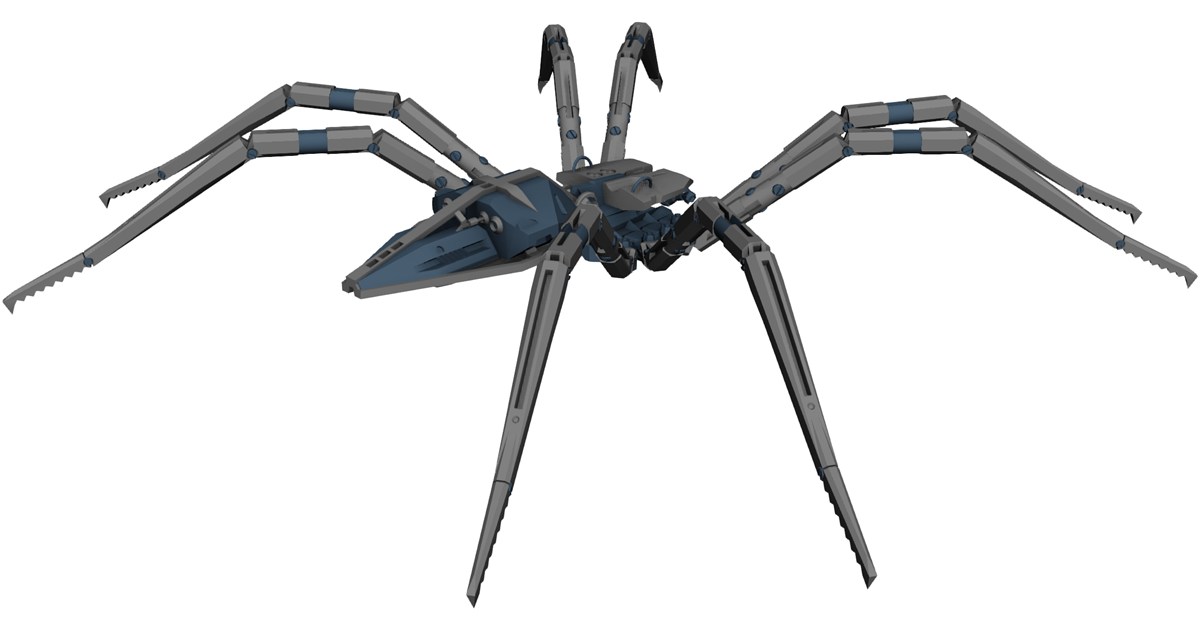
Enhance your sci-fi renders and game pipelines with this highly detailed Mechanical Spider 3D Model. Designed for seamless integration into leading 3D software, this futuristic robotic asset features complex joint mechanisms and intricate CAD-style geometry ideal for close-ups, VFX, and interactive environments.

Key Features & Details:

  • Intricate Robotic Design: Fully detailed mechanical legs, articulated chassis, and futuristic structural components.
  • Cross-Platform Compatibility: Ready for import into 3ds Max, Maya, Blender, Cinema 4D, Unreal Engine, Unity, and other major 3D design suites.
  • Flexible Application: Excellent for sci-fi game development, cinematic VFX scenes, robotics animation, and rigging practice.

Download this versatile mechanical spider asset to streamline your 3D workflow and bring high-tech robotics to your next CGI project.


Continue Reading | ความคิดเห็น

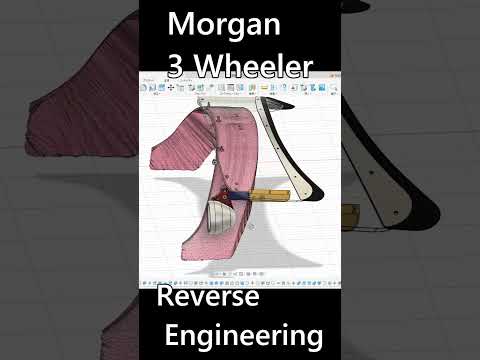
Reverse Engineering Classic Style: Customizing a Morgan 3 Wheeler with 3D CAD

The Morgan 3 Wheeler is an iconic blend of vintage charm and raw motoring enthusiasm. However, when it comes to custom aftermarket modifications, off-the-shelf parts rarely exist. To overcome this challenge, modern automotive builders are turning to digital workflows to design bespoke components—such as a custom folding windscreen—with surgical precision.

From Physical Car to Digital Scan

The reverse engineering process begins by capturing the unique, organic contours of the vehicle. Using high-precision 3D optical scanners, millions of data points are collected to generate a highly accurate point cloud of the car’s front bodywork and cowl section. This non-destructive scanning process ensures every subtle curve and factory mounting point is recorded down to the millimeter, creating a flawless digital foundation.

Refining the Design with 3D CAD

Once the physical geometry is digitized, the scan data is imported into modern 3D CAD software. Working within a parametric digital environment allows engineers to transform raw mesh data into clean, functional solid models.

When designing a complex feature like a custom folding windscreen, 3D CAD provides the ultimate platform to simulate mechanical movement, test hinge clearances, and refine aesthetics. Engineers can evaluate how the glass tilts, verify frame alignment, and make real-time adjustments before committing to physical prototyping or CNC machining. This digital sandbox drastically cuts down on trial-and-error, saving both time and expensive materials.

Bringing Custom Concepts to Life

By combining state-of-the-art scanning tools with advanced 3D CAD design techniques, custom fabrication enters a new era of speed and accuracy. Whether you are building a custom folding windscreen or prototyping intricate engine components, digital reverse engineering eliminates guesswork and delivers a factory-quality finish for custom automotive builds.

Continue Reading | ความคิดเห็น

Mecha Spider 3D Model: High-Detail Sci-Fi Asset for Games & Animation

Preview Image

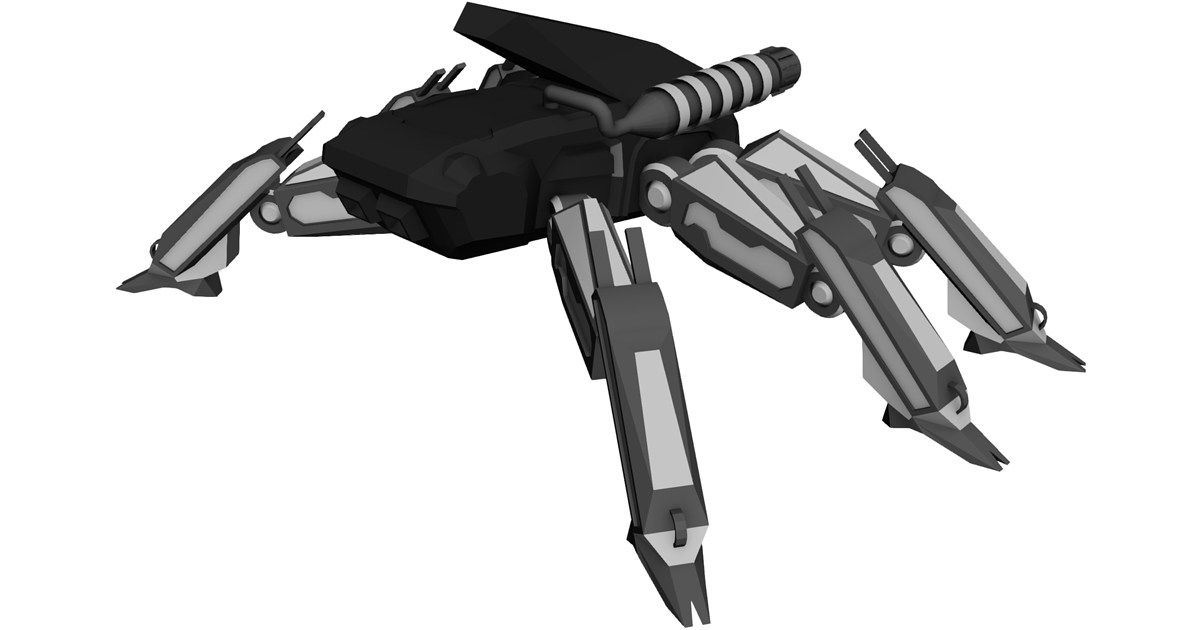
Elevate your futuristic game environments and CGI productions with the high-quality Mecha Spider 3D Model. Designed with a sleek, industrial robotic aesthetic, this versatile sci-fi arachnid mech is fully equipped for integration into real-time game engines, 3D animations, and virtual reality (VR) simulations.

Key Features & Specifications:

  • Intricate Mechanical Design: Features articulated legs, futuristic armor plating, and realistic mechanical joint details ideal for close-up renders.
  • Multi-Software Compatibility: Seamlessly import into 3ds Max, Maya, Blender, Cinema 4D, and standard 3D CAD visualization pipelines.
  • Game Engine Ready: Optimized topology for smooth performance in Unreal Engine, Unity, and interactive AR/VR platforms.
  • Versatile Applications: Perfect for sci-fi enemy units, autonomous defense drones, cinematic VFX, and concept art visualization.

Whether you are developing an action-packed shooter or rendering a complex sci-fi animation, this Mecha Spider asset provides the structural detail and technical flexibility required by professional 3D artists and indie developers alike.


Continue Reading | ความคิดเห็น

Mastering Bottle Modeling: Final Steps to Perfect Your 3D CAD Design

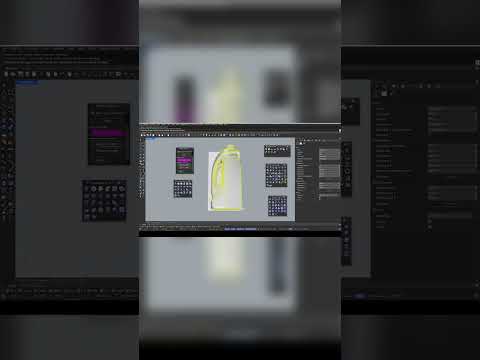
Creating sleek, functional industrial products requires precision, patience, and the right digital tools. Designing a custom bottle involves mastering curvature, surface continuity, and ergonomic details. In this final installment of our modeling series, we wrap up our bottle project and explore how modern 3D CAD tools allow designers to take concepts from a simple sketch to a manufacturing-ready 3D model.

Perfecting the Details in Industrial Design

The final stage of any product modeling workflow is where the true craftsmanship shows. Fine-tuning edge fillets, ensuring smooth surface transitions, and finalizing bottle threading are critical steps. Utilizing powerful 3D CAD software like Rhinoceros (Rhino) ensures that every curve is mathematically precise, eliminating potential manufacturing defects long before physical prototyping begins.

During this concluding phase, designers focus on several essential elements: - Surface Continuity: Achieving seamless blends between complex surfaces for a clean, premium visual aesthetic. - Precision Tolerances: Fine-tuning wall thickness and neck closures so structural components fit together effortlessly. - Product Visualization: Applying realistic materials and lighting to evaluate ergonomics and overall brand appeal.

Why Master 3D CAD for Packaging Design?

Packaging design is a dynamic industry where technical accuracy and high visual impact are equally important. By leveraging advanced 3D CAD techniques, industrial designers gain complete control over intricate geometries. This makes it far easier to iterate, refine, and present bottle containers, closures, and labeling surfaces with professional accuracy.

Watch the Full Video Tutorial

Ready to see the entire step-by-step workflow in action? While this quick preview highlights the final touches, you can master every technique from start to finish in our comprehensive video guide.

Don't miss a single step—watch the complete walkthrough here: Watch the Full Rhino 3D Bottle Tutorial. Take your modeling expertise to the next level and start crafting production-ready product designs today!

Continue Reading | ความคิดเห็น

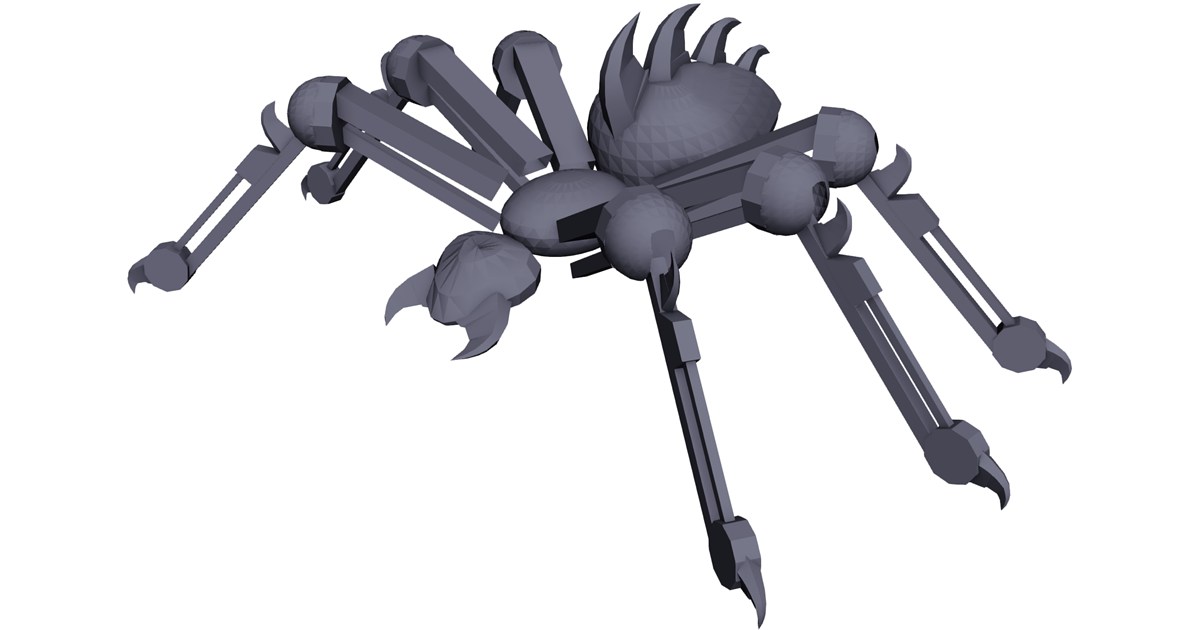
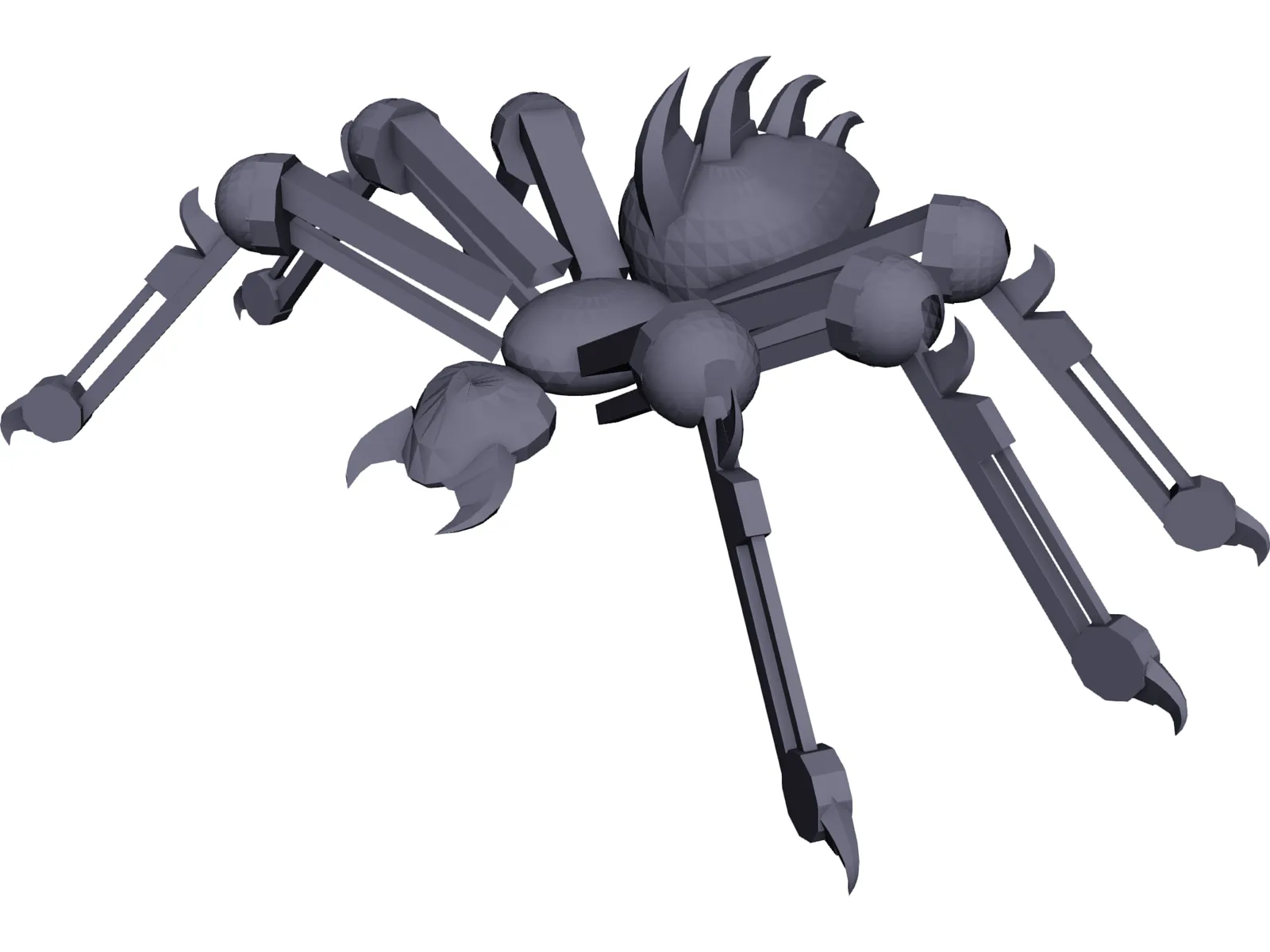
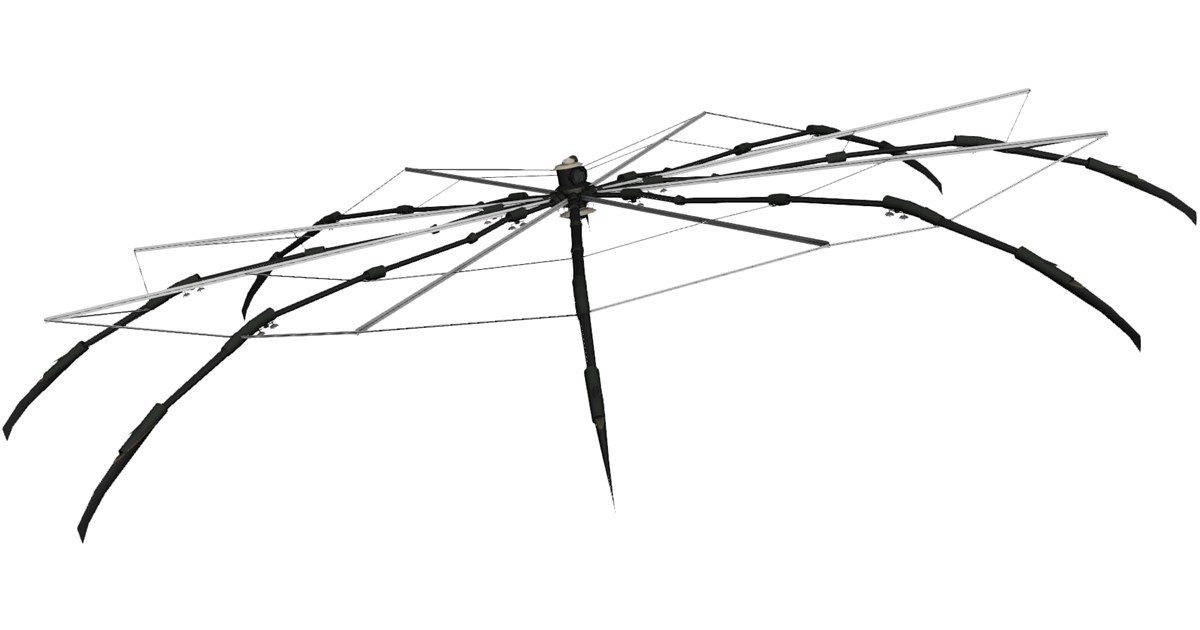
Robot Spider 3D Model: High-Detail Asset for Blender, Maya, & Game Engines

Preview ImagePreview ImagePreview Image

Enhance your sci-fi animations, VFX, and game development projects with this high-quality Robot Spider 3D Model. Engineered for seamless integration across industry-standard CAD, 3D modeling, and real-time software, this mechanical asset delivers exceptional detail for futuristic scenes and interactive media.

Key Features & Compatibility:

  • Multi-Platform Support: Fully compatible with 3ds Max, Maya, Blender, and Cinema 4D.
  • Game Engine Ready: Optimized for real-time performance in Unreal Engine and Unity.
  • Versatile Applications: Ideal for sci-fi concept art, game design, CGI animation, and VR/AR environments.

Download this robot spider asset today to accelerate your 3D design workflow and bring complex mechanical creatures to life.


Continue Reading | ความคิดเห็น

Mastering SolidWorks: A Beginner’s Guide to 3D CAD for Complex Mechanical Parts

Sunday, September 6, 2026

From Basic Sketches to Complex Mechanical Designs

Transitioning from simple 2D sketches to intricate 3D models can feel overwhelming for newcomers. However, mastering essential skills in modern 3D CAD software like SolidWorks opens up endless possibilities for engineers, product designers, and makers alike. Whether you are designing industrial machinery, automotive components, or custom mechanical parts, understanding how to properly structure your modeling workflow is the secret to creating clean, professional designs.

Key Steps to Modeling Complex Mechanical Components

When tackling an intricate mechanical part in SolidWorks, breaking the design down into basic geometric features makes the process manageable. Here is the proven step-by-step approach:

  1. Establish a Strong Base Sketch: Always start on a primary plane (Front, Top, or Right). Focus on creating accurate profile lines and ensure your initial sketch is fully defined using precise dimensions and geometric relations.
  2. Build the Primary Geometry: Convert your 2D sketches into solid 3D shapes using core features such as Boss-Extrude, Revolve, or Loft. For complex parts, adding material incrementally gives you maximum control over the model structure.
  3. Add Secondary Cutouts and Features: Use Extruded Cuts, Revolved Cuts, and the Hole Wizard to create functional features like internal cavities, thread locations, and keyways.
  4. Apply Finishing Touches: Round sharp edges and smooth out stress points by adding Fillets and Chamfers. Applying these features at the very end keeps your model's performance smooth and responsive.

Best Practices for 3D CAD Beginners

Building complex parts requires more than just knowing where the buttons are; it demands smart modeling habits. For anyone starting out, mastering 3D CAD tools requires strategic planning. Always keep your FeatureManager design tree organized and logically structured. Renaming key features and keeping sketches simple will save you hours of troubleshooting whenever design modifications are required later in the project.

Take Your Engineering Skills to the Next Level

With consistent practice, constructing detailed 3D mechanical components will naturally become second nature. By following hands-on practical exercises and building complex parts step-by-step, you will gain the confidence needed to turn your engineering ideas into precise, production-ready digital models and elevate your overall 3D CAD skills to the next level.

Continue Reading | ความคิดเห็น

Spider Robot 3D Model: Multi-Format Asset for Games, VR & CGI

Preview ImagePreview ImagePreview Image

Elevate your sci-fi animations, game environments, and interactive visual simulations with this highly detailed Spider Robot 3D Model. Designed with complex mechanical articulated limbs and modern industrial aesthetics, this model serves as an excellent base for sci-fi robotics, enemy mechs, or futuristic autonomous vehicles.

Key Asset Features:

  • Cross-Platform Compatibility: Native support for major 3D creation suites including 3ds Max, Maya, Blender, and Cinema 4D.
  • Real-Time Engine Ready: Optimized for seamless integration into game engines like Unreal Engine and Unity.
  • Versatile Use Cases: Ideal for CGI short films, AAA game assets, VR/AR spatial applications, and concept art development.
  • Flexible Pipeline: Designed with clean geometry to facilitate easy rigging, UV unwrapping, custom texturing, and keyframe animation.

Download the Spider Robot 3D model today to accelerate your production workflow and bring futuristic autonomous design into your project.


Continue Reading | ความคิดเห็น

SpaceMouse Pro Wireless Review: Is It the Ultimate Tool for 3D CAD Professionals?

Navigating complex digital models requires tools that go beyond a standard computer mouse. For engineers, architects, and designers, fluid movement and rapid access to commands can make a world of difference in daily output. Enter the 3Dconnexion SpaceMouse Pro Wireless (Bluetooth Edition)—a dedicated controller engineered to transform how you interact with digital models.

Unrivaled Navigation and Ergonomics

At the core of the SpaceMouse Pro Wireless is its patented 6-Degrees-of-Freedom (6DoF) sensor. Unlike traditional mice that limit you to two axes, this specialized controller allows you to gently push, pull, twist, or tilt the controller cap to pan, zoom, and rotate models simultaneously. Utilizing a two-handed workflow—using the SpaceMouse in one hand to position the model and a standard mouse in the other to select and edit—dramatically improves speed and fluid navigation within 3D CAD software.

The ergonomic design features a full-sized, soft-coated hand rest that keeps your wrist supported during extended design sessions, minimizing strain and fatigue.

Wireless Freedom Meets Customized Efficiency

Tired of cable clutter on your desk? The Bluetooth edition of the SpaceMouse Pro delivers robust, lag-free connectivity along with a high-capacity rechargeable battery that lasts for weeks between charges.

Beyond wireless convenience, the device offers powerful efficiency features: - QuickView Keys: Jump to standard views (top, front, side, isometric) with a single press. - Intelligent Function Keys: Automatically recognize your active application and map your favorite context-sensitive shortcuts. - Keyboard Modifiers: Quick access to Control, Shift, Alt, and Esc keys keeps your hand on the controller.

By automating repetitive clicks and menu navigation, it streamlines intricate 3D CAD workflows so you can focus entirely on design precision.

Final Verdict: Is It Worth It?

If you spend hours every day building detailed assemblies or rendering complex geometries, investing in the right hardware pays off immediately. The 3Dconnexion SpaceMouse Pro Wireless Bluetooth Edition offers an intuitive, comfortable, and highly efficient solution, making it an invaluable asset for any serious 3D CAD professional looking to maximize productivity.

Continue Reading | ความคิดเห็น

Titan Droid Robot Spider 3D Model: Sci-Fi Asset for CG & Game Engines

Preview ImagePreview ImagePreview Image

Enhance your sci-fi environments, futuristic game levels, and cinematic visual effects with the high-detail Titan Droid Robot Spider 3D Model. Designed for versatility and high-performance rendering, this multi-legged robotic asset provides an ideal blend of complex mechanical detail and modern hard-surface design.

Key Features & Specifications

  • Detailed Mechanical Geometry: Feature-rich hard-surface modeling depicting advanced robotic joints, armor plating, and functional spider-droid legs.
  • Multi-Platform Compatibility: Native asset flexibility for major 3D creation suites, including Blender, 3ds Max, Maya, and Cinema 4D.
  • Real-Time & Engine Ready: Seamlessly integrate this model into interactive environments using Unreal Engine, Unity, or WebGL frameworks.
  • Production-Ready Pipeline: Perfect for rigging, animation sequences, VFX rendering, and immersive VR/AR experiences.

Ideal Applications

Whether you are developing an indie sci-fi game, rendering high-tech CGI visuals, or building immersive virtual reality simulations, the Titan Droid Robot Spider delivers a powerful sci-fi aesthetic to elevate your production quality.


Continue Reading | ความคิดเห็น

3D Scanning Explained: How to Turn Physical Objects into 3D CAD Models

Ever wondered how engineers digitize complex, existing mechanical components without starting from scratch? Whether you are dealing with a legacy part that lacks original blueprints or looking to inspect a manufactured piece for quality control, 3D scanning provides the ultimate solution. By bridging the gap between the physical world and digital design environments, this technology has revolutionized modern manufacturing and engineering.

How Does 3D Scanning Work?

3D scanning is the process of analyzing a real-world object or environment to collect precise data on its shape and appearance. Using lasers, structured light, or tactile sensors, the scanner captures millions of measurements from the object's surface.

These measurements form a dense "point cloud," which software connects into a polygonal mesh. From there, specialized reverse-engineering tools process the mesh to create a fully functional, parametric 3D CAD model. This transition allows designers to edit, modify, or analyze the physical part inside their standard design software.

Key Benefits of Digitizing Physical Parts

Converting real components into digital assets opens up endless possibilities for product development:

  • Reverse Engineering: Effortlessly recreate legacy components that no longer have original engineering drawings or design data.
  • Quality Control & Inspection: Compare high-resolution scan data directly against original 3D CAD files to detect manufacturing defects, deformation, or surface wear.
  • Faster Product Iteration: Scan physical hand-made prototypes to rapidly refine and optimize designs digitally before mass production.

Integrating Scan Data into Your Engineering Workflow

Transitioning physical components into a digital format drastically reduces manual measurement errors and accelerates project timelines. Once your scan data is successfully transformed into a clean 3D CAD file, you can easily perform finite element analysis (FEA), optimize geometry for lightweighting, prepare parts for 3D printing, or generate toolpaths for CNC machining.

Final Thoughts

As modern engineering continues toward full digital transformation, 3D scanning stands out as an indispensable bridge between physical reality and digital innovation. By turning real-world components into accurate 3D models, teams save time, enhance accuracy, and streamline their entire product lifecycle.

Continue Reading | ความคิดเห็น

Mechanical Spider Robot 3D Model for CAD, VR & Game Engines

Preview Image

Enhance your sci-fi environments, game development, or mechanical simulation projects with this high-detail Mechanical Spider Robot 3D Model. Designed for versatility across major 3D design and render engines, this asset provides a robust framework for animators, rigging artists, and digital developers.

Key Features & Specifications:

  • Universal Compatibility: Works seamlessly with 3ds Max, Maya, Blender, Cinema 4D, Unreal Engine, Unity, and standard CAD/3D packages.
  • Intricate Mechanical Detail: Features articulation-ready leg joints, pneumatic hydraulics, and detailed chassis geometry ideal for close-up renders.
  • Optimized Mesh: Balanced polygon structure optimized for both real-time game engines (VR/AR) and high-end visual effects rendering.
  • Multi-Use Asset: Perfect for futuristic game environments, sci-fi concept art, automated robotics visualization, and mechanical design references.

Download the Mechanical Spider Robot 3D model today to streamline your 3D workflow and elevate your technical visualization projects.


Continue Reading | ความคิดเห็น

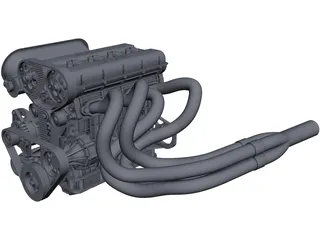
Download High-Detail 4-Cylinder 2L Engine 3D CAD Model

Preview Image

Enhance your automotive engineering and mechanical design projects with this highly detailed 4-Cylinder 2L Engine 3D CAD Model. Designed for versatility, this assembly model serves as an excellent resource for engine bay packaging, spatial analysis, simulation, and educational reference.

Key Features:

  • Universal CAD Compatibility: Seamlessly importable into AutoCAD, SolidWorks, Autodesk Inventor, Pro/ENGINEER, PTC Creo, Siemens NX, CATIA, ACIS, and other standard CAD packages.
  • Precise Geometry: Features accurate component representations suitable for conceptual design and spatial layout validation.
  • Multi-Industry Applications: Ideal for automotive design, custom powertrain integration, mechanical design engineering, and academic research.

Download this 2.0L 4-cylinder internal combustion engine CAD model today to accelerate your product development workflow.


Continue Reading | ความคิดเห็น

Elevate Your Design Workflow with Essential 3D CAD Tips in SolidWorks

Saturday, September 5, 2026

In today's fast-paced engineering and design industries, mastering digital modeling tools is essential for bringing creative ideas to life. Whether you are an automotive engineer, an industrial designer, or a digital artist, modern product design relies heavily on advanced 3D CAD software to ensure precision, structural integrity, and efficiency.

Among the various modeling tools available today, SolidWorks remains a leading industry standard. However, simply knowing the basic commands isn't enough to build complex, production-ready models efficiently. To truly excel, you need to adopt smart workflows and optimized modeling strategies.

Streamlining Your Modeling Process

Creating clean, editable, and robust models requires a solid foundation. Here are a few key practices to optimize your design routines:

  • Keep Sketches Simple and Fully Defined: Avoid creating overly complicated sketches with dozens of geometric entities in a single feature. Break complex shapes down into smaller, manageable features. Always ensure your sketches are fully defined to prevent accidental shifts in geometry.
  • Utilize Parametric Intent: Design with the end goal in mind. Use parametric relations and smart dimensions so that if a design change is needed later, your model adapts seamlessly without breaking the feature tree.
  • Master Keyboard Shortcuts: Customizing your user interface and utilizing hotkeys for frequently used commands—such as extrude, cut, and smart dimension—can drastically reduce your overall design time.

Elevating Your Technical Skills

Integrating these techniques into your daily 3D CAD workflow will not only speed up your modeling process but also make your design files much easier for team members to modify and review. Clean design trees and efficient feature management are the hallmarks of a professional designer.

Whether you are working on automotive components, consumer electronics, or intricate mechanical assemblies, continuously refining your 3D CAD skills will set you apart in the competitive world of design engineering. Start applying these actionable tips to your next project and watch your productivity soar!

Continue Reading | ความคิดเห็น

Popular Posts Today

 
Support : 3Dcadbrowser | Grabcad | 3Dcontentcentral | D | E | F | G
Copyright © 2028. Engineering 3DCad Appication - All Rights Reserved