
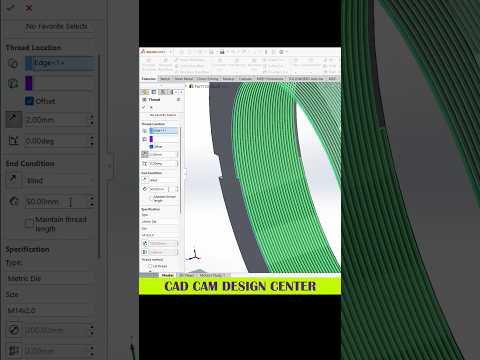
Whether you are an engineering student, an industrial designer, or an automotive enthusiast, mastering 3D CAD tools like SolidWorks is essential for bringing your complex visual ideas to life. SolidWorks remains one of the most powerful software packages in the modern design industry, but creating detailed models efficiently requires more than just knowing basic commands—it demands smart techniques and optimized workflows.
Why SolidWorks is Essential for Modern Design
SolidWorks has transformed how professionals approach product development and mechanical engineering. Utilizing advanced 3D CAD software allows designers to construct highly accurate parametric models that can be analyzed, modified, and manufactured with precision. From high-performance automotive components to intricate artistic structures, the platform provides the ideal sandbox to test concepts virtually long before physical production begins.
Top Tips to Elevate Your SolidWorks Workflow
To streamline your modeling process and reduce overall design time, consider integrating these fundamental practices into your daily routine:
- Master Fully Defined Sketches: Always ensure your 2D sketches are fully defined using precise dimensions and geometric relations. Unconstrained sketches lead to unpredictable errors when modifying geometry downstream.
- Keep the Feature Tree Organized: Name your features logically and group related operations into folders. A clean FeatureManager tree makes team collaboration seamless and renders future edits hassle-free.
- Leverage Custom Keyboard Shortcuts: Map your most frequently used commands—such as Extrude, Revolve, and Smart Dimension—to simple hotkeys to dramatically boost your modeling speed.
- Design with Intent: Plan your geometry before placing the first sketch line. Consider how the part might need to adapt in future iterations and construct your feature relationships accordingly.
Transforming Concepts into Reality
By incorporating these essential habits into your design process, you can maximize your productivity and unlock the full potential of 3D CAD modeling. Whether you are crafting precise automotive assemblies or exploring creative 3D art, consistent practice paired with smart modeling techniques will elevate the quality of your work. Start applying these core principles today to take your SolidWorks projects to the next level!
